# JSChart Custom Component
> For more options on custom charts, here is a walkthrough on how you can complete this JSChart.
Source: https://tadabase.com/docs/snippets/jschart-custom-component
Status: Not yet re-checked. Moved from our previous help site and not yet re-checked against the current product. Last edited Sep 20, 2024.
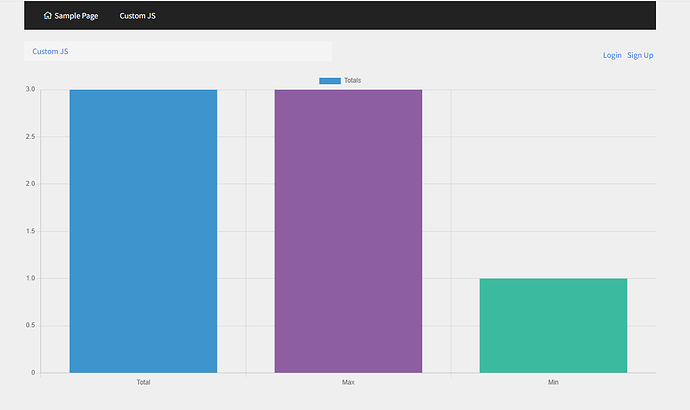
For more options on custom charts, here is a walkthrough on how you can complete this JSChart.
**Step 1**
**Add the ChartJS CDN code to the header of your app.**
```
```

**Step 2**
**Add a Custom Component. Add the following settings in calculations in the Data Source of the component.**

**Step 3**
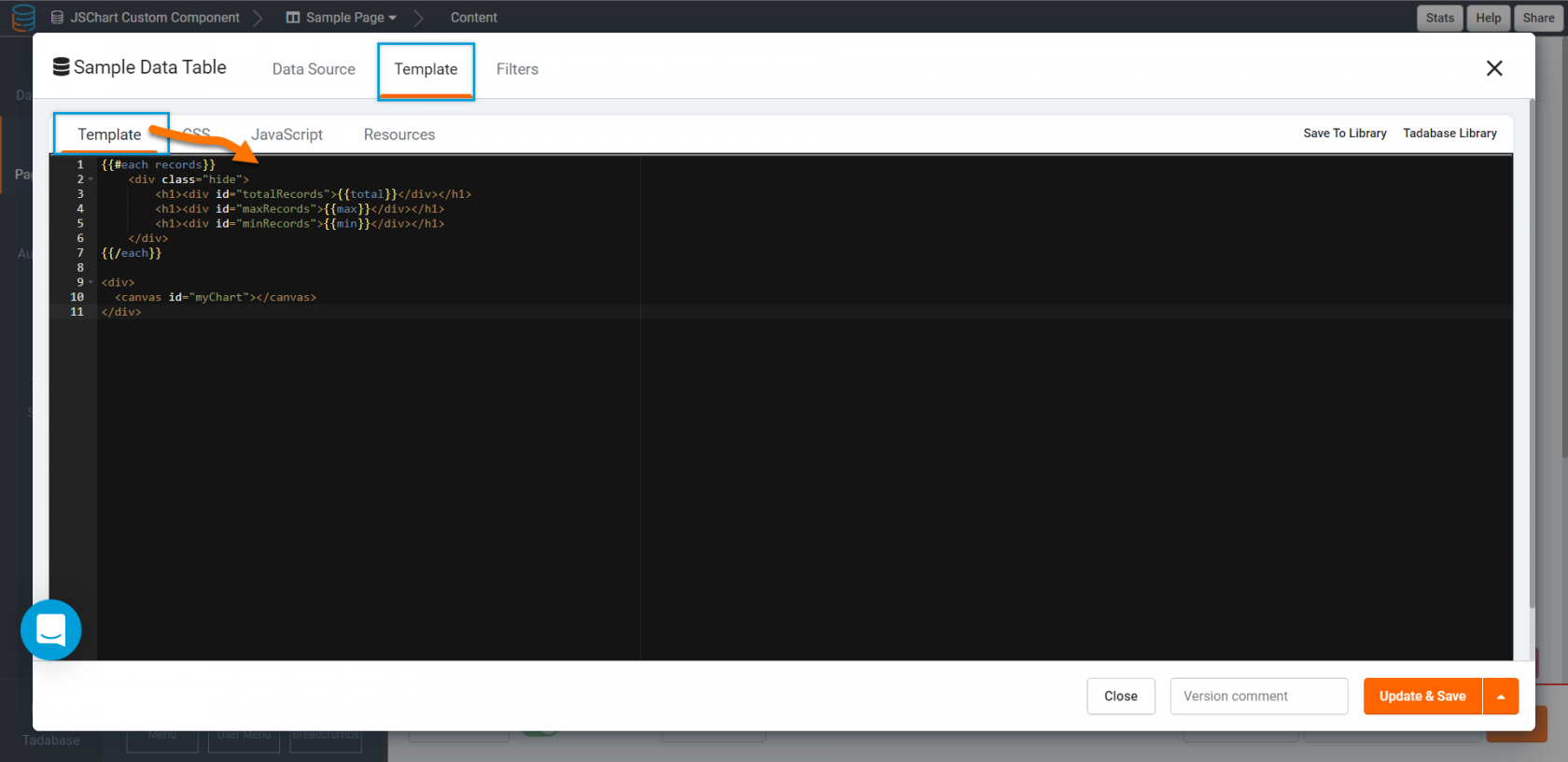
**In your custom component template tab, add the following code.**
```
{{#each records}}
{{total}}
{{max}}
{{min}}
{{/each}}
```
**Step 4**
**Add the following code to the JavaScript tab within your custom component.**
```
$(document).ready(function() {
var total = $("#totalRecords").html();
var max = $("#maxRecords").html();
var min = $("#minRecords").html();
new Chart(document.getElementById("myChart"), {
type: 'bar',
data: {
labels: ["Total", "Max", "Min"],
datasets: [{
label: "Totals",
backgroundColor: ["#3e95cd", "#8e5ea2", "#3cba9f"],
data: [total, max, min]
}]
}
});
});
```

**Original Community Post:**
[Add record values on the javascript tab of a custom component - Community Discussions / How Do I - Tadabase Community](https://community.tadabase.io/t/add-record-values-on-the-javascript-tab-of-a-custom-component/1766/4)