# Trigger Refresh When Integromat Completes
> Using Ably you can create a 'websocket' to tell your app to do specific actions when an event outside of the your app occurs.
Source: https://tadabase.com/docs/snippets/trigger-refresh-when-integromat-completes
Status: Not yet re-checked. Moved from our previous help site and not yet re-checked against the current product. Last edited Sep 20, 2024.
Using [Ably](https://ably.com) you can create a 'websocket' to tell your app to do specific actions when an event outside of the your app occurs.
### Header Code
```
```
### Javascript Code
```javascript
//Subscribe to a channel. "quickstart" can be anything you wish. But make note of it, you'll need it when creating the Integromat Scenario.
const channel = ably.channels.get('quickstart');
//Here we are listening for a new message to the channel. Specifically messages with the the key of "scenario-completed" - again, this can be anything you wish but will be necessary in the Integromat phase.
channel.subscribe('scenario-completed', (message) => {
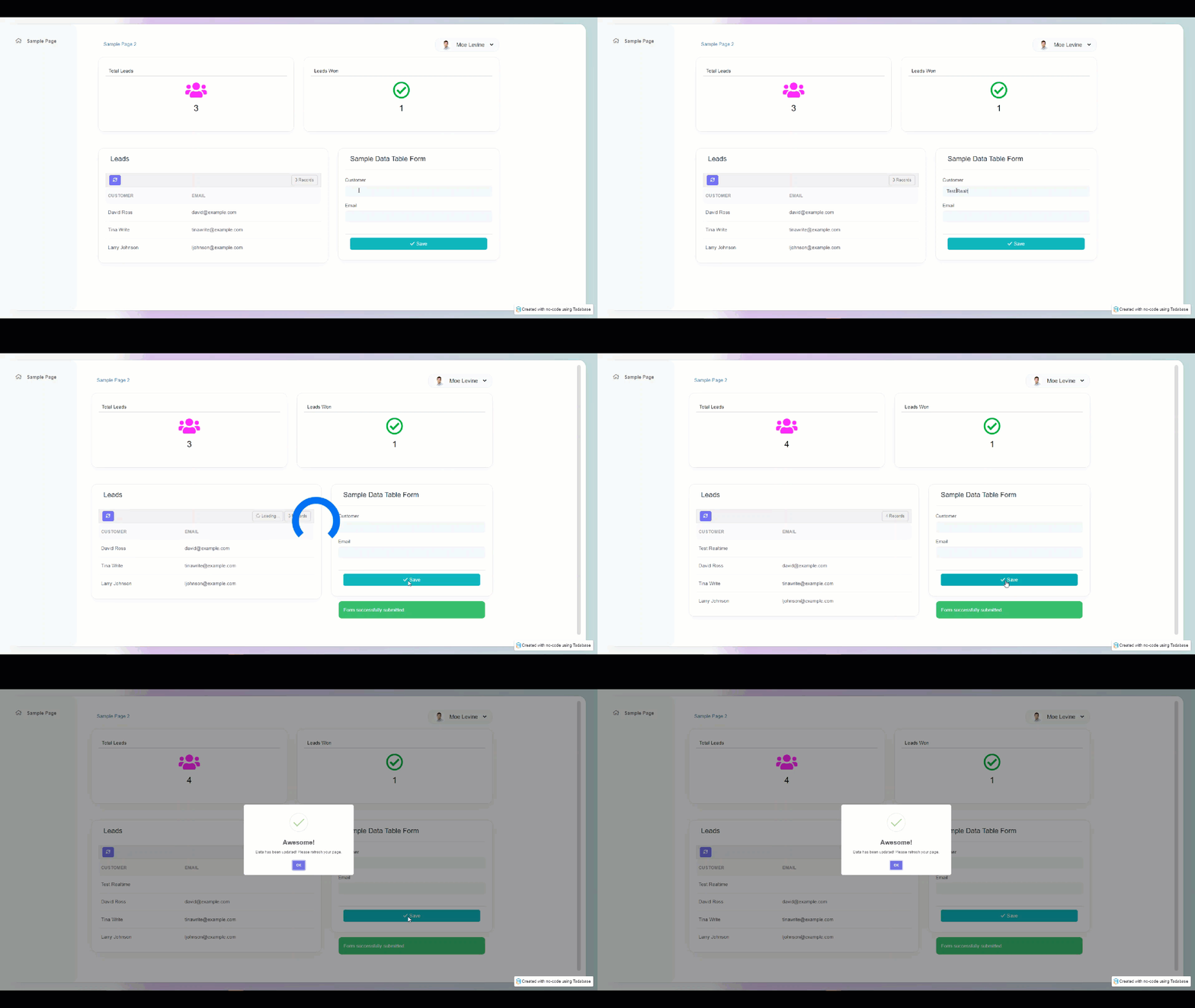
Swal.fire('Awesome!', 'Data has been updated! Please refresh your page. ', 'success')
});
```
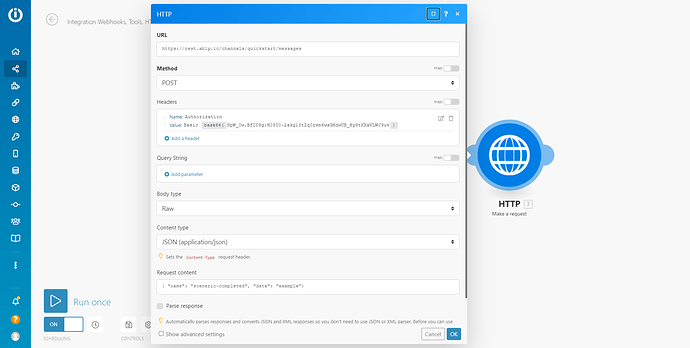
### Integromat HTTP Module
```
https://rest.ably.io/channels/YOUR_CHANNEL_NAME/messages
```
The method should be POST. Add a custom Header called “Authorization” and set the value to ‘Basic’ with the base64(YOUR_ABLY_API_KEY).
- Body type = Raw
- Content Type = JSON
- Request Content =
```
{ "name": "scenario-completed", "data": "example"}
```
Make sure to update the name in content to whatever you put in your JS of the page.
### Here’s a video of this in action:
[YouTube video player](https://www.youtube.com/embed/g9f_g4n1lSw)
Original Community Post: [https://community.tadabase.io/t/use-javascript-to-trigger-a-page-or-component-refresh-when-an-integromat-scenario-is-completed/2061](https://community.tadabase.io/t/use-javascript-to-trigger-a-page-or-component-refresh-when-an-integromat-scenario-is-completed/2061)