Display Rules in Custom Components
Product update · Mar 16, 2026
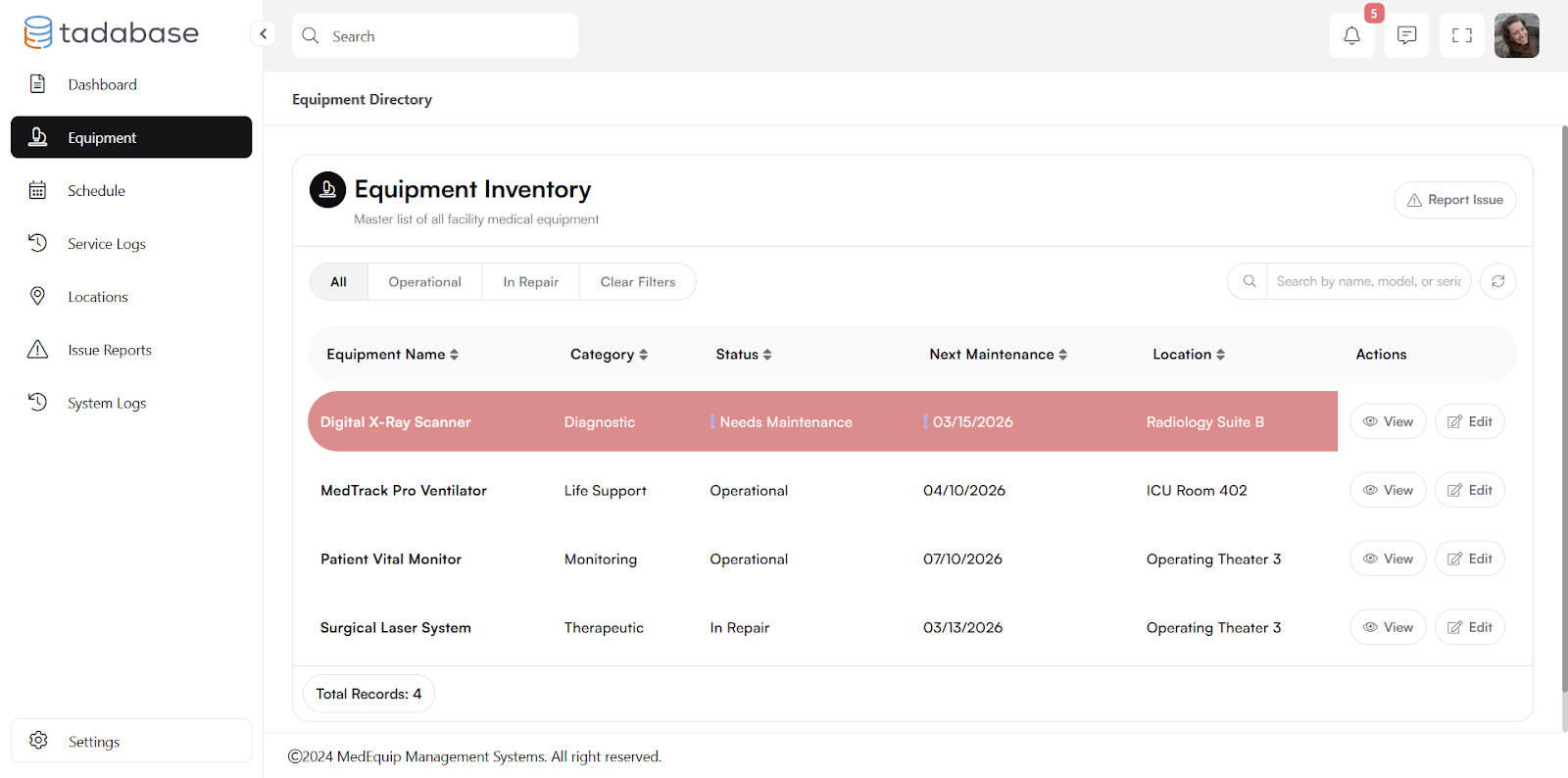
We’ve added advanced display rules to Universal Components, bringing similar functionality previously available in Tables and Lists.
You can now define rules at the component level, allowing greater flexibility in how conditions and actions are applied. Within each rule, you can target specific fields or apply changes across the entire component.
This makes it easier to manage styling and logic in a more centralized and scalable way.
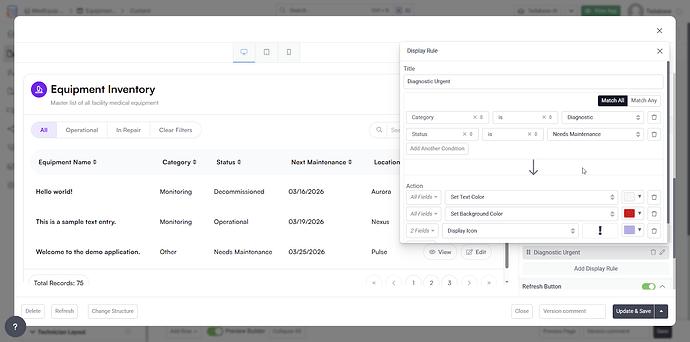
We’ve also introduced support for rules based on logged in user conditions. For example, you can define rules based on whether a user is logged in, not logged in, or belongs to specific roles.
These rules are designed for front end control and do not replace existing security settings at the layout, page, or row level.