
New Importer Live!
Product update · Sep 22, 2025
Major Rebuild
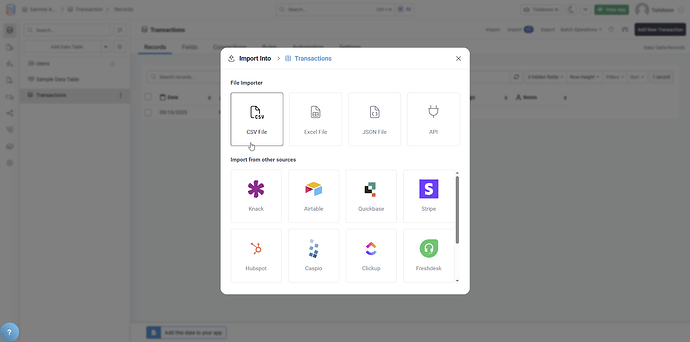
The importer has been completely rebuilt from the ground up with major improvements, including the ability to import from nearly any API.
API Import Capability #
The biggest new feature is the ability to import data directly from APIs:
- Import from Any API: Connect to nearly any API endpoint
- Save Configuration: Save import configurations for repeated use
- Trigger on Demand: Run imports manually or via automation
- No Middleware Needed: Direct API-to-Tadabase integration
Enhanced UI/UX #
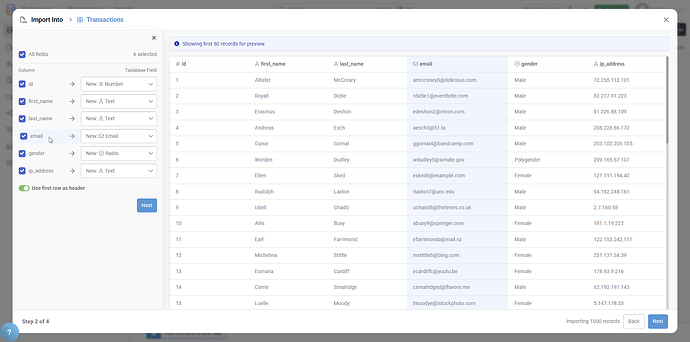
The new importer features a completely redesigned interface:
- Field Highlighting: Visual highlighting during field mapping
- Intuitive Layout: Clearer, easier-to-navigate interface
- Progress Indicators: Progress bars showing import status
- Better Error Handling: Clear error messages and recovery options
Improved Record Matching #
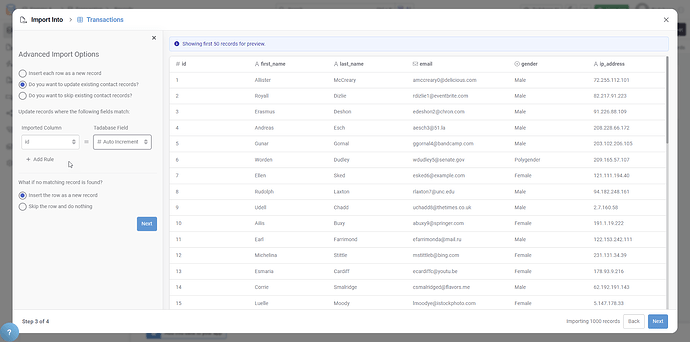
Record matching has been completely reworked:
- Multiple Field Matching: Match on more than one field
- Better Accuracy: More intelligent matching algorithms
- Reduced Duplicates: Fewer duplicate records created
- Improved Data Integrity: More reliable updates to existing records
Performance Improvements #
- Faster import processing
- Improved speed for large datasets
- Subtle UX improvements throughout
- More efficient background processing
Supported Import Formats #
- Excel files
- CSV files
- JSON files
- API endpoints (new)
Pro Tip
Use AI Mapping for your first import from a new source. The AI will suggest field mappings, which you can then review and save as a template for future imports from the same source.
Availability #
The new importer is initially released as a beta for select subscription tiers. Check with Tadabase support for availability on your plan.