
New Search Component (Enterprise Search)
Product update · Dec 30, 2025
Major Expansion
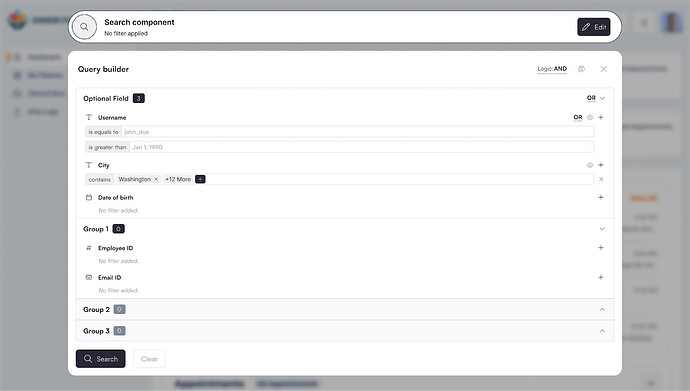
The Search Component has been reworked with major new capabilities, transforming it into an enterprise-grade filtering system similar to PowerBI and advanced data analytics platforms.
New Advanced Capabilities #
Filter Groupings #
Create filter groups for advanced filtering logic:
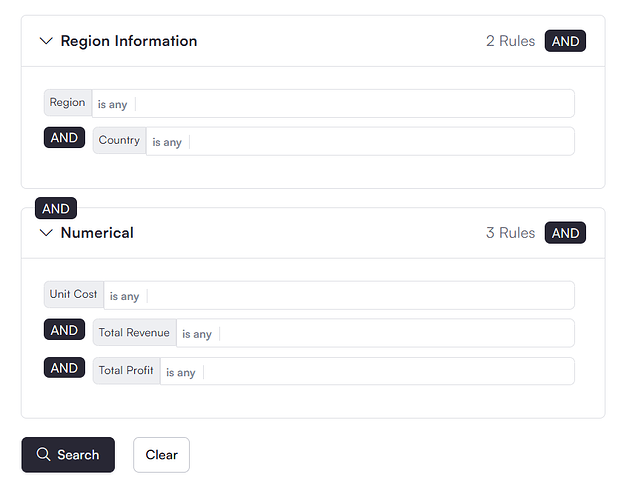
- Multiple AND/OR groups for complex queries
- Nest conditions within groups
- Build sophisticated search logic
- Combine multiple filter sets
Customizable Conditions #
- AND/OR choices at component level
- AND/OR choices at group level
- Fine-grained control over query logic
- Flexible condition combinations
Saved Searches Per User #
Users can save and retrieve advanced search queries:
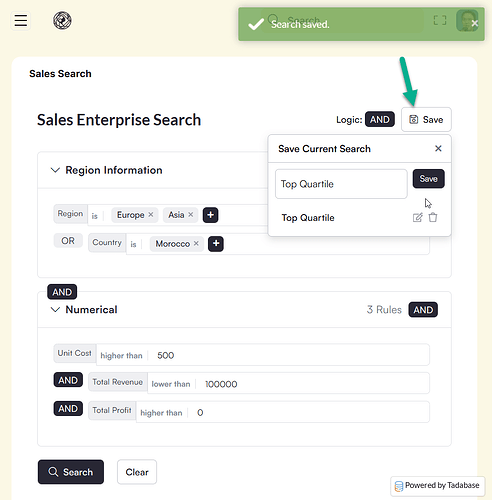
- Save complex searches for reuse
- Personal saved search library
- Quick access to frequently used filters
- Stored per logged-in user
Optional Filter Fields #
- Users can add optional fields as needed
- Control which fields are required vs. optional
- Flexible search field configuration
- Dynamic field addition
Re-Add Same Fields #
Add the same field multiple times for layered conditions:
- Create range queries (e.g., "Amount > $100 AND Amount
- Multiple conditions on the same field
- More powerful filtering options
Disable Fields on App Side #
- Control field availability to end users
- Hide fields that shouldn't be user-accessible
- Builder-only vs. user-accessible fields
Layouts and Styling #
Three layout options with fully customizable colors:
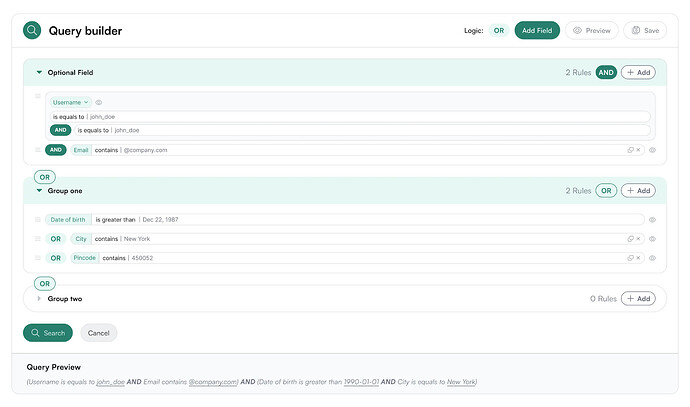
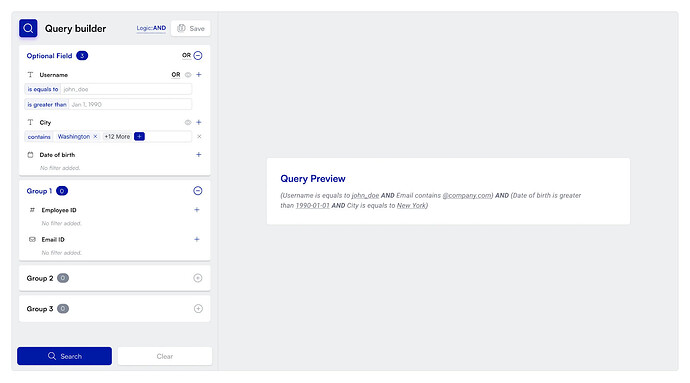
- Multiple layout configurations
- Complete color customization
- Match your app's branding
Enterprise-Grade Features #
The reworked Search Component brings enterprise-level capabilities to Tadabase:
- Similar to PowerBI advanced filtering
- Data analytics system-level sophistication
- Complex query building without code
- Professional data exploration tools
Common Use Cases #
- Advanced Reporting: Build complex filters for detailed reports
- Data Analysis: Explore data with sophisticated filtering
- User Self-Service: Let users create and save custom searches
- Multi-Criteria Searches: Combine multiple conditions and groups
- Range Queries: Find records within specific value ranges
Example: Complex Sales Filter
Find customers who either (spent more than $10,000 in California) OR (spent more than $5,000 in New York AND made a purchase in the last 30 days). Save this as "High Value Recent Customers" for easy reuse.
Availability #
The Enterprise Search Component is a premium feature. Check with Tadabase support for availability on your subscription plan.