
Record Change Logs
Product update · Jul 4, 2020
You can now see all changes made to a record.
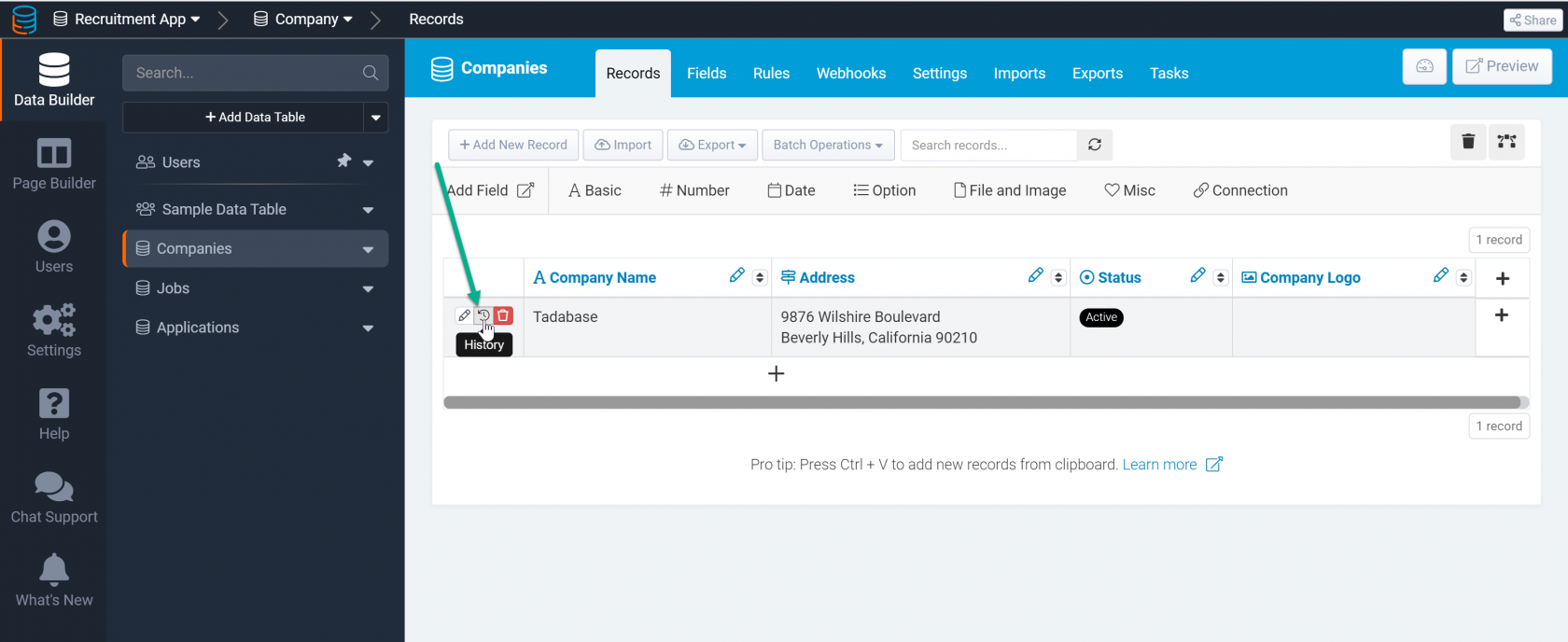
View all record changes from within the Builder by clicking on the history tab next to any record:
Or, view all record changes from a data component on your live app.
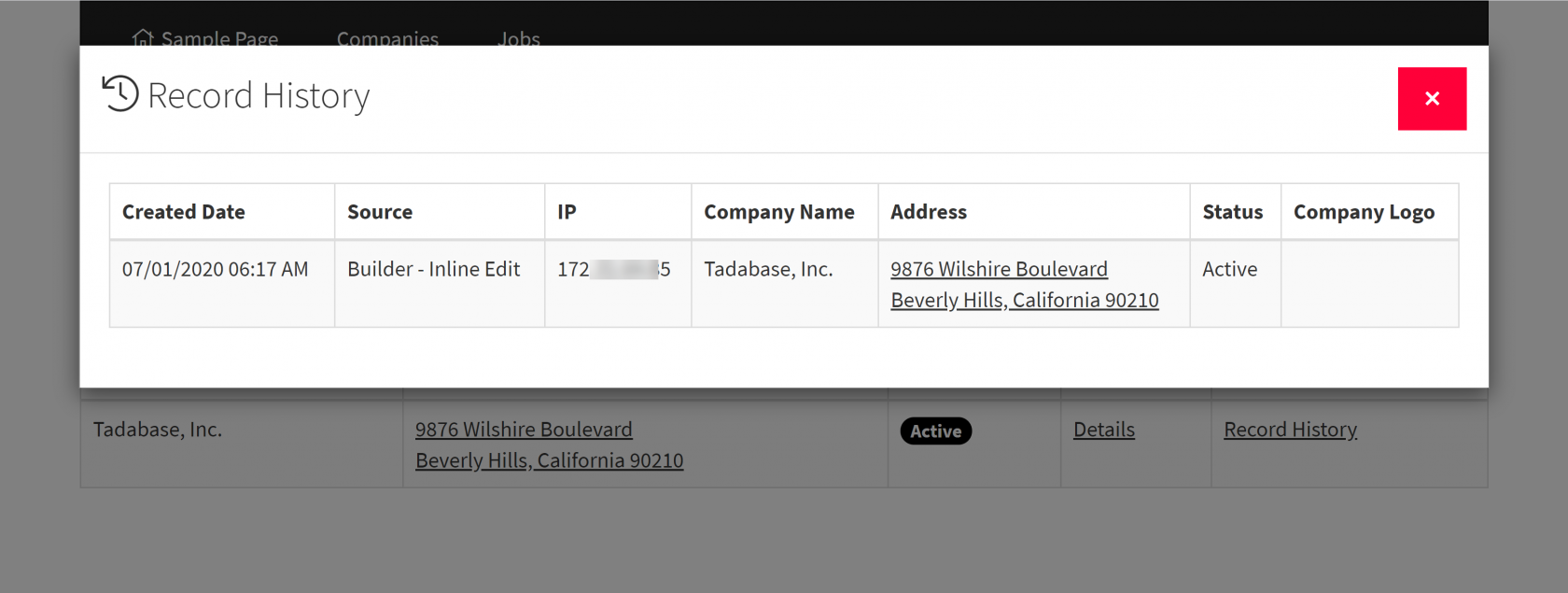
You can even choose which columns should be visible when viewing record changes.
You can read more about record logging here: https://docs.tadabase.io/categories/manual/article/record-logs
Please note: This feature must be manually enabled for each data table you wish to track.