
Between, and Dates
Some charts change over time. A fuel surcharge is eight percent this quarter and more the next. To price a parcel fairly, you need the rate that was in effect on the day it was shipped. This video shows the between match, and how Lookups handle dates.
On this page
Chapters
Read the docs
Transcript
Show the full transcript
0:00 Intro
Some charts change over time. A fuel surcharge is eight percent this quarter and more the next. To price a parcel fairly, you need the rate that was in effect on the day it was shipped. This video shows the between match, and how Lookups handle dates.
0:16 The idea
Picture a wall calendar with the surcharge periods painted on it. January to March, eight percent. April to June, nine and a half. And from July on, eleven. A parcel ships on May fourteenth. You put a pin on that date, it lands in the April to June band, and the surcharge is nine and a half percent. Look at the last band. It starts in July, but nobody has painted an end yet. So it covers every day after that. A parcel shipped on September second lands in it, eleven percent.
0:51 In your app
In a data table, the calendar becomes a table called Fuel Surcharges. Each row has an Effective From date, an Effective To date and a surcharge. The last row's Effective To is empty. Parcel P one thousand two shipped on May fourteenth. Between checks each row. Is the ship date on or after the From, and on or before the To? Only the April to June row says yes, so the surcharge is nine and a half. Across all five parcels: February tenth, eight percent. May fourteenth, nine and a half. June thirtieth is the last day of that band, and the last day counts, so nine and a half. September second, the open band, eleven. And P one thousand five shipped last December, before the first band starts, so nothing matches. Now say the shop runs a promotion. For May only, the surcharge drops to seven percent, so someone adds a row, May first to May thirty-first. May fourteenth now falls inside two rows, the April to June row and the May row. When ranges overlap, the one that starts latest wins. The May row started later, so this parcel's surcharge is seven percent. Dates are read by the day. If your parcels store a date and a time, say June thirtieth at eleven thirty at night, and the chart's columns are plain dates, the time is set aside and only the day counts. June thirtieth is still in the April to June band, nine and a half percent. Between isn't only for dates. It works on numbers, like a band from zero to four point nine nine. On dates, like these surcharge periods. On dates with times, compared to the second. And on times of day, like a night rate that starts at six in the evening. The from and to columns have to be the same kind. If your periods follow each other with no gaps, there's a simpler way. Between gives these five parcels eight, nine and a half, nine and a half, eleven, and nothing. Nearest lower, using only the Effective From column, gives exactly the same answers. Each parcel takes the latest rate that started on or before its ship date.
2:50 Setting it up
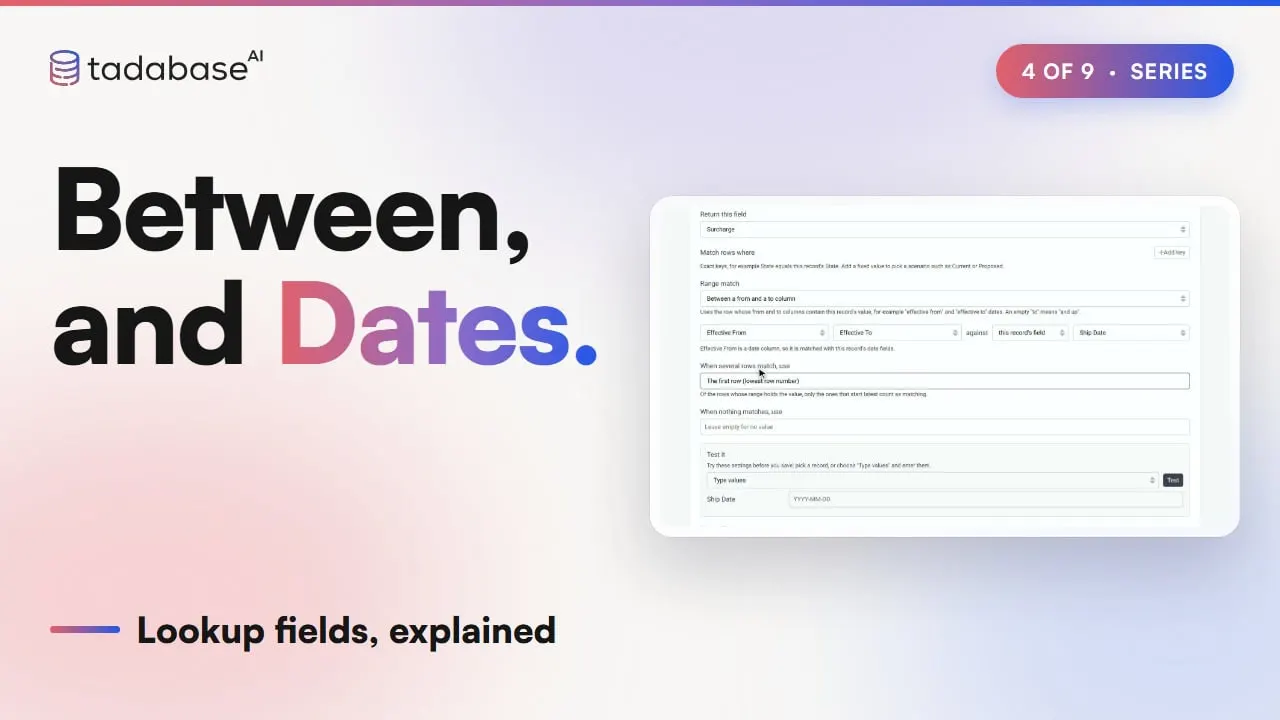
On the Parcels table, add a Lookup called Fuel Surcharge. Look up the value in Fuel Surcharges. Return this field, Surcharge. Under Range match, pick Between a from and a to column. For the from column, Effective From, for the to column, Effective To, against this record's field, Ship Date. The builder notes that this is a date column, so only date fields are offered. Save.
3:15 Rules
Four rules to keep track of. Rule one: both ends count. A parcel shipped on the first day of a band or on its last day is inside of it. June thirtieth gets the April to June rate. Rule two: leave no gaps between bands. Say one band ends at four point nine nine pounds and the next starts at five. A parcel of four point nine nine five pounds falls on the crack between them, and nothing matches. If your bands touch end to start, nearest lower on the start column is safer. Rule three: when ranges overlap, the latest start wins. May fourteenth sits in the quarter band and the May band. The May band started later, so seven percent. Rule four: match dates with dates. A date column can only be matched with a date field, a date and a time field, or a fixed date you type in. The builder won't offer a number field, and saving refuses one. So that's between. Each row has a from and a to. An empty to means from then on. Both ends count, and when rows overlap, the latest start wins. Next up: interpolation, reading between two rows of a chart, with one key and with two.
Also on Vimeo · the whole series on Vimeo