
Running Totals: Running Total and Running Average
A running total gives every row the total so far, like the balance column on your bank statement. Here is how to build one in a Tadabase Rollup field, and how to restart it per group.
On this page
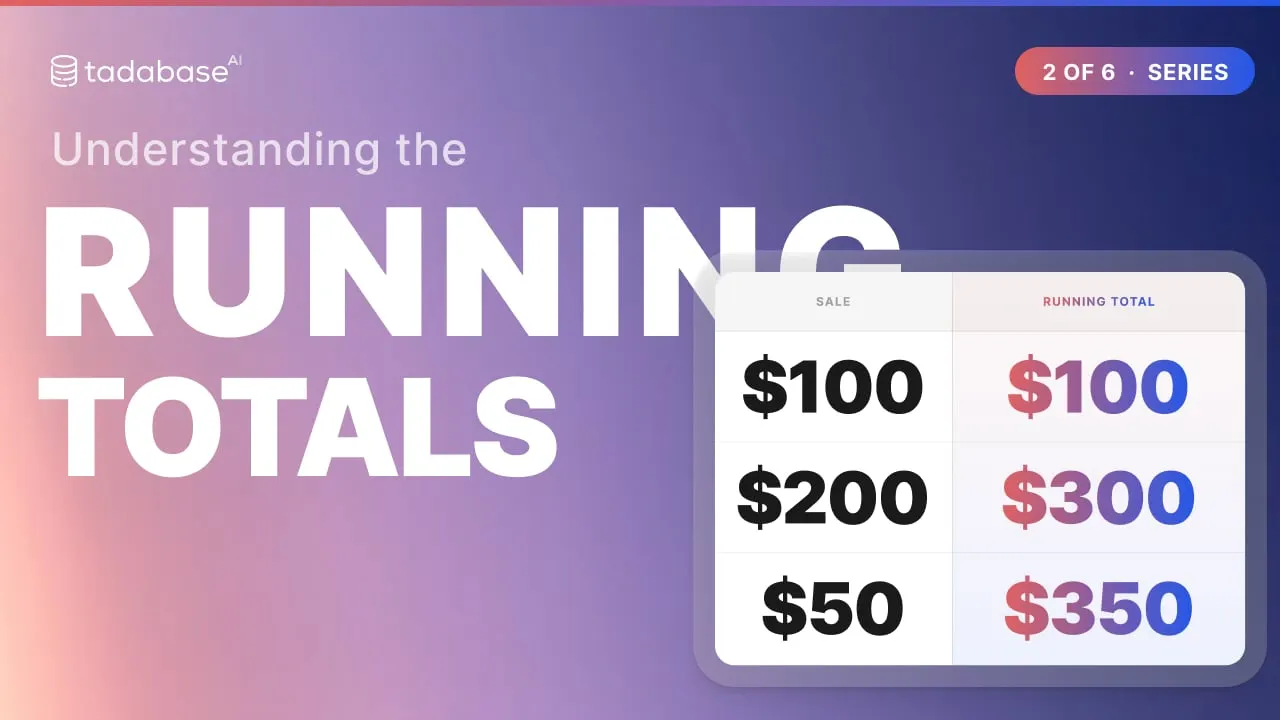
In this video
- The idea, from a bank statement
- Running Total in a data table, row by row
- Restarting the total per group with Group Calculations By
- Running Average
- How to set it up in the AI Builder (Show All Tables, this same table)
- 3 rules: Order By decides "so far", ties need a tiebreaker, totals refresh when a row changes
Chapters
- 0:00 What a running total is
- 0:10 The idea: your bank statement
- 0:37 Running total in a data table
- 0:59 Restarting per group
- 1:21 Running Average
- 1:37 Where it helps
- 1:48 Setting it up
- 2:11 Rule 1: Order By decides "so far"
- 2:35 Rule 2: ties need a tiebreaker
- 2:53 Rule 3: totals refresh when a row changes
- 3:08 Recap
Read the docs
- Summarize connected records with a Rollup field Count connected records, or total, average, find the lowest or highest of, or list a field across them, with optional conditions.
- Window Functions Complete Guide Window Functions are powerful analytical tools that allow you to perform calculations across rows that are related to the current row. Unlike regular…
Transcript
Show the full transcript
0:00 What a running total is
Let's look at running totals. A running total gives every row the total so far. This video covers Running Total and Running Average.
0:10 The idea: your bank statement
Think about your bank statement. Each row is one transaction. And the last column shows your balance after it. That column is a running total. It tells you exactly what you had on any day, not just the ending balance at the bottom. A normal total gives you one number for the whole table. A running total tells the story, row by row, and every row carries the total so far.
0:37 Running total in a data table
In a Tadabase data table it works the same way. Here are three sales, in date order. Running Total gives each row the total so far. The first row is one hundred. The second adds two hundred, and the total is three hundred. The third adds fifty, three fifty. Every row keeps its own number.
0:59 Restarting per group
What if each region needs its own total? Here are six sales from two regions. Group the calculation by region. East climbs, one hundred, three hundred, three fifty. Then the first West row starts again, three hundred, four fifty, five twenty-five. That setting is called Group Calculations By.
1:21 Running Average
Running Average is the same idea. Instead of adding, it averages everything so far. After one sale, one hundred. After two, three hundred divided by two, one fifty. After three, three fifty divided by three, about one seventeen.
1:37 Where it helps
Where does this help? An account balance after every payment. Sales so far this year, on every order. Hours used so far, on every project.
1:48 Setting it up
Setting one up takes a few choices. Add a Rollup field on the table itself. Turn on Show All Tables, and pick this same table. Choose Running Total. Pick the number to add up. Pick the field that sets the order, usually a date. And to restart per group, set Group Calculations By. Save, and every row gets its running total.
2:11 Rule 1: Order By decides "so far"
Three rules to keep track of. Rule one: Order By decides what so far means. These three sales were typed in out of order. Add them up in that order, and the totals follow the typing. Order them by date, and the totals follow the calendar. Same rows, different running totals. Always set Order By to the field that really sets the order.
2:35 Rule 2: ties need a tiebreaker
Rule two: ties need a tiebreaker. When two rows share the exact same date, the system can put them in either order. The next time it recalculates, they can swap, and the total in between changes. When that matters, order by a date and time, or by the record ID.
2:53 Rule 3: totals refresh when a row changes
Rule three: the totals are stored, and refreshed when a row changes. Here are the running totals. Change the second sale from two hundred to three hundred, and every total from that row down updates, four hundred, then four fifty.
3:08 Recap
That is the running total. Order it, group it if you need to, and every row carries the total so far. In the next video we look at Rank, Row Number, and dividing records into groups. Learn more at tadabase.com.
Also on Vimeo · the whole series on Vimeo