
Change how your app looks
Pick a theme for your whole app in Settings, then adjust fonts, background, borders, spacing and CSS on any row, column or component.
- Verified Nov 17, 2026
- Classic builder
A theme sets the colors and style of your whole live app. On top of it, you can change the look of any single row, column or component from its Design tab.
Pick a theme #
Themes depend on your plan. If yours does not include them, Themes is locked in the Settings menu and you cannot apply a theme.
- Open the theme settings In the builder, open Settings and choose Themes. App Theme Settings shows the theme your app uses now.
- Browse the themes Click Explore All Themes. Themes are split into two tabs: General themes change the colors used across the app; Custom themes also restyle parts of the interface.
- Preview one Click Preview under a theme to see it before you use it.
- Apply it Click Apply. The theme in use is marked Current Theme.
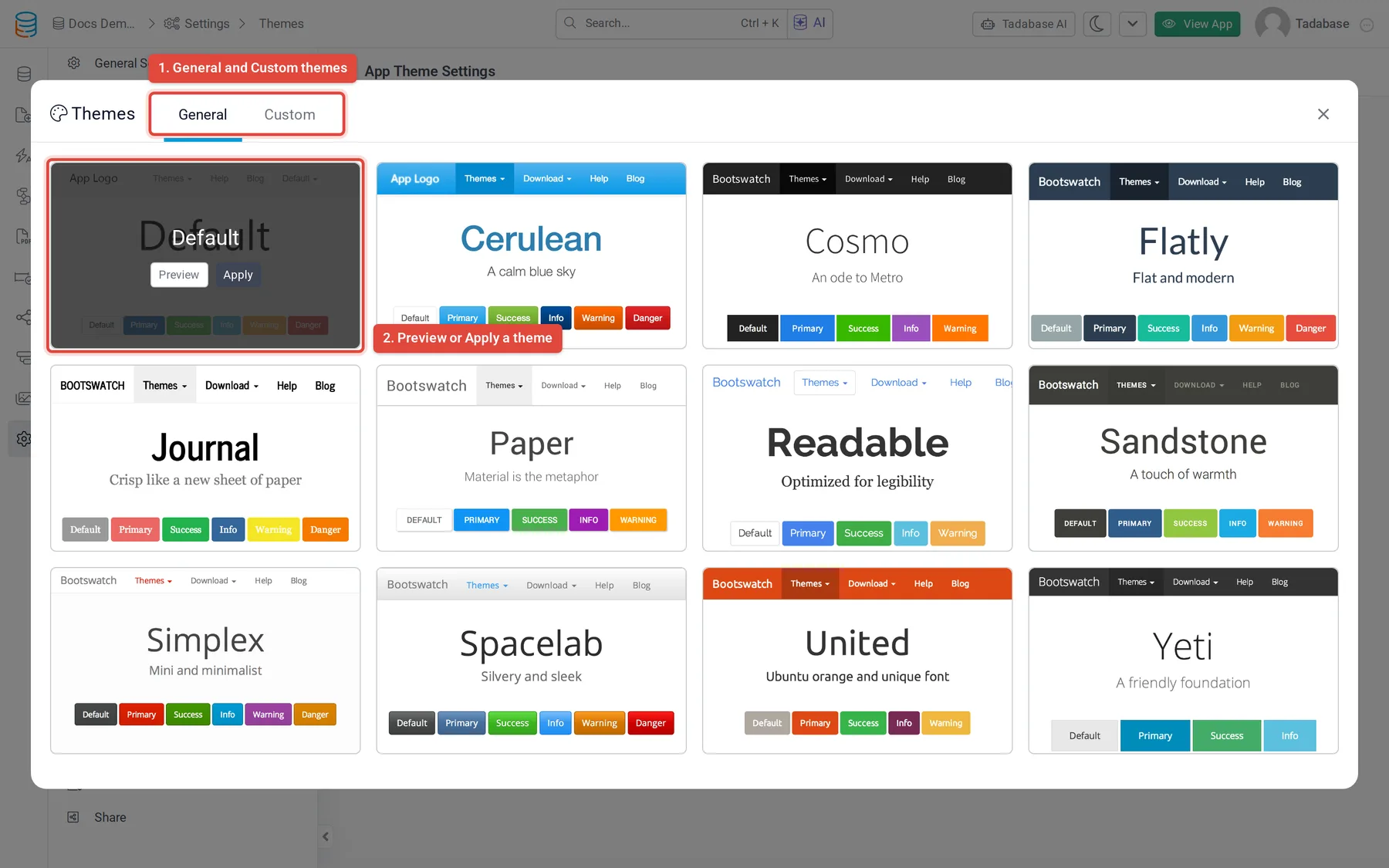
See Themes and Changing app themes for more.
Change the design of a row, column or component #
- Open the item For a row or column, hover over it, open its menu and choose Edit. For a component, hover over it and click the pencil (Edit).
- Go to Design Select the Design tab.
- Change what you need Use the tabs described below, then save.
| Tab | What you can set |
|---|---|
| Fonts | Family, Size, Line Height, Alignment and Color. To use a font you loaded yourself, type its family name. |
| Background | Background Color, Repeat and Background Size. |
| Border | Style, Width, Direction and Border Color. |
| Spacing | Margin (space outside the border) and Padding (space between the border and the content), for example 25px. |
| CSS | Additional CSS Classes and Additional CSS for this item. |
In Additional CSS you write only the properties, without a selector; they apply to this item. For example:
height: 500px; width: 500px; display: block;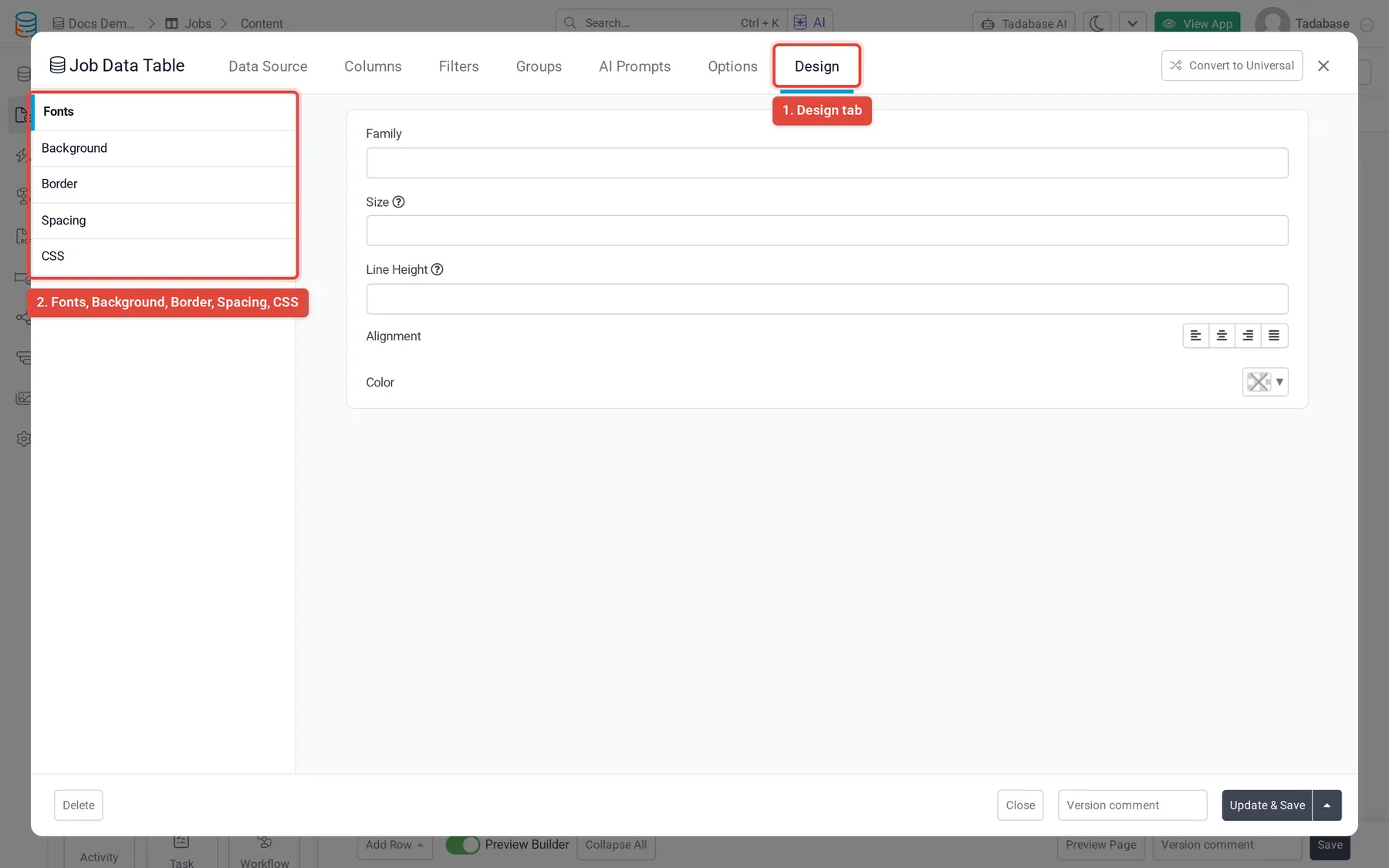
Some components, such as forms and Enterprise Search, can also have a Theme tab here with their own styles. To add CSS or JavaScript to a whole page or layout, use its CSS and JavaScript tabs; see Customizing CSS.
Was this page helpful?
Something wrong or missing on this page? Tell us.