
Change your app's theme
Preview the built-in and custom themes, apply one to change the colors and fonts of your whole live app, and know what a theme does not change.
- Verified Nov 17, 2026
- Classic builder
A theme sets the look of your whole live app: colors, fonts, buttons and other standard elements. Every app starts with the Default theme. You can switch to another theme at any time; your pages, data and settings stay as they are.
Preview and apply a theme #
- Open Themes In the builder, click Settings in the left menu, then Themes. The App Theme Settings screen shows your current theme.
- Browse the themes Click Explore All Themes. The Themes window has two tabs: General and Custom.
- Preview one Click Preview on a theme to open it in a preview window. Use the mobile, tablet and desktop buttons at the top to check other screen sizes, then click Close.
- Apply it Click Apply on the theme you want. It is saved straight away and your live app uses it the next time a page loads. The theme now shows Current Theme.
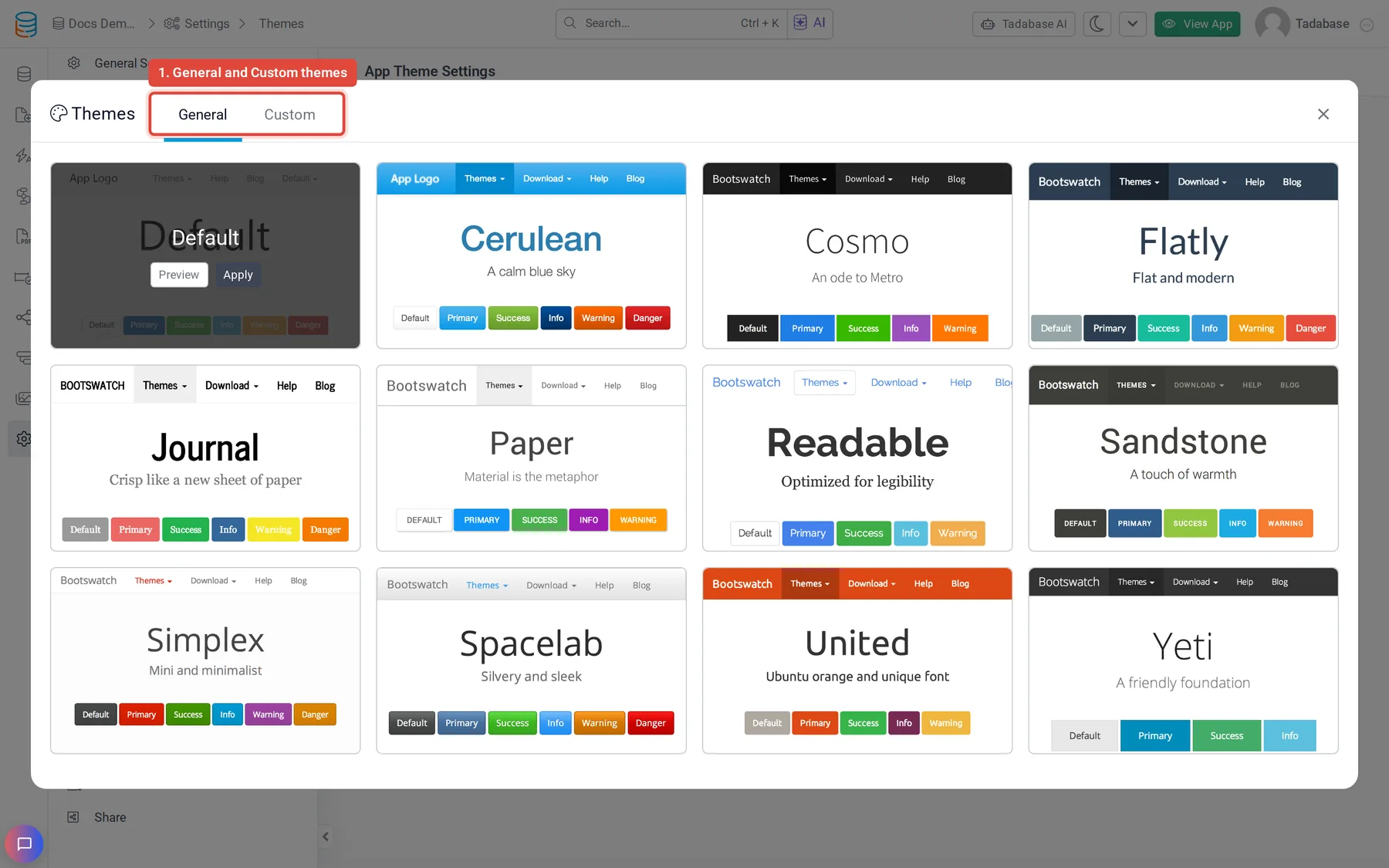
General and Custom themes #
- General: the standard themes, based on free Bootstrap themes: Default, Cerulean, Cosmo, Flatly, Journal, Paper, Readable, Sandstone, Simplex, Spacelab, United and Yeti.
- Custom: more designed themes made by Tadabase. The list is the same for every app; you cannot add your own theme here.
To use your own colors and fonts, keep a theme and add CSS on top of it. See Add custom code to your app's header and footer.
What a theme changes #
A theme only changes the live app's styles. It does not change your pages, layouts, components, data, the builder, or any CSS you added to pages, layouts or the app header. Your own CSS still applies on top of the theme, so check pages that use custom CSS after you switch.
Plans #
Themes are a plan feature. If your plan does not include them, Themes in the settings menu shows an upgrade lock, the themes show an upgrade button instead of Apply, and the live app uses the Default theme.
Was this page helpful?
Something wrong or missing on this page? Tell us.