
Find slow equations with equation logs
See how long each equation field takes to calculate, which equations ran most and which took longest in the last 24 hours.
- Verified Nov 17, 2026
- Classic builder
On this page
Every time an equation field calculates a value, Tadabase logs when it started, when it finished and how long it took. Use equation logs when saving records feels slow, to find the equations that take the most time.
See all equations in Settings #
- Open Logs In the builder, click Settings, then Logs.
- Click Equation Logs Click Equation Logs. It opens on the Overview tab; the Logs tab lists every calculation.
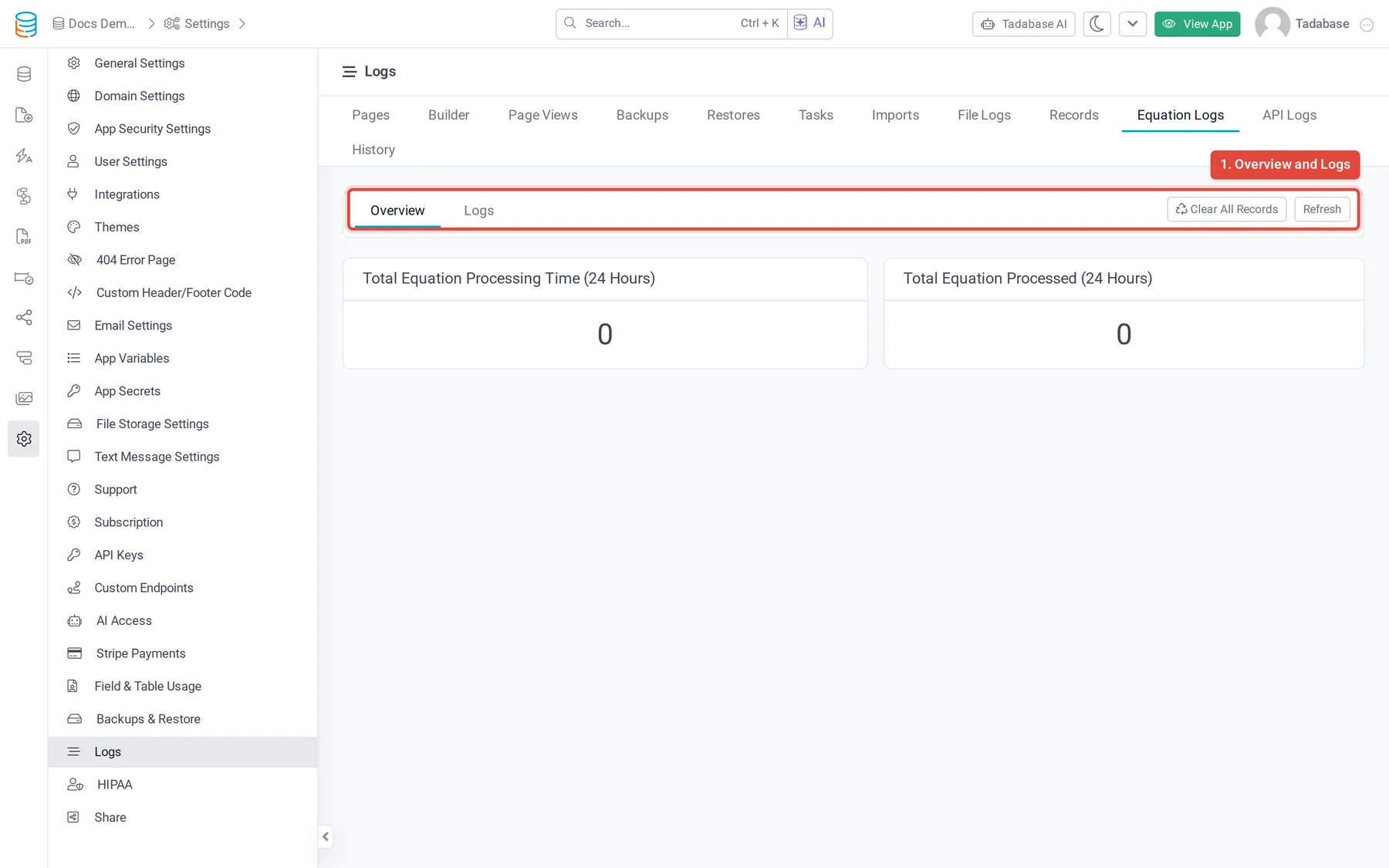
The Overview tab covers the last 24 hours:
| Card | What it shows |
|---|---|
| Total Equation Processing Time (24 Hours) | The time all equation calculations took added together, in seconds. |
| Total Equation Processed (24 Hours) | How many calculations ran. |
| Top 10 Slowest Equations | The ten fields whose calculations took the most time in total, with the Data Table, Field, Field Type and Total Duration. |
| Top 10 Triggered Equations | The ten fields that calculated most often, with the number of runs in Total. |
The Logs tab lists each calculation with the Data Table, Field, Field Type, Start At, End At and Duration in seconds, newest first. Click the pencil next to a table or field to open it in the Data Builder.
See the logs of one field #
- Open the field In the Data Builder, open the table's Fields tab and click the equation field.
- Click Logs At the top of the field's settings, click the list icon (Logs).
- Read the runs The Equation Logs window lists each calculation of this field with Start At, End At and Duration. Click Load More for older runs.
The Logs button shows on Equation, Rollup, Number Formula, Text Formula and Date Formula fields when your plan includes equation logs. No log history means the field has not calculated within the log's retention period.
What the timings tell you #
- Duration is how long one calculation of the field took, from Start At to End At.
- Total Duration on the Overview adds up every calculation of the field in the last 24 hours. A field can rank high because each run is slow, or because it runs very often.
- Compare the two top 10 lists. A field that is in Top 10 Slowest Equations but not in Top 10 Triggered Equations is slow on each run: look at what it calculates over. A field near the top of both runs often: look at what makes it recalculate, such as changes to connected records.
Plans and how long logs are kept #
Equation logs are available when your plan includes them. They are kept for 3 days on free and trial apps and 7 days on paid plans. See Find your app's logs.
Was this page helpful?
Something wrong or missing on this page? Tell us.