
See who changed your app in the builder
Use the Pages and Builder logs to see who saved each page version and who added, edited or deleted tables, fields, pages and settings.
- Verified Nov 17, 2026
- Classic builder
On this page
Two logs record changes made in the builder. Pages lists every saved version of a page with who saved it, and Builder lists changes across the app, such as a new table or a deleted field. Use them to find out who changed something and when.
See who saved each page version #
- Open Logs In the builder, click Settings, then Logs.
- Open the Pages tab Click Pages.
- Choose what to see Click Page - Content for the page layout and components, Page - CSS for the page's CSS, or Page - JavaScript for its JavaScript.
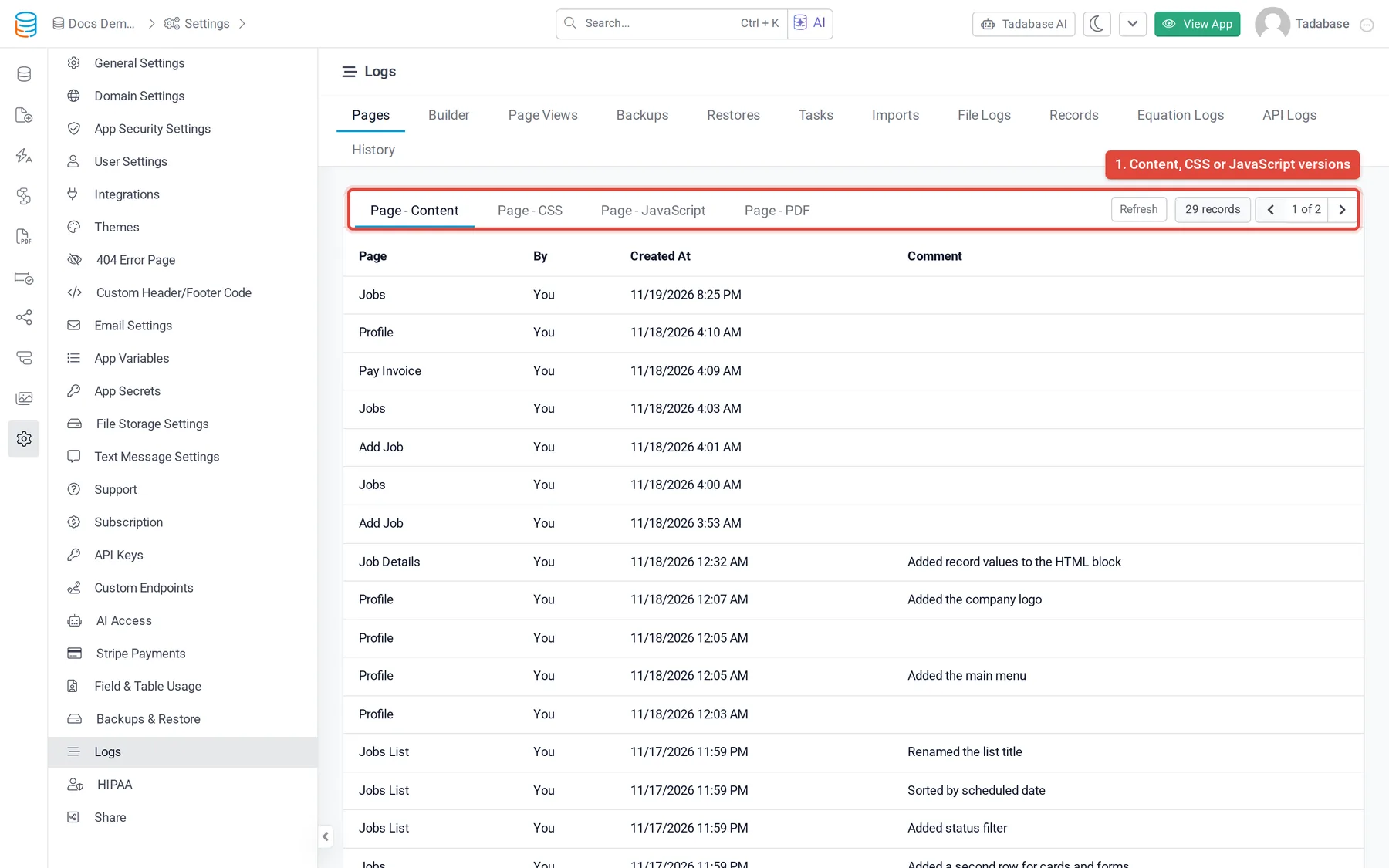
Each row is one saved version, newest first, with the Page, who saved it (By), when (Created At) and the Comment added when saving, if any.
To open or roll back to an earlier version, use the page's history in the Page Builder. See Restore an earlier version of a page.
See changes made across the builder #
Click Settings > Logs > Builder. Each row is one change, newest first.
| Column | What it shows |
|---|---|
| Type | What was done, for example Added Data Table, Edited Page, Edited Layout, Edited App Settings, Deleted Field or Deleted Page. |
| Created At | When the change was made. |
| By | The name and email of the person who made it. |
| IP | The IP address it was made from. |
Click Details to see what was recorded with the change, such as the name of the table, page or field. Click Page View to open the address the change was made from.
When Tadabase support works in your app, their changes are logged under the support team member's name.
How long entries are kept #
- Pages: page versions are kept by count. Free and trial apps keep the newest 10 versions of each page, paid plans the newest 50. The live version and versions saved with a comment are always kept.
- Builder: 7 days on free and trial apps, 7 to 60 days on paid plans, depending on the plan.
Both tabs show only when your plan includes them. See Find your app's logs.
Was this page helpful?
Something wrong or missing on this page? Tell us.