
See which pages people visit
List the pages opened in your live app with who opened them, when, from which IP address and in which browser.
- Verified Nov 17, 2026
- Classic builder
Tadabase logs each page opened in your live app. Use the Page Views log to see which pages people use and who opened a page, for example when checking who viewed a page with sensitive data.
Open the Page Views log #
- Open Logs In the builder, click Settings, then Logs.
- Click Page Views Click the Page Views tab. The newest page views are at the top; click Refresh to load new ones.
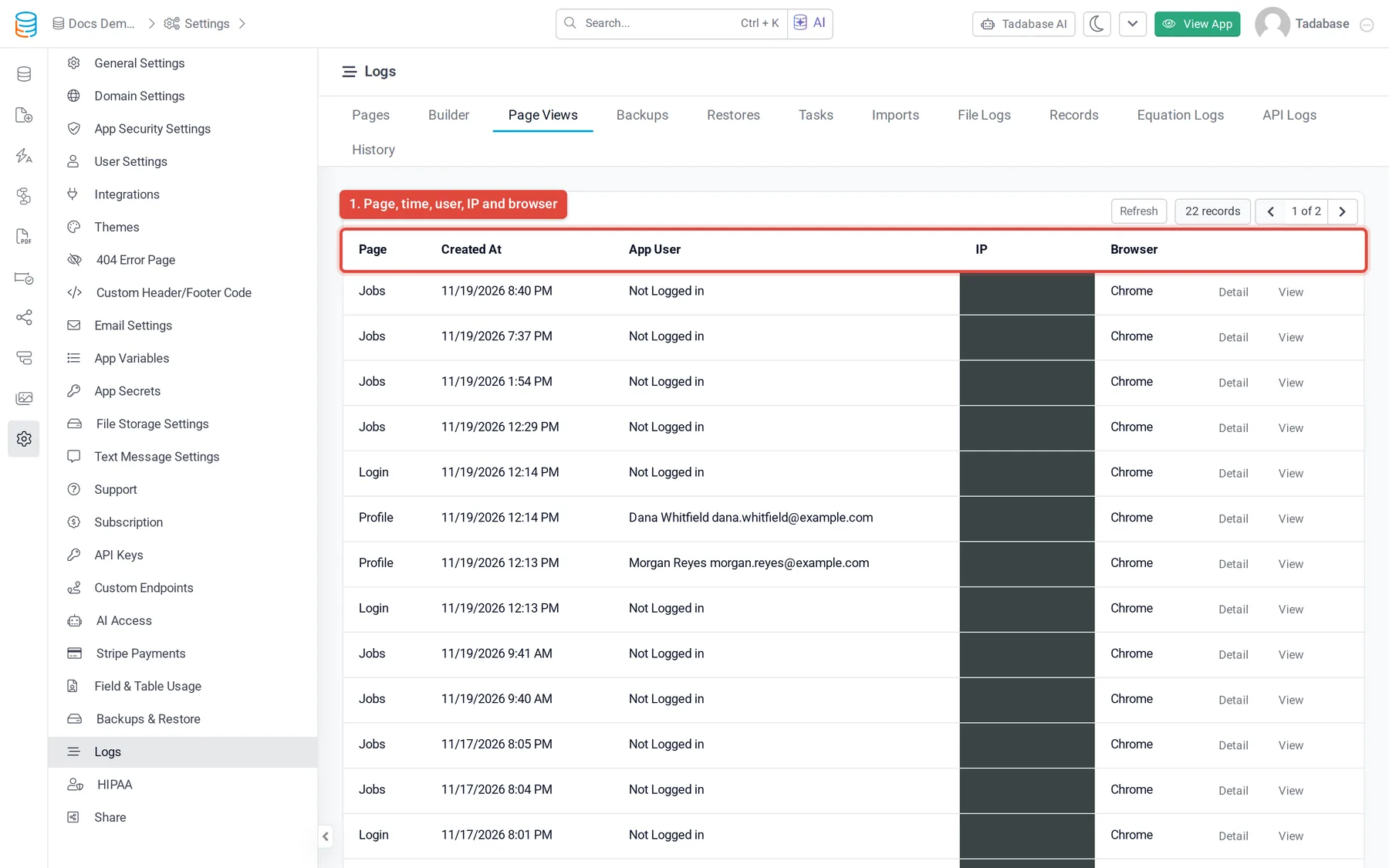
There is nothing to switch on: page views are logged automatically. The Page Views tab shows when your plan includes the page view log. When the same person opens the same page several times in quick succession, only the first view is logged.
What each entry shows #
| Column | What it shows |
|---|---|
| Page | The page that was opened. |
| Created At | When it was opened. |
| App User | The name and email of the logged-in user, or Not Logged in for a visitor who was not logged in. |
| IP | The visitor's IP address. |
| Browser | The browser used. |
Click Detail to see the details stored with the page view, or View to open the address that was visited.
The list has no filters. To show page views on a page of your app, filtered to one page or user, add a Log Table component: see Adding logs to the app side.
How long page views are kept #
Page views are kept for 7 days on free and trial apps and for 7 to 60 days on paid plans, depending on the plan. See Find your app's logs.
Was this page helpful?
Something wrong or missing on this page? Tell us.