
Find your app's logs
See which logs your app keeps, where each one is in the builder, what it records and how long its entries are kept on your plan.
- Verified Nov 17, 2026
- Classic builder
On this page
Tadabase logs what happens in your app: changes in the builder, page views, record changes and deletes, file uploads and downloads, equation calculations, imports and more. Most of these logs are in one place, Settings > Logs; a few live next to the feature they track.
Open the Logs screen #
- Open Settings In the builder, click Settings in the app menu.
- Click Logs Click Logs. The screen opens with one tab for each log your plan includes. Some tabs have their own sub-tabs, for example Records has Change Logs, Debug Logs, Delete Logs and Batch Update Logs.
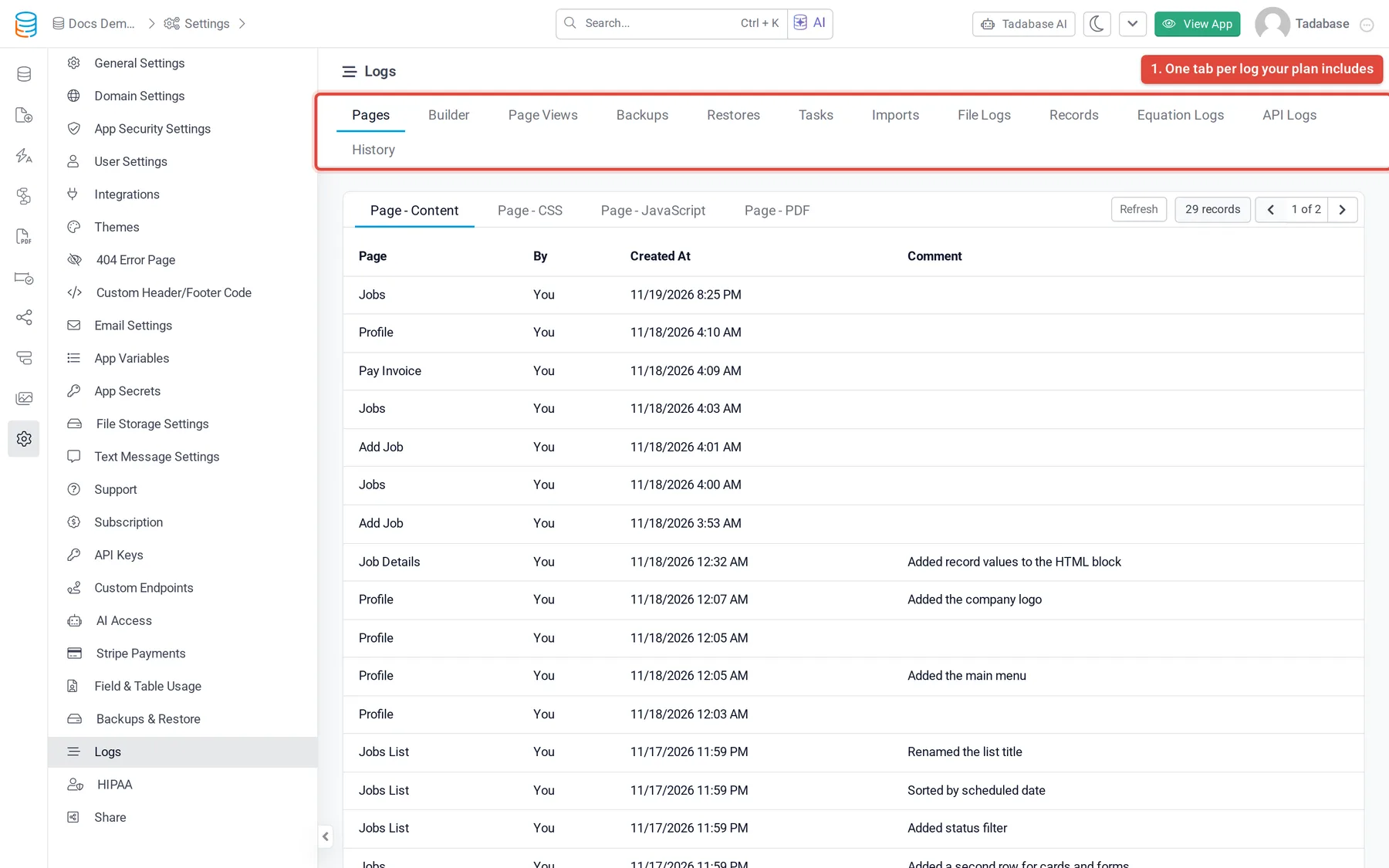
Each list shows the newest entries first, a Refresh button and page controls. If your plan does not include app logs, the Logs screen shows an upgrade message instead of the tabs.
Logs under Settings > Logs #
| Tab | What it records | More |
|---|---|---|
| Pages | Every saved version of a page's content, CSS and JavaScript, with who saved it and the version comment. | See who changed your app in the builder |
| Builder | Changes made in the builder, such as adding a table, editing a page or deleting a field, with who made them and from which IP address. | See who changed your app in the builder |
| Page Views | Each page opened in the live app, with the user (if logged in), IP address and browser. | See which pages people visit |
| Tasks > Task History, Task Record Logs | Each task run and the records it processed. | Tasks and task record logs |
| Imports | Each import run, with its template, how many records succeeded and failed, and its message. | |
| File Logs > Upload Logs, Secure Download Logs | Every uploaded file, and every download of a secure file. | See who uploaded and downloaded files |
| Records > Change Logs, Debug Logs, Delete Logs | Changes to records and deleted records for tables with logging turned on, and save timings recorded while Tadabase support debugs your app. | Track record changes and deleted records |
| Records > Batch Update Logs | Batch updates and deletes run on a table, with their status, table and record counts. | |
| Equation Logs > Overview, Logs | How long each equation field took to calculate, with the slowest and most-run equations of the last 24 hours. | Find slow equations with equation logs |
| API Logs | Requests made to your app's REST API, when API request logging is on. | See every API request in the logs |
| RLS Logs | Requests that row-level security blocked, with the policy, operation, user and reason. | Limit which records each user can see |
Logs in other places #
| Log | Where | More |
|---|---|---|
| Email logs | Settings > Email Settings > Email Logs | Email logs |
| Login logs and failed logins | Settings > User Settings > Login Logs and Failed Logins | Track logins and end active user sessions |
| Workflow runs | The workflow's history | Workflow history and logs |
| Outgoing webhooks | The webhook logs | Outgoing webhook logs |
| AI prompt runs | The AI prompt's logs | Check AI prompt logs |
| One record's history, a table's deleted records | The table's Records tab in the Data Builder | Track record changes and deleted records (Data Builder) |
To show logs to your app's users on a page, add a Log Table component. See Adding logs to the app side.
Which logs your plan includes #
App logs need a plan that includes them. Your plan also decides which tabs appear: a log your plan does not include has no tab. RLS Logs also appears when row-level security is turned on for your app. Record change logs and delete logs are listed in your plan's details as Record Change Logs and Delete Logs, with the number of days they are kept.
How long log entries are kept #
Every log has a retention period set by your plan. Entries older than that are deleted; no log is kept forever. These are the standard periods. Where the table shows a range, higher plans keep the log longer.
| Log | Free and trial apps | Paid plans |
|---|---|---|
| Workflow history, batch update logs, task record logs | 3 days | 7 to 60 days |
| Equation logs | 3 days | 7 days |
| Builder log, page views, API logs, outgoing webhook logs | 7 days | 7 to 60 days |
| Email logs | 7 days | 30 to 90 days |
| Imports | 7 days | 30 to 60 days |
| Login logs, failed logins, RLS logs, secure download logs | 30 days | 90 to 365 days |
| Page versions (the Pages tab) | The newest 10 per page | The newest 50 per page |
A log with no period on your plan is kept for 30 days. Page versions are kept by count, not by age: the version that is live and versions saved with a comment are never removed. Record change logs and delete logs follow the days shown in your plan's details.
Was this page helpful?
Something wrong or missing on this page? Tell us.