
Sign in to the builder with an email verification code
Turn on two-factor sign-in for your Tadabase builder account so every sign-in also needs a 6-digit code sent to your email.
- Verified Nov 17, 2026
- Classic builder
On this page
Two-factor sign-in protects your builder account: after your email and password, Tadabase emails you a one-time 6-digit code, and you are signed in only once you enter it. You turn it on yourself in your profile.
Turn it on #
- Open Edit Profile Click your name in the top right corner of the builder, then Edit Profile.
- Switch it on Set Require Two Factor Authentication (2FA) to Yes.
- Save Click Update. The next time you sign in, Tadabase asks for a code.
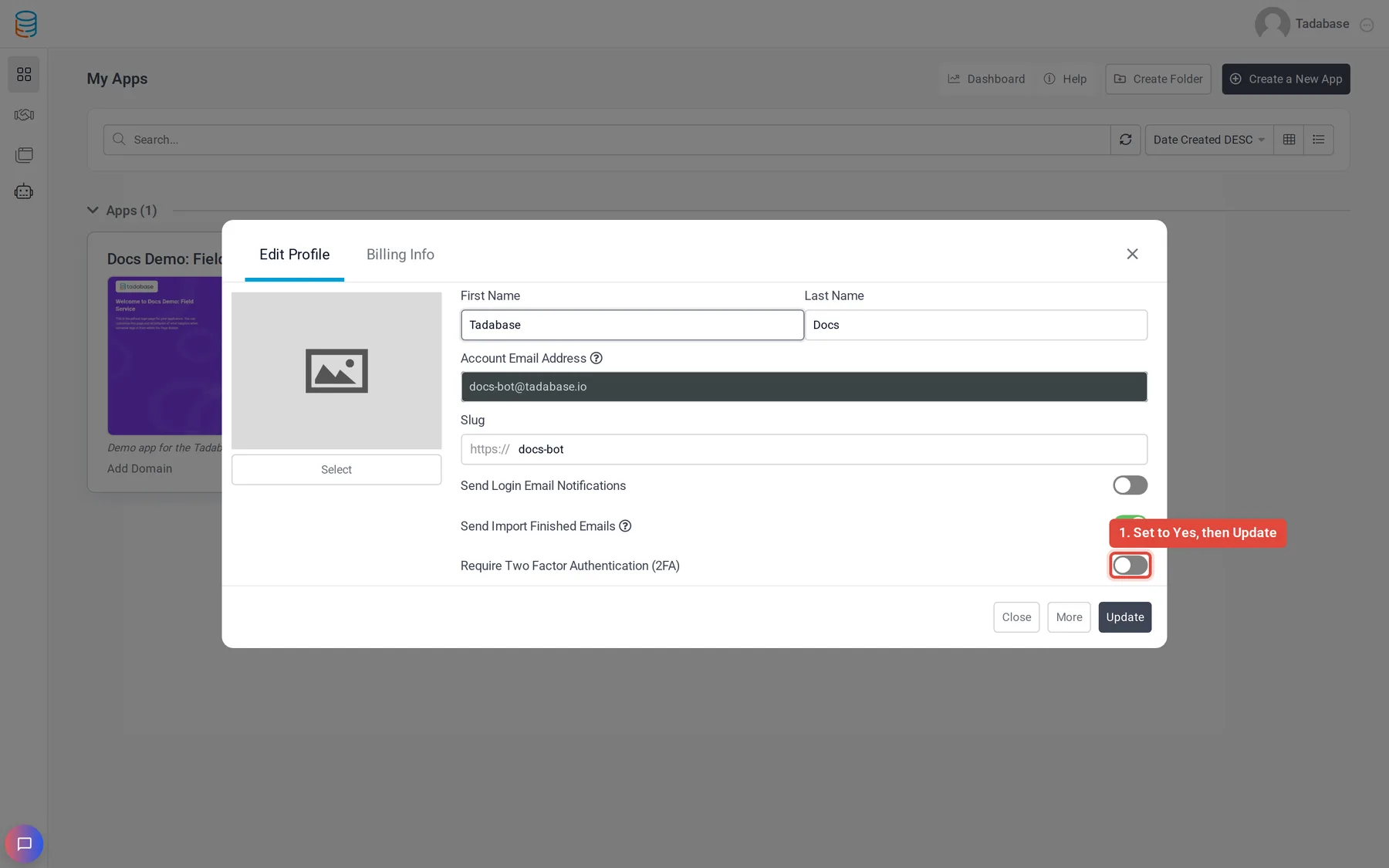
To turn it off, set the same switch to No and click Update.
Sign in with a code #
- Enter your email and password Sign in at build.tadabase.io as usual. When the password is right, a page opens that asks for a 6-digit code.
- Find the email Look for an email with the subject Your One-time Verification Code for Tadabase, sent to your account's email address.
- Enter the code Type the 6-digit code and submit it. You land on your apps.
| Rule | What happens |
|---|---|
| The code is valid for 60 minutes. | After that the code page sends you back to sign in with Please try again. |
| You get 5 tries per code. | A wrong code shows Invalid code. After the fifth wrong try you see Too many attempts. Please sign in again to get a new code. |
| Each code works once. | To get a new code, sign in again with your email and password. There is no resend button on the code page. |
If the code does not arrive #
- Check your spam or junk folder for the email from Tadabase.
- Make sure you are looking at the inbox of your account's email address. You can see it in Edit Profile under Account Email Address.
- Sign in again to get a fresh code; only the newest email matters.
- If you no longer have access to that inbox, contact support@tadabase.io. The email address of an account can only be changed by support.
Was this page helpful?
Something wrong or missing on this page? Tell us.