
Share your builder and give support access
Invite other people to build an app with you, choose what each one can change, and let the Tadabase support team into one app without sharing your password.
- Verified Nov 17, 2026
- Classic builder
On this page
Sharing an app's builder lets other people work on the app with you, each with their own Tadabase login. They are called shared builders. You decide, per person, which parts of the builder they can change. Only the app's owner can share it.
Invite someone to the builder #
- Open Share In the app, open the menu next to View App in the top bar (the down arrow) and click Share. You can also go to Settings > Share.
- Add a person Click Add New and enter their Email and Name.
- Choose what they can change Tick or untick the permissions in the table below.
- Send the invitation Click Share. Tadabase emails them an invitation.
| Permission | Default | What it allows |
|---|---|---|
| Modify Data Builder | On | Change tables, fields and other Data Builder settings. |
| Modify Page Builder | On | Change layouts and pages. |
| Modify App Settings | On | Change the app's settings. |
| See usage on the Dashboard | On | Open this app's Dashboard. |
| Back up and restore this app (under Backups) | Off | Create backups and restore the app. Needs Modify App Settings. |
A person who already has a Tadabase account finds the app in Shared Apps after they sign in. Someone without an account gets a link to sign up first.
Change or remove a shared builder #
The Share screen lists everyone with access. Each row has buttons:
| Button | What it does |
|---|---|
| Edit | Change the person's permissions. Email and name cannot be changed. |
| Delete | Remove the person's access to this app. |
| Resend Invitation | Send the invitation email again. Shown while the person has not created their account yet. |
| Copy Invite Link | Copy the invitation link to send it yourself (in the Share window opened from the top bar). Shown while the person has not created their account yet. |
Your plan sets how many shared builders an app can have. The screen shows how many you use, for example Shared Builder: 2/5. At the limit, an upgrade button takes the place of Add New.
Apps shared with you #
Click Shared Apps in the left bar of My Apps to see the apps other accounts share with you. Each app has Manage (open the builder), View Live (open the app) and Remove App Access (leave the app).
Working on the same app at the same time #
Several people can be in the same builder at once. To stop others from changing a table while you work on it, open the table's menu in the Data Builder and click Lock. Click Unlock when you are done. The person who locked a table and the app owner can unlock it.
Give the Tadabase support team access #
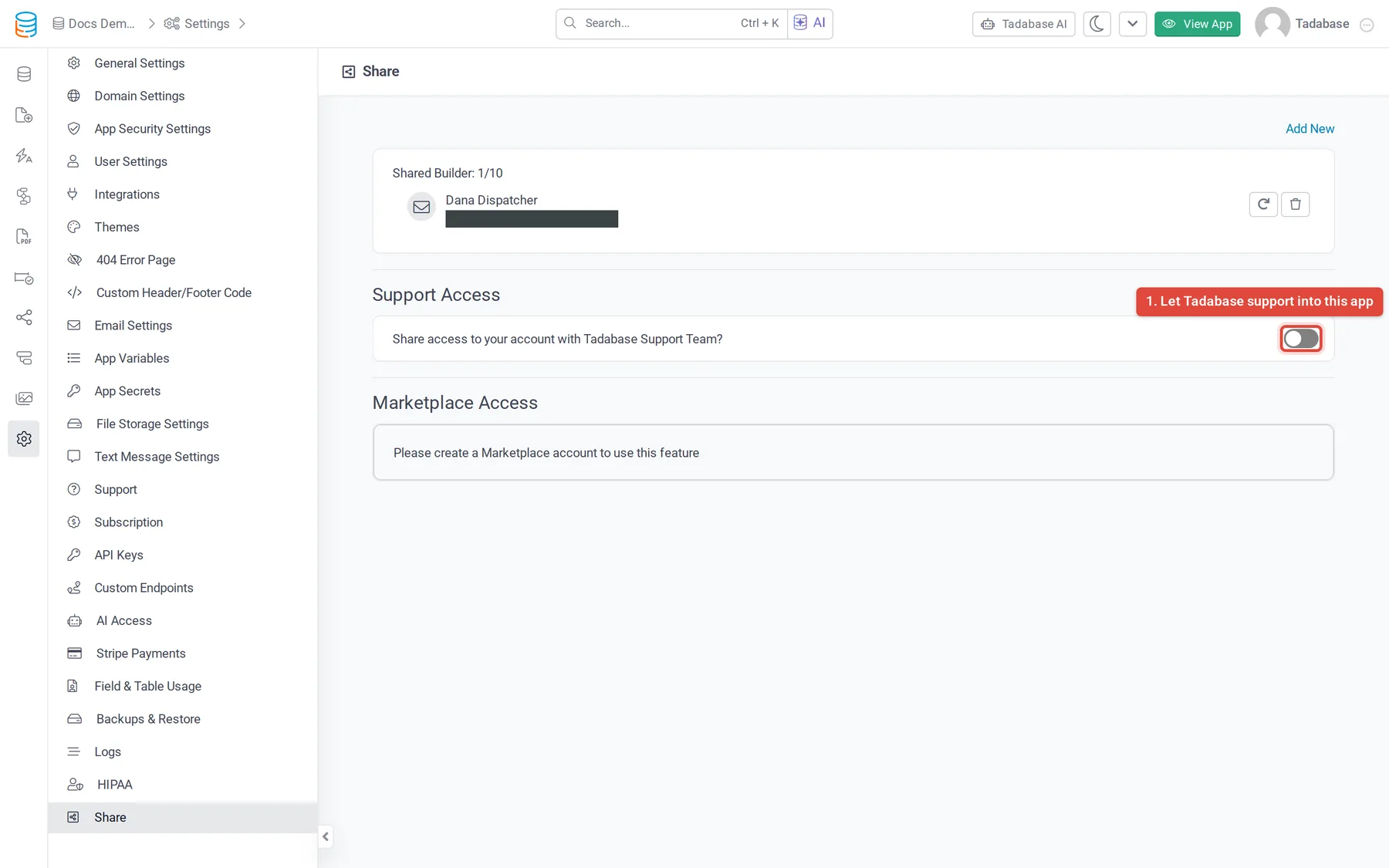
By default the Tadabase support team cannot see your apps. When you ask for help with an app, turn on support access for that app instead of sharing your password.
- Open Share In the app, go to Settings > Share.
- Turn it on Under Support Access, set Share access to your account with Tadabase Support Team? to Yes.
This adds Tadabase Support Team as a shared builder of this app only, with access to the Data Builder, the Page Builder and the app settings. Your other apps stay private. Set the switch back to No when the issue is solved.
Apps protected for HIPAA do not allow support access this way. Contact support@tadabase.io for those apps.
Was this page helpful?
Something wrong or missing on this page? Tell us.