
Add records
The ways to add records: the Data Builder, a form in your app, a CSV import, a workflow, the REST API, or Zapier and Make.
- Verified Nov 17, 2026
- Classic builder
On this page
A record is one entry in a table, such as one customer or one job. You can add records yourself in the builder, let people add them in your app, or bring them in from a file or another system.
In the Data Builder #
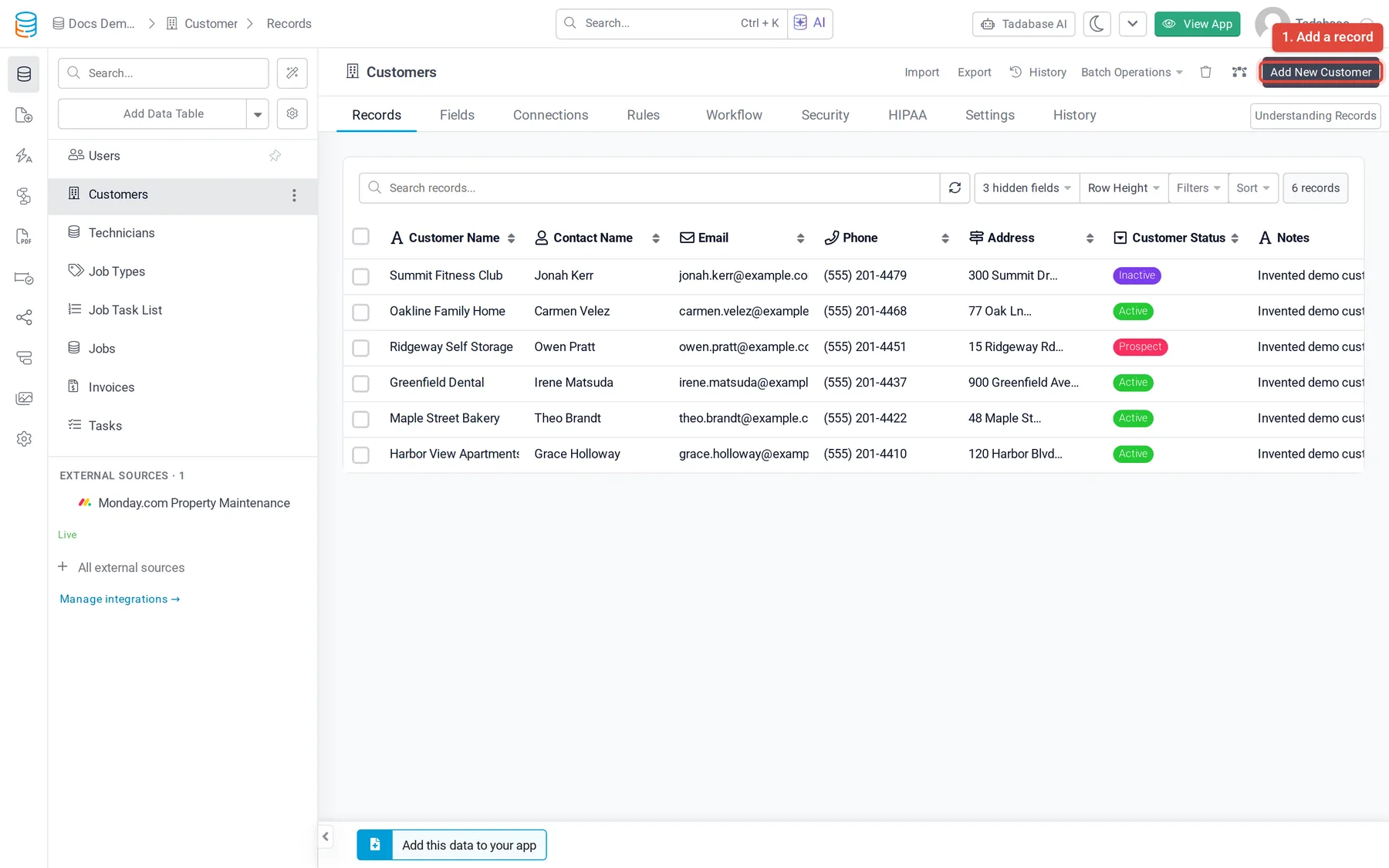
- Open the table In the Data Builder, open the table and stay on its Records tab.
- Click Add New Click the button at the top right. It is named after one record of the table, such as Add New Customer.
- Fill in the fields Enter the values. Calculated fields, such as formulas and rollups, fill themselves in.
- Save Click Save.
With a form in your app #
Forms are how the people using your app add records. Add a form component to a page, choose the table it adds to and the fields it shows. Each submission creates a record. See Form component.
Import a file #
- Into an existing table: on the Records tab, click Import and follow the steps. Your plan decides which importer opens; see Importing records from the builder.
- Into a new table: use the arrow on Add Data Table and pick Add table from CSV (or Add table from Import). The columns become fields and the rows become records.
- For the same import again and again, save the column mapping as an import template.
Importing is plan-limited. If your plan does not include it, the Records tab shows an upgrade button instead of Import.
With a workflow #
A workflow can create records for you, for example a follow-up task each time a job is closed, or on a schedule. See Workflows overview and Data actions.
From other systems #
- REST API: create records from your own code. API access is available on the Business Starter, Business Growth, Business Pro and Business Elite plans. See REST API.
- Zapier and Make: add records when something happens in another app, such as a new form response or a paid invoice. See Zapier integration.
Record limits #
Your plan sets how many records an app can hold. See Plans.
Was this page helpful?
Something wrong or missing on this page? Tell us.