
Generate PDFs through the API
Create a PDF from a PDF Page for one record, or fill a PDF Form with your own values, and get it back as a file, a temporary link or base64.
- Verified Nov 17, 2026
- Classic builder
On this page
Make the same PDFs your app makes, from your own code. A PDF Page turns one record into a PDF using the design you built in the builder. A PDF Form fills an uploaded PDF with the values you send.
Before you start #
- Your plan must include API access and PDF Pages or PDF Forms.
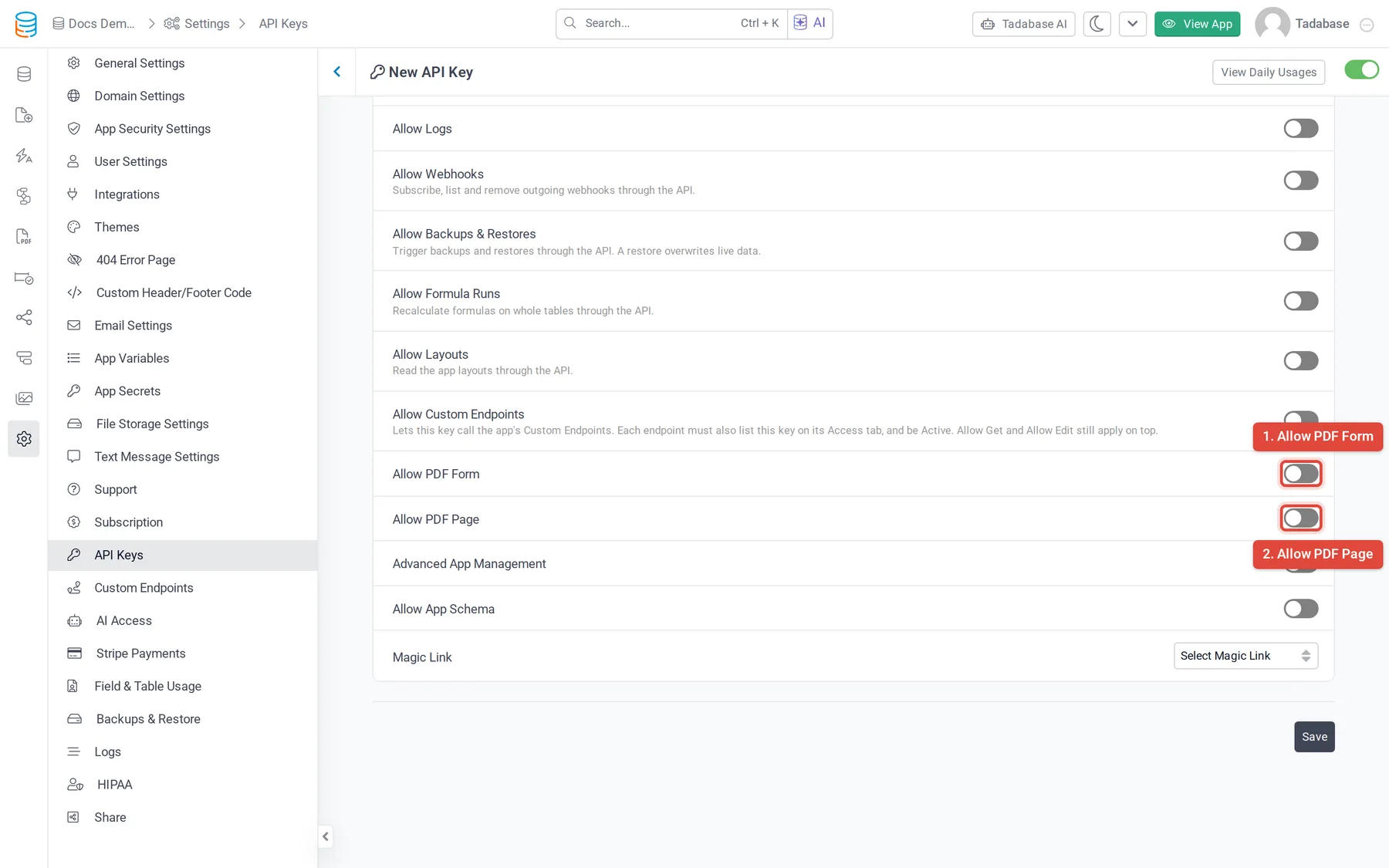
- On the API key in Settings > API Keys, turn on Allow PDF Page, Allow PDF Form or both. Without the switch, calls answer
412with "The method being used is disabled for this API key." - Build the PDF Page or upload the PDF Form in the builder first. See PDF Pages and PDF Forms.
- These endpoints are only on version 1.1 of the API: every URL starts with
https://api.tadabase.io/api/v1.1/{appId}/.
Endpoints #
| Method and path | What it does |
|---|---|
GET pdf-pages | Lists PDF Pages with their id, name, table and settings |
GET pdf-pages/{pdfPageId} | One PDF Page |
POST pdf-pages/{pdfPageId}/create/{recordId} | Creates a PDF from a PDF Page. {recordId} is required when the PDF Page is tied to a table |
GET pdf-forms | Lists PDF Forms |
GET pdf-forms/{pdfFormId} | One PDF Form, with its placeholders (the fields you can fill) |
POST pdf-forms/{pdfFormId}/create | Fills a PDF Form |
Choose what you get back #
Add format to the query string of a create call:
format | You get | Works for |
|---|---|---|
| (none) | JSON with status, name and fileData, the PDF as base64 | PDF Pages and PDF Forms |
file | The PDF itself, as a download (Content-Type: application/) | PDF Pages and PDF Forms |
link | JSON with name, url (a private link to the stored PDF) and expires_at. The link works for one day | PDF Pages only |
Example: create an invoice from a PDF Page #
curl -X POST "https://api.tadabase.io/api/v1.1/YOUR_APP_ID/pdf-pages/PDF_PAGE_ID/create/RECORD_ID?format=link" \
  -H "X-Tadabase-App-Id: YOUR_APP_ID" \
  -H "X-Tadabase-App-Key: YOUR_API_KEY" \
-H "X-Tadabase-App-Secret: YOUR_API_SECRET"{
"status": "success",
"name": "INV-00123",
"url": "https://...",
"expires_at": "2026-11-18T09:15:02.000000Z"
}The file name comes from the PDF Page's Custom File Name setting: Text uses the name you typed, Field uses a field of the record, and Default uses the PDF Page's name. A PDF Page tied to a table answers 400 when you leave out the record ID.
Example: fill a PDF Form #
- Find the placeholders Call
GET pdf-forms/{pdfFormId}.placeholderslists each fillable field with itsid,typeandname. - Send the values Call
POST pdf-forms/{pdfFormId}/createwithmapping: an object whose keys are the placeholderids and whose values are what to write. AddfileNameto name the file (defaultpdf-form).
curl -X POST "https://api.tadabase.io/api/v1.1/YOUR_APP_ID/pdf-forms/PDF_FORM_ID/create?format=file" \
  -H "X-Tadabase-App-Id: YOUR_APP_ID" \
  -H "X-Tadabase-App-Key: YOUR_API_KEY" \
  -H "X-Tadabase-App-Secret: YOUR_API_SECRET" \
  -H "Content-Type: application/json" \
  -d '{"fileName": "service-agreement", "mapping": {"PLACEHOLDER_ID": "Dana Lee"}}' \
  -o service-agreement.pdf
A placeholder you leave out uses its default value, if it has one.
Common problems #
| Response | Cause |
|---|---|
412 with a plan message | Your plan does not include PDF Pages or PDF Forms, or the PDF is over your plan's count |
412 "The method being used is disabled for this API key." | Allow PDF Page or Allow PDF Form is off on the key |
400 on a PDF Page | The PDF Page is tied to a table and the record ID is missing |
404 "PDF Form not found" | The PDF Form ID is wrong |
404 on a PDF Page with a record ID | The PDF Page or the record does not exist, or the key cannot read the record |
Was this page helpful?
Something wrong or missing on this page? Tell us.