
A tour of the studio
Every panel, button, and tab — what it does and when to use it.
The three-pane layout #
The studio is laid out as three vertical panes: the agent chat on the left, the file tree in the middle, and your work surface on the right.
- Left — chat with the agent, see tool calls, stop runs.
- Middle — file tree with a “Show all files” toggle.
- Right — tabs for Preview, Code, Changes, and more.
Header tabs #
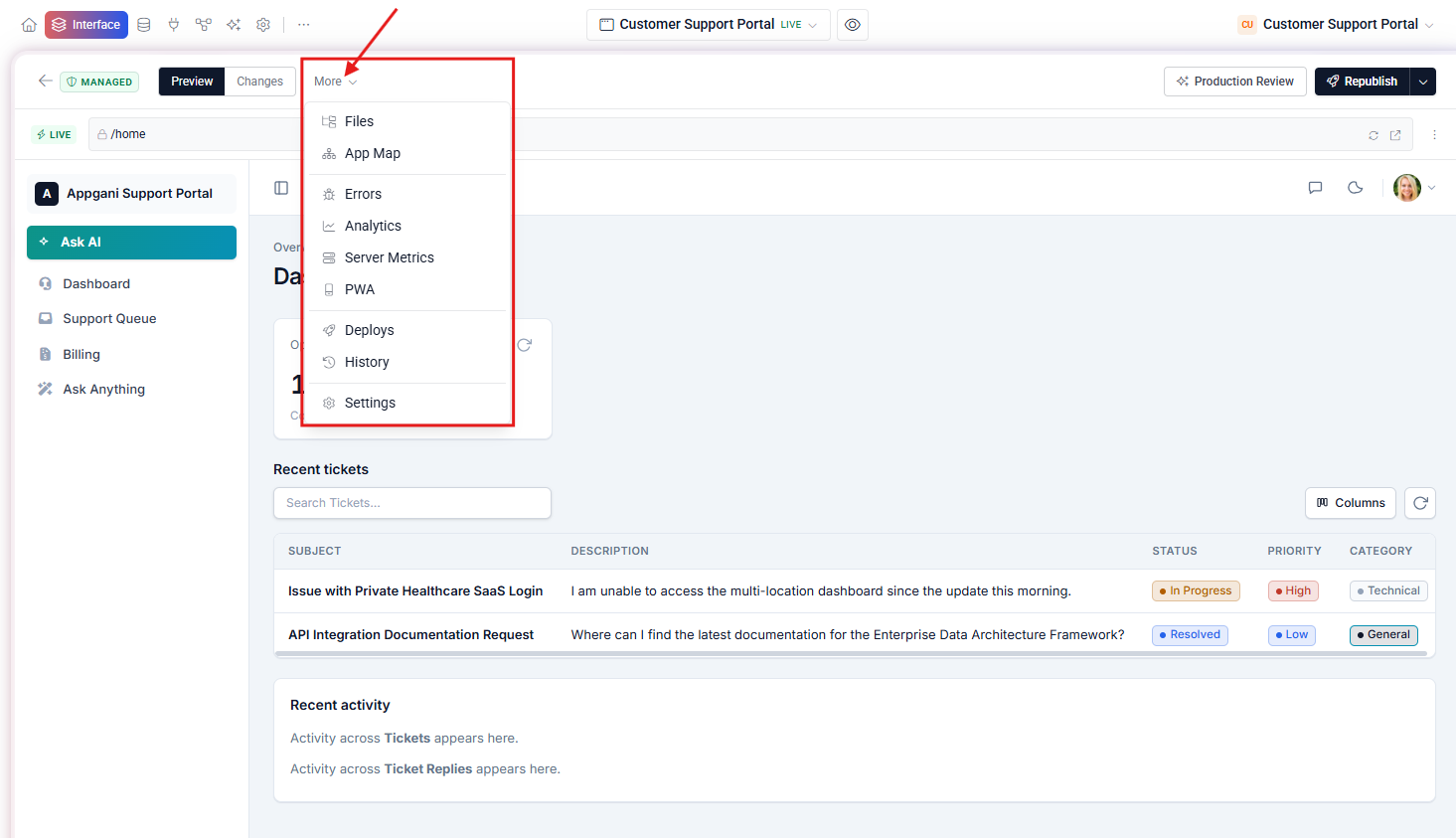
| Tab | What it shows |
|---|---|
| Preview | Live, hot-reloading view of your app at preview-<id>.tadavibes.app. |
| Code | The currently open file, with syntax highlighting and edit. |
| Changes | Files touched since the last publish, with a diff view. |
| Errors | Build errors, runtime errors, and agent failures. |
| Analytics | Page views, sessions, and event counts (if enabled). |
| PWA | Manifest, install flow, and offline behavior controls. |
| Deploys | History of every publish, with a “Rollback” button per row. |
| History | Git history of the workspace — every agent turn is a commit. |
| Settings | Project settings, custom domain, environment, secrets. |
Quick open #
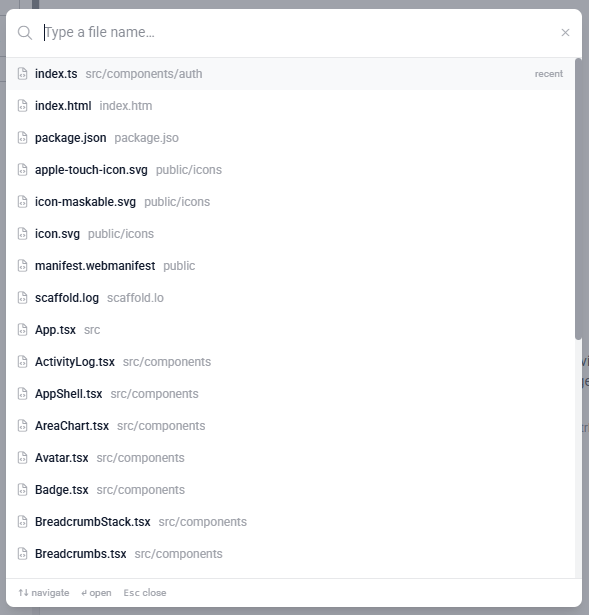
Press the shortcut below to fuzzy-find any file in the project without leaving the keyboard.
Open file palette Ctrl + P or Cmd + P
Stopping the agent mid-run #
When the agent is streaming, a red Stop button appears next to the chat input. Click it to interrupt — any files written before the stop are kept, so you can redirect the agent without losing partial progress.