
Build your first app in 5 minutes
From a blank prompt to a live preview, step by step.
On this page
Create the project #
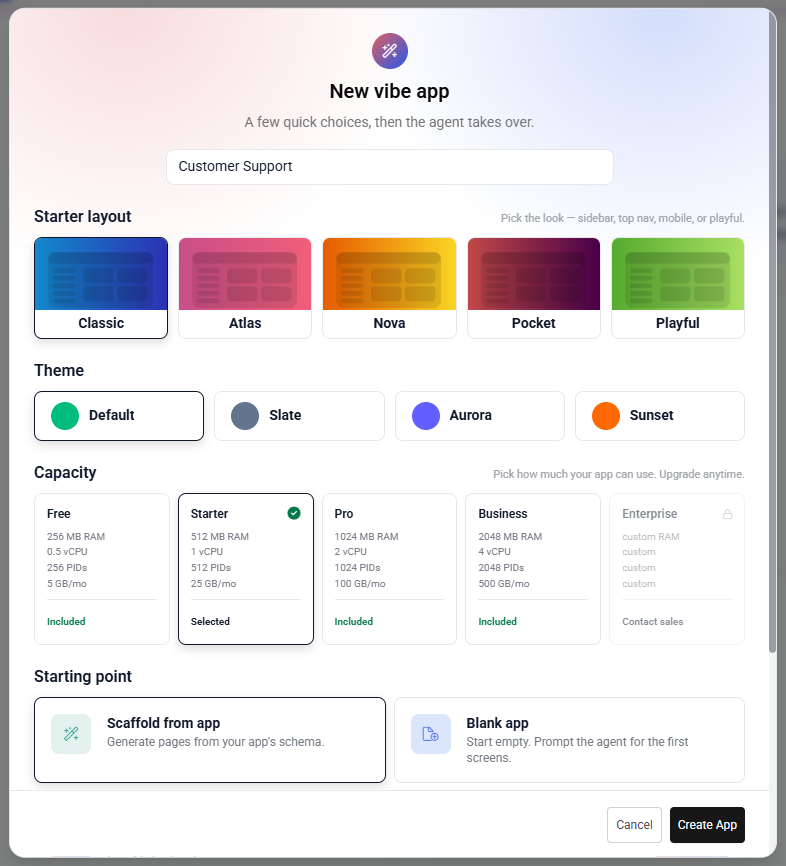
- Open the app picker From the home screen, click Start free or open the project list under your account.
- Pick a Tadabase app Your Vibe project will be bound to one Tadabase app — the data source it reads and writes.
- Name your project This becomes the subdomain too: my-portal becomes my-portal.tadavibes.app.
- Choose a starter Blank canvas, or pick a template like “Customer portal” or “Field service.”
Your first prompt #
Once the project loads, you land in the studio. Type a prompt that describes the shape of what you want, not just the words:
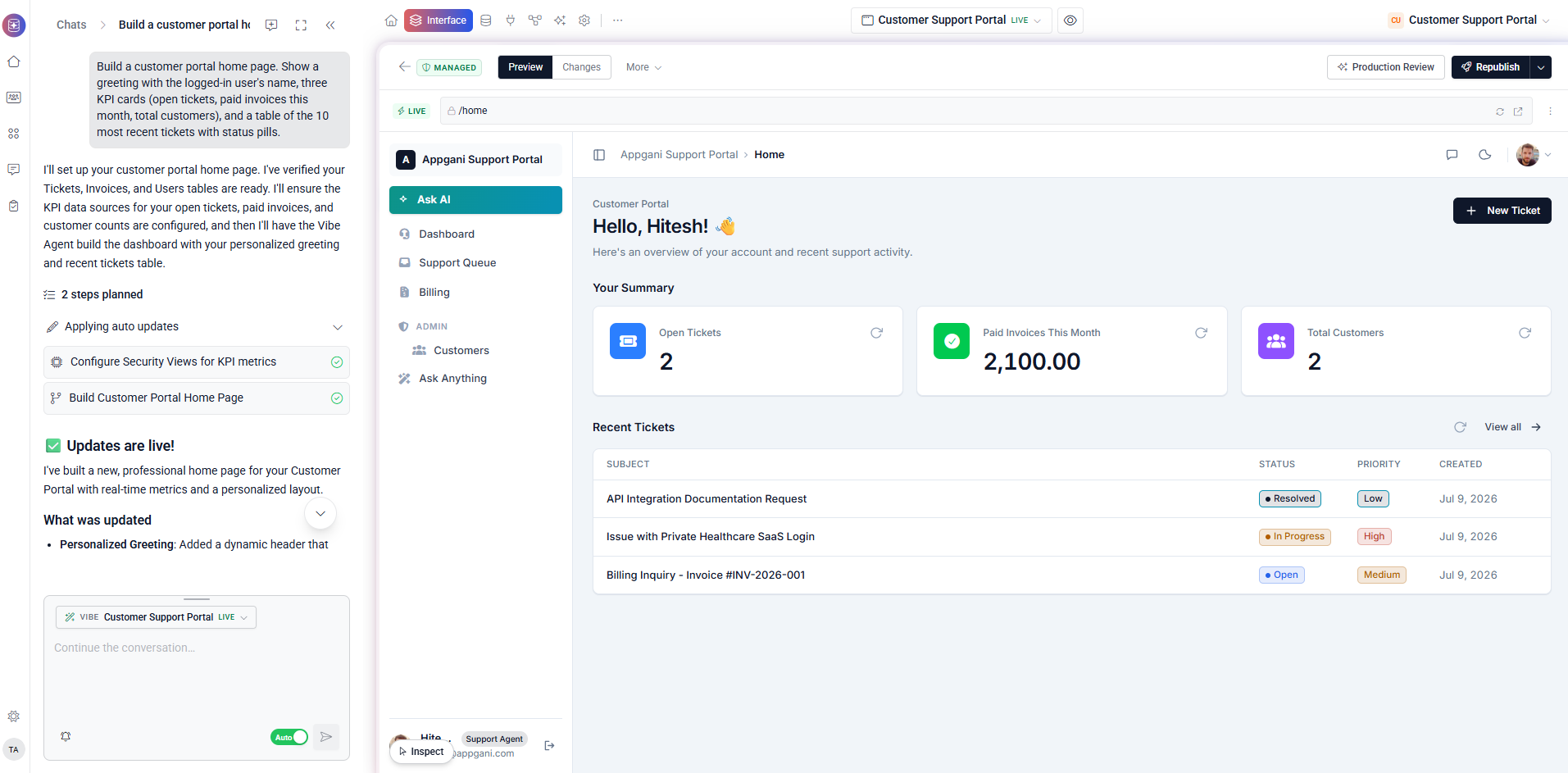
Build a customer portal home page. Show a greeting with the logged-in user's name, three KPI cards (open tickets, paid invoices this month, total customers), and a table of the 10 most recent tickets with status pills.The agent reads your Tadabase schema, picks the right tables, and writes the page. Watch the file tree light up as it edits — each step streams into the chat.
Preview and iterate #
The Preview tab is live — every save hot-reloads. Talk to the agent in plain English to refine:
- “Move the KPIs above the greeting.”
- “Make the ticket table sortable by date.”
- “Add a button that opens a new-ticket modal.”
Publish #
When you're ready, click Publish in the header. Vibe snapshots the workspace, builds an immutable image, and routes your subdomain to it.
Shortcut to publish Ctrl + Shift + P or Cmd + Shift + P
Build time is typically 60–90 seconds. Your app is now live at <slug>.tadavibes.app — no deploy config required.