
The file tree
What every folder is for, and why some files are hidden by default.
On this page
What you see by default #
By default the tree shows only files you're likely to edit — pages, components, routes, configs. System files (Dockerfile, vite.config, lock files) are hidden so the tree stays scannable.
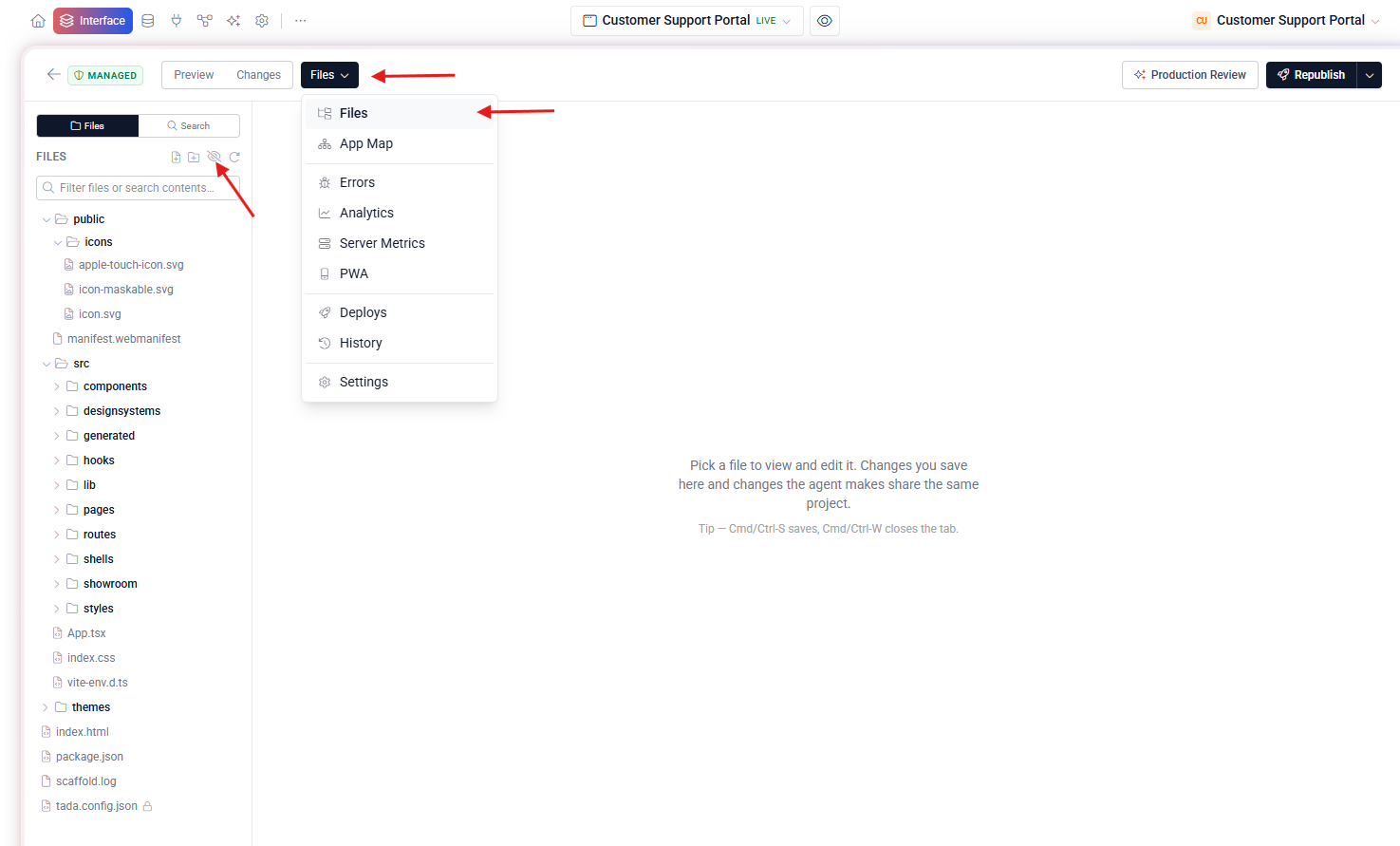
Show all files #
Toggle “Show all files” in the tree header to reveal everything, including hidden build configs and the lock file. Use this when you need to debug a build or hand-edit a system file.
Project structure #
my-app/
├── index.html              (Vite entry — don't edit)
├── src/
│   ├── main.tsx            (mount point — don't edit)
│   ├── App.tsx             (route map — register pages here)
│   ├── pages/              (one file = one route)
│   ├── components/         (reusable building blocks)
│   ├── lib/tada.ts         (browser SDK — don't edit)
│   ├── lib/auth.ts         (isAuthed, currentUser, logout)
│   └── index.css           (Tailwind v4 + design tokens)
├── routes/                 (backend — each file = /api/<name>)
├── lib/tada-server.js      (server SDK — don't edit)
├── public/                 (static assets)
├── tada.config.json        (sidebar nav + app name)
├── tada/schema.json        (Tadabase schema — synced, read-only)
└── package.json