
Write a number out in words
Use the Tadabase Number Utilities pipe to write a number or a currency amount out in words, and see its other calls: random numbers and phone numbers.
- Verified Nov 17, 2026
- Classic builder
The Tadabase Number Utilities pipe has two calls that write a number out in words: Number to Words for a plain number and Currency to Words for an amount of money. Use them to print an amount in words on an invoice or a cheque.
Install the pipe #
- Open Pipes In the builder, click Pipes in the left menu, then click Install Pipe.
- Find the pipe Type
Number Utilitiesin the Search... box and click the Tadabase Number Utilities card. - Install it Click Install. The installed pipe opens on its General tab.
Write a number or amount in words #
- Add the pipe where you need it For example, add a Trigger Pipe action to a workflow. Use pipes in your app covers the other places.
- Choose the call In Pipe Method, choose Number to Words or Currency to Words.
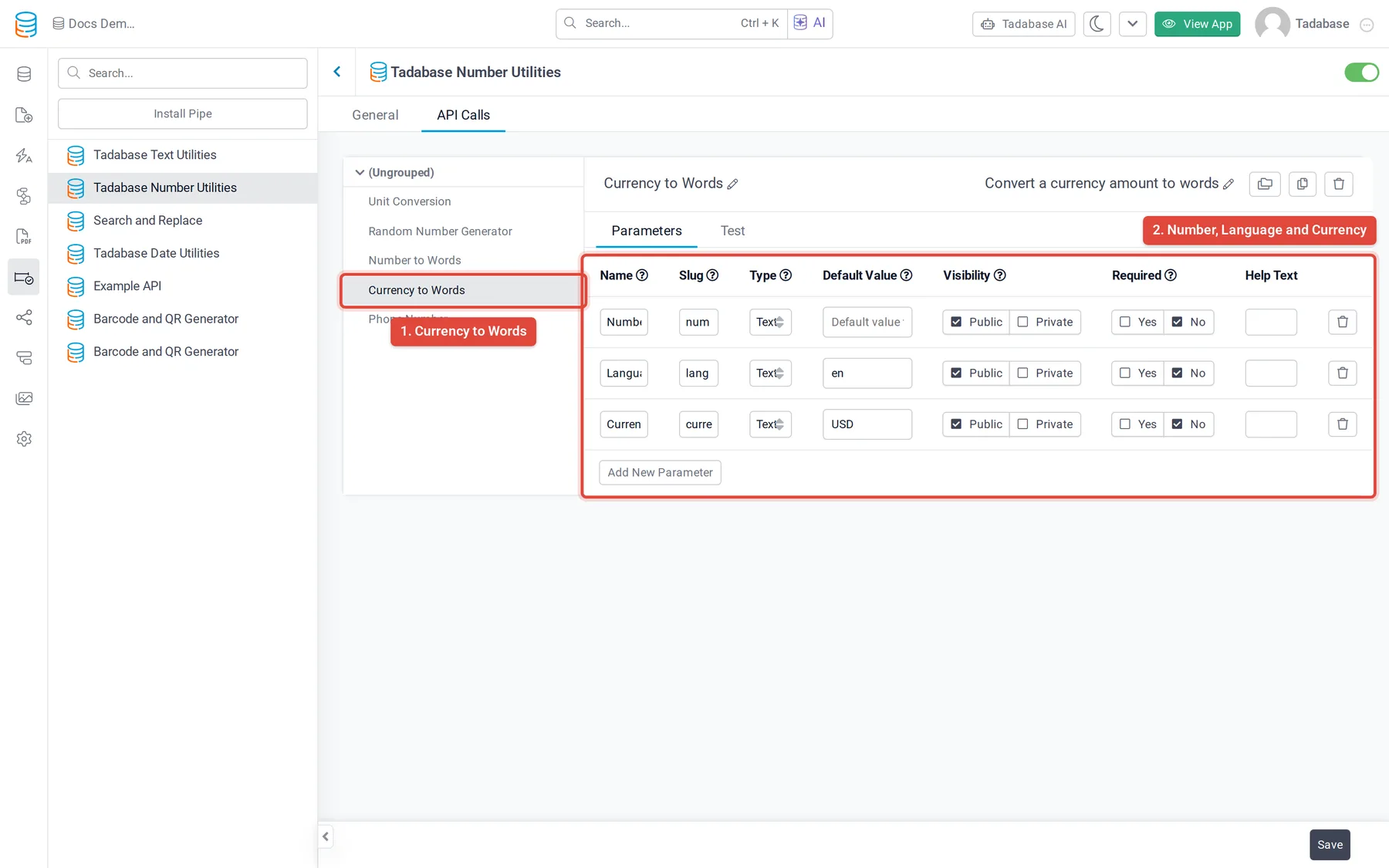
- Map the number Under Parameters, set Number to your number or currency field.
- Set the language and currency Set Language, and for Currency to Words also Currency. Leave them out to use the defaults in the table below.
- Use the output The words are returned as Response. Use it in a later step, for example to update a text field on the record.
Options #
| Parameter | Call | What to enter | Default |
|---|---|---|---|
| Number | both | The number or amount, for example 31 or 12351.54. | none |
| Language | both | A language code, for example en for English or es for Spanish. | en |
| Currency | Currency to Words | A currency code, for example USD. | USD |
Currency to Words also returns Check Format next to Response. To see what a language or currency code gives before you use it, open the pipe's API Calls tab, click the call, open Test, enter a sample and click Test.
Other calls in the pipe #
| Call | What it does | Parameters | Returns |
|---|---|---|---|
| Unit Conversion | Converts an amount from one unit to another. See Convert units with the Unit Conversion pipe. | Amount, From, To, Precision | Response |
| Random Number Generator | Generates a random number in a range. | Range Start (default 1), Range End (required, default 100000), Precision | Response |
| Phone Number | Reads a phone number and returns it in standard formats, with details about it. | Phone Number, Country Code (uppercase, for example US), Language (for example en) | Status, E164 Format, International Format, National Format, RFC3966 Format, Carrier Name, Timezone, Timezone Description, Country Calling Code, Country Calling Number, Emergency Number, Error Message |
Was this page helpful?
Something wrong or missing on this page? Tell us.