
Calculate a loan payment schedule
Use the Mortgage Calculator pipe to work out a loan's payment amount, total interest and full amortization schedule from the amount, rate and term.
- Verified Nov 17, 2026
- Classic builder
The Mortgage Calculator pipe takes a loan amount, interest rate and term, and returns the payment amount, the total interest and the full amortization schedule.
Use it on a loans or quotes table to show the schedule on a page, or to save the payment and totals into fields when a record is saved.
Install the pipe #
- Open the pipe library In the builder, click Pipes in the icon bar on the left. The All Pipes list opens.
- Find the pipe Type
Mortgage Calculatorin Search..., or use Choose Categories and pick Tadabase Functions. - Install it Click the Mortgage Calculator card, check its call under Available Actions, and click Install.
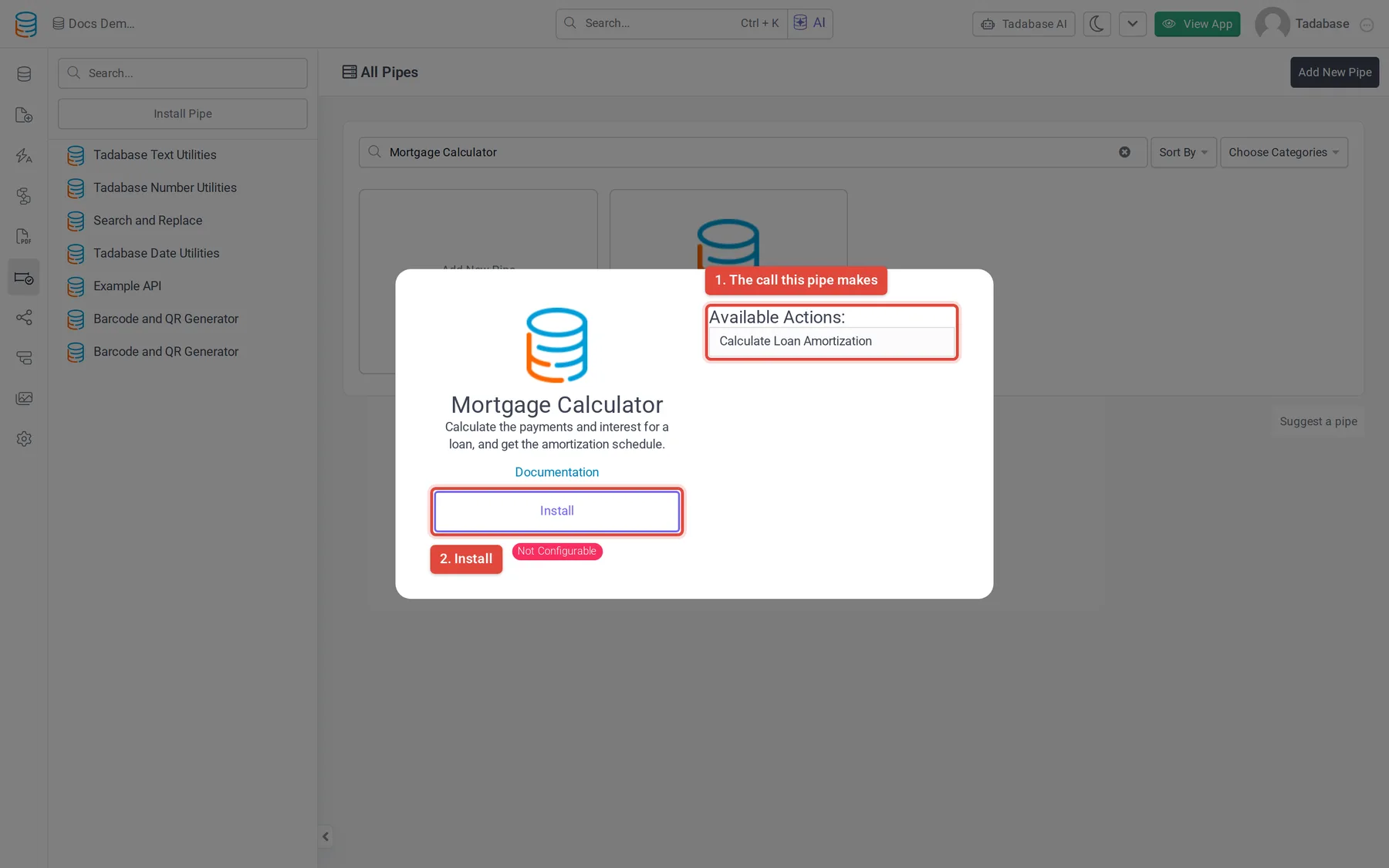
The pipe is Not Configurable: you set the values you send, but you cannot change the call itself. It has no global parameters and needs no outside account.
Parameters #
The pipe has one call, Calculate Loan Amortization. All four parameters are required.
| Parameter | What to send | Example |
|---|---|---|
| Loan Amount | The amount borrowed, as a number. | 250000 |
| Loan Term Years | The length of the loan in years. | 30 |
| Interest | The yearly interest rate as a plain number, not a fraction. For 5%, send 5. | 5.5 |
| Annual Payments | How many payments are made each year. The default is 12 (monthly). | 12 |
What the pipe returns #
| Response value | What it holds |
|---|---|
| Loan Amount, Loan Term Years, Interest, Annual Payments | The values you sent, returned as received. |
| Payment Amount | The amount of each payment. |
| Total Payments | The payment total from the schedule summary. |
| Total Interest | The total interest paid over the life of the loan. |
| Schedule (HTML Table) | The whole amortization schedule as an HTML table, ready to show on a page or save in a Rich Text field. |
| Schedule (array) | The schedule as a list with one entry per payment. Use it in a custom component, or go through it with a loop in a workflow. |
Use the result #
Installing the pipe does nothing on its own. Choose where it runs:
- Show it on a page. Edit a Table component, open Data Source, then the Pipes tab, and click Add New Pipe. Select Mortgage Calculator and Calculate Loan Amortization, then map each parameter to a Record Value. The response values then appear under Pipe Fields on the Columns tab, where you add them like any other column.
- Save it in fields. In a workflow, add a Trigger Pipe step, pick Calculate Loan Amortization under Pipe Method, and map the parameters. In a later Update Record step, write Payment Amount, Total Interest or Schedule (HTML Table) into fields of the record. See Run a pipe from a workflow.
For every place a pipe can run, see Using pipes.
Check that it worked #
Open a record with known values, for example a loan of 100000 at 5 interest over 30 years with 12 annual payments, and compare Payment Amount with a loan calculator you trust. If the pipe returns nothing, check that all four parameters are mapped and that the fields they come from hold numbers.
Was this page helpful?
Something wrong or missing on this page? Tell us.