
Add or remove one value in a connection field
Add or remove one connected record without overwriting the others, with Append Value or Remove Value in a workflow, or the Connection Field Plucker pipe.
- Verified Nov 17, 2026
- Classic builder
A connection field that holds several records, such as the Members of a project, can take one record in or out while the others stay. In a workflow, the Update Record action does this with Append Value and Remove Value. The Connection Field Plucker pipe does the same through the REST API.
Add or remove a value with a workflow #
- Add Update Record In a workflow, add the Update Record action and choose the record to change.
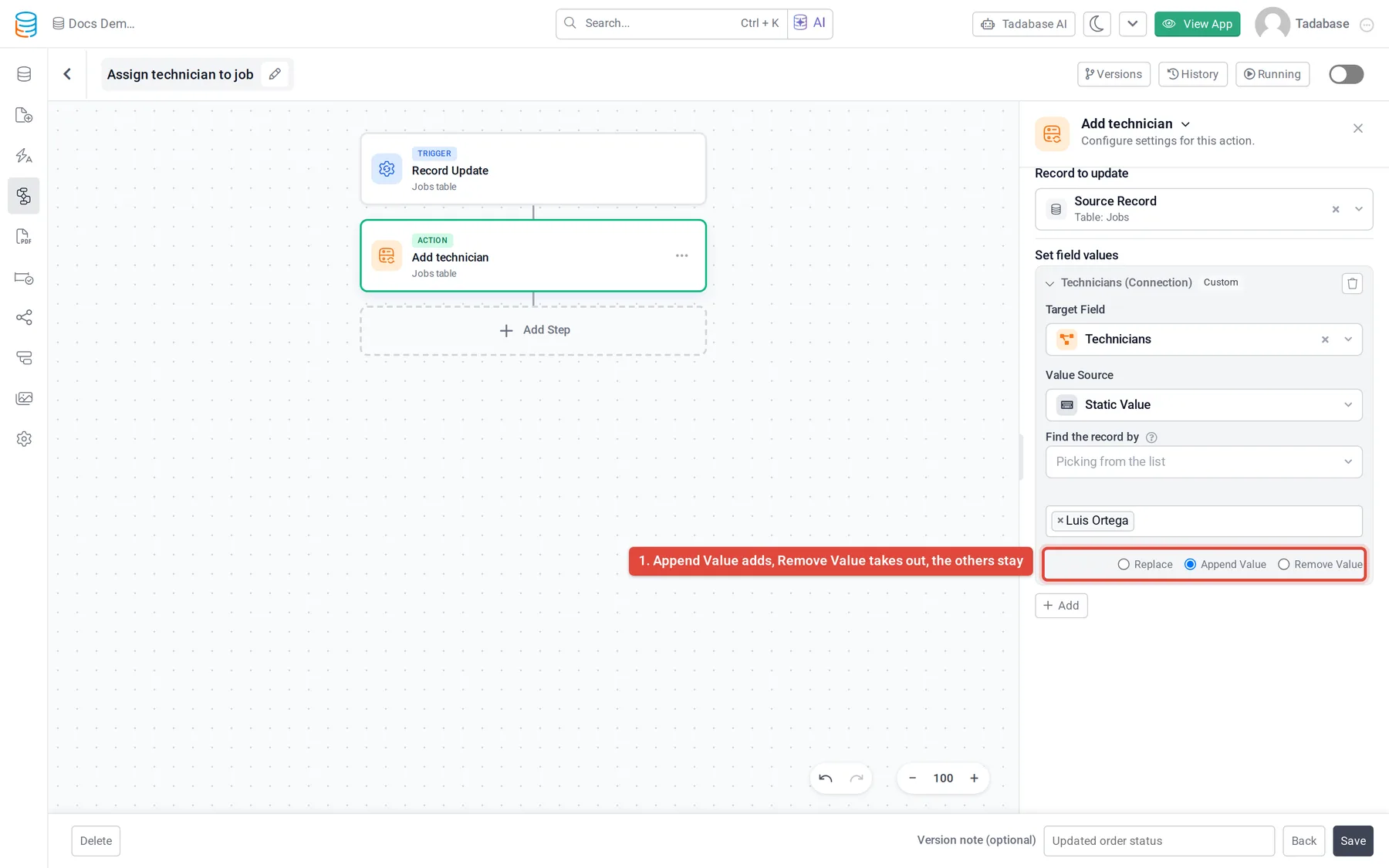
- Map the connection field Click Add, choose the connection field under Target Field, and choose where the record to add or remove comes from under Value Source, for example the logged-in user or a field of the workflow's record.
- Say how it is matched If the value is not a record ID, use Match by to choose the field of the connected table that identifies the record. Choose Record ID when the value is already a record ID.
- Choose Append Value or Remove Value Append Value adds the record and keeps every existing connection. Remove Value takes the record out and keeps the others. Replace overwrites the whole field.
Use the pipe instead #
Apps that already use the Connection Field Plucker pipe can keep it. It has one call to remove a single value and one to add a single value. Each takes the field's current values and the value to remove or add, and returns the new list of values for you to save back to the field.
- Install the pipe In the builder's left menu, click Pipes > Install Pipe, search for
Connection Field Plucker, click it and click Install. - Check the calls Open the installed pipe's API Calls tab to see the exact name of each call and its parameters. If the pipe has a Global Parameters tab with an API key, enter a key from Settings > API Keys and click Save. See Create and manage API keys.
- Run a call from a workflow Add Trigger Pipe, choose the add or remove call under Pipe Method, and set the Parameters: the connection field's current value from the workflow's record, and the value to add or remove.
- Save the result Add Update Record after it and set the connection field to the new values from the pipe's response under Step Data, with Replace.
Was this page helpful?
Something wrong or missing on this page? Tell us.