
A Multi-Company Project Management Tool
To make a multi-company Project Management tool we will create an app template used in many other apps. Here is how this can be done.
- Not yet re-checked
- Classic builder
Moved from our previous help site and not yet re-checked against the current product. Last edited Sep 20, 2024.
On this page

To make a multi-company Project Management tool we will create an app template used in many other apps. Here is how this can be done.
In this example, the creation will be done with Company, project name.
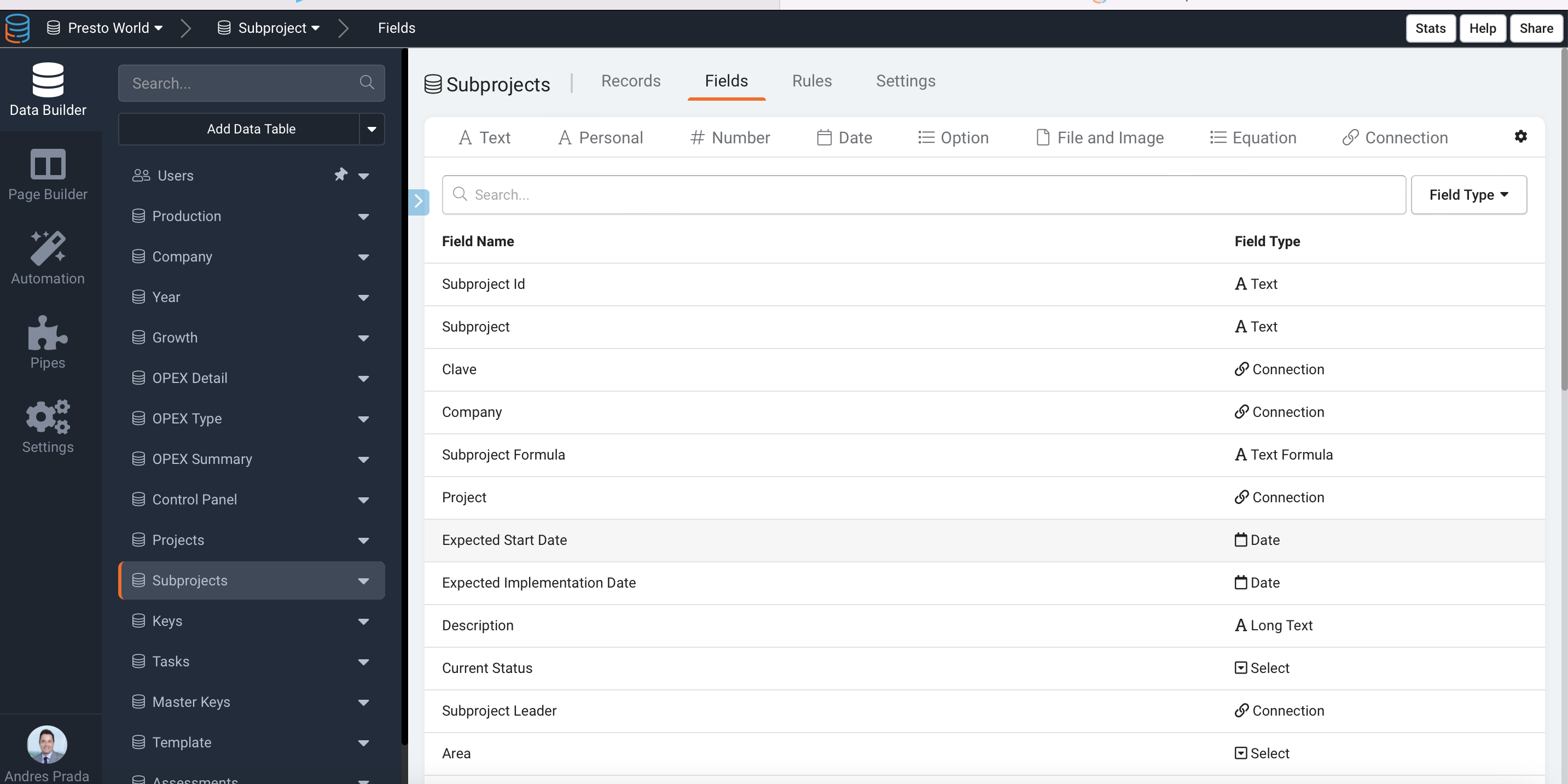
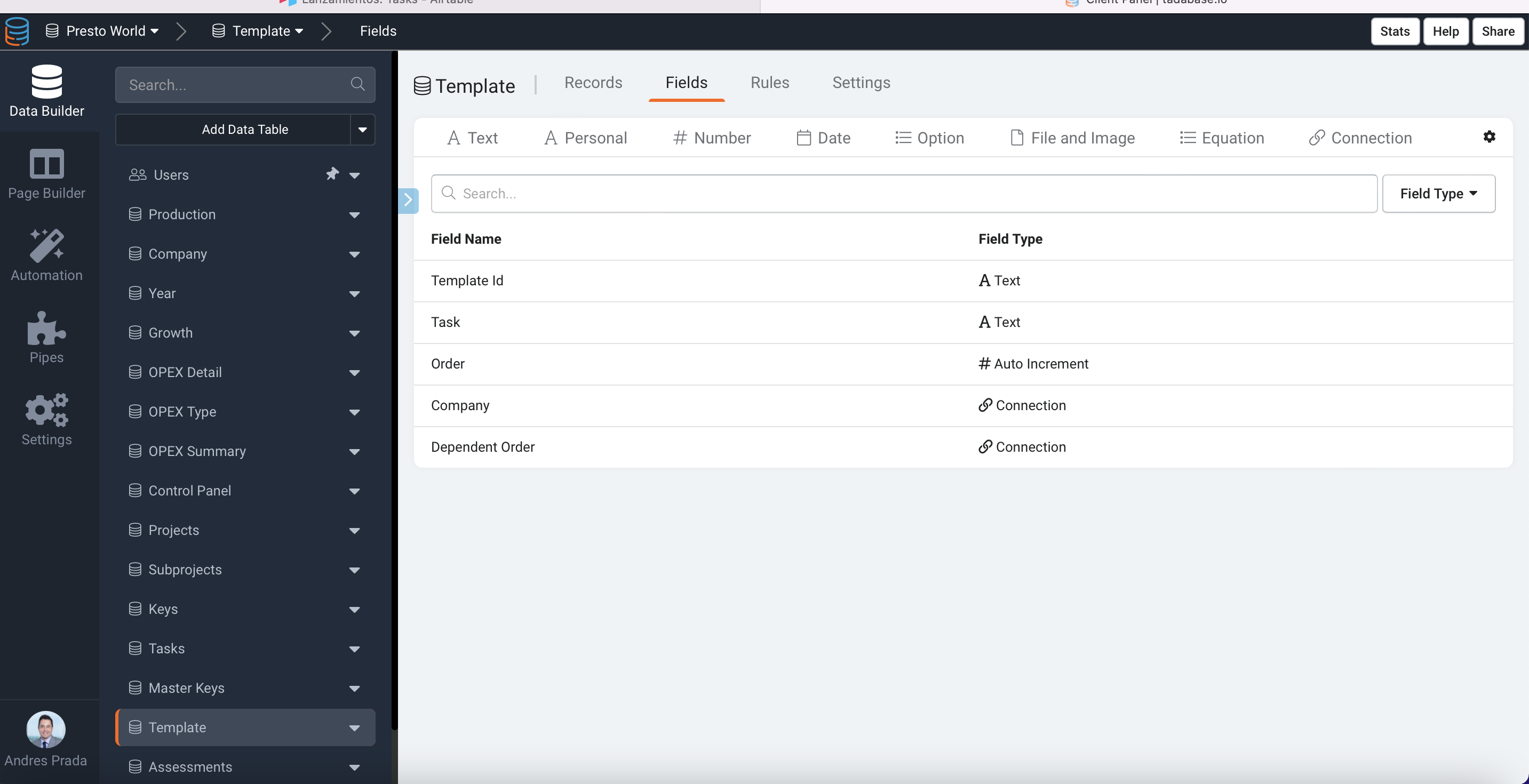
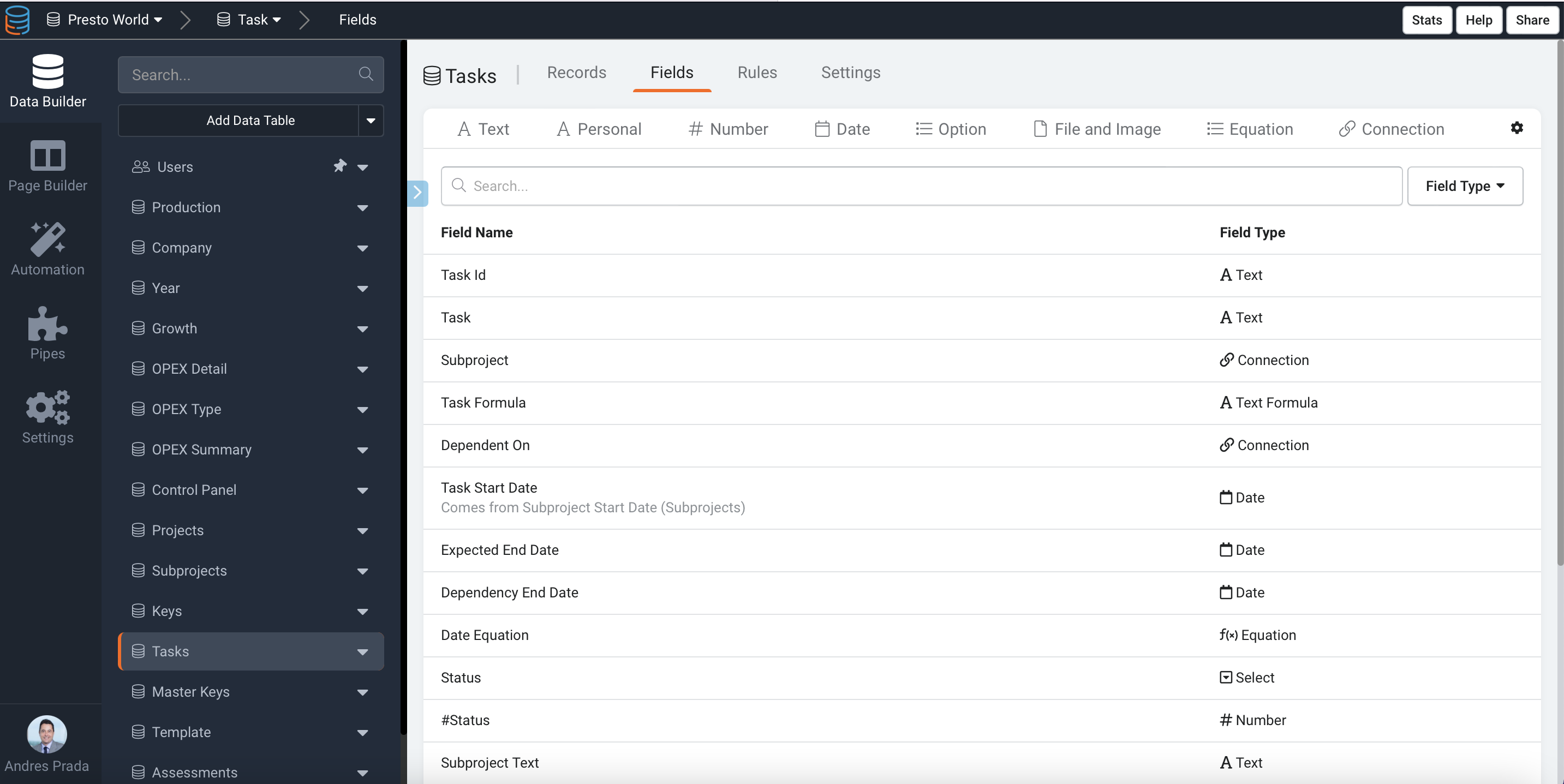
First, create a simple 2-step zap in Zapier, as seen in the images. This will trigger the new subproject to get the record ID and execute a python code to create the new tasks with dependencies from the template/company pair.
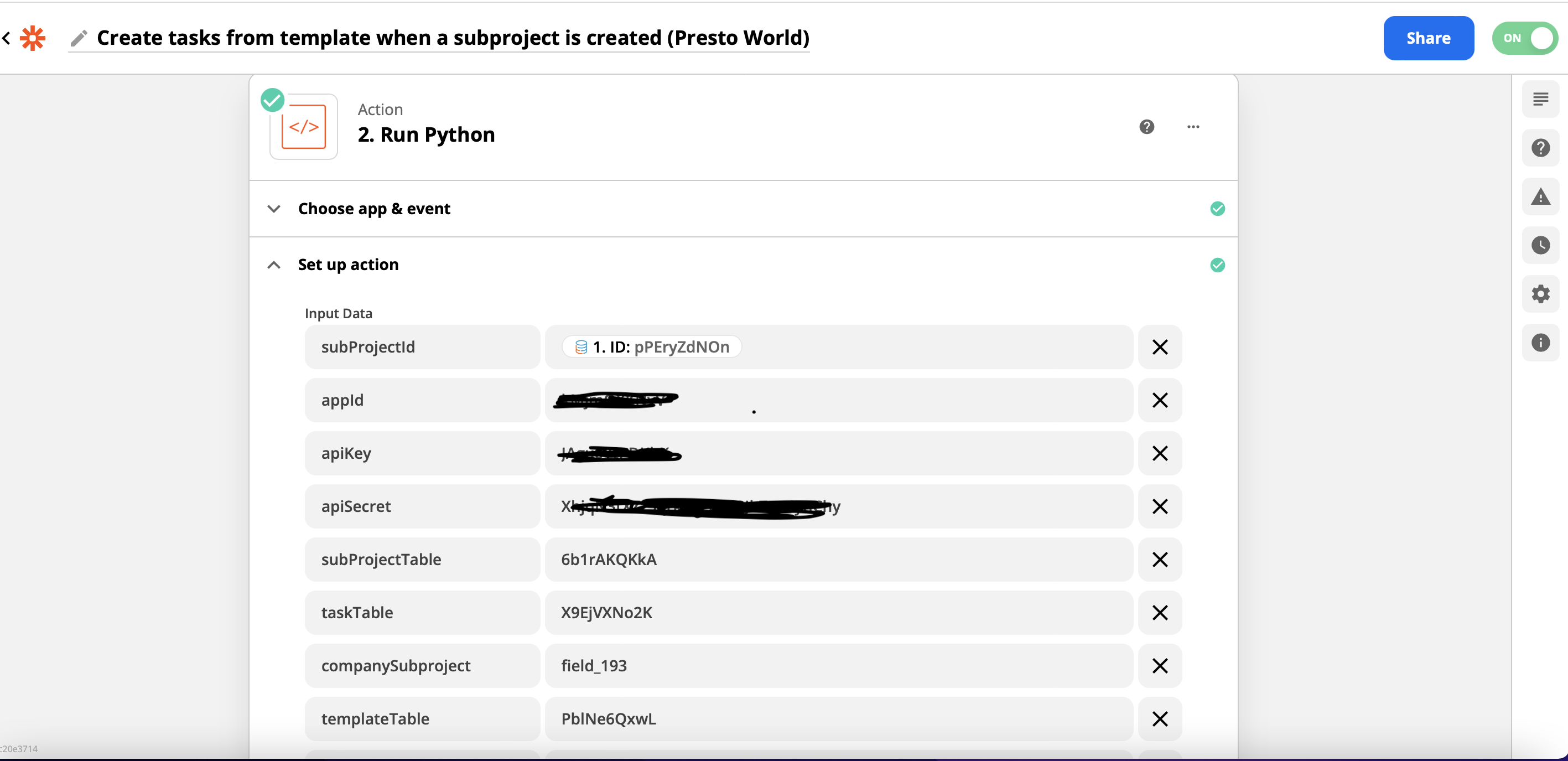
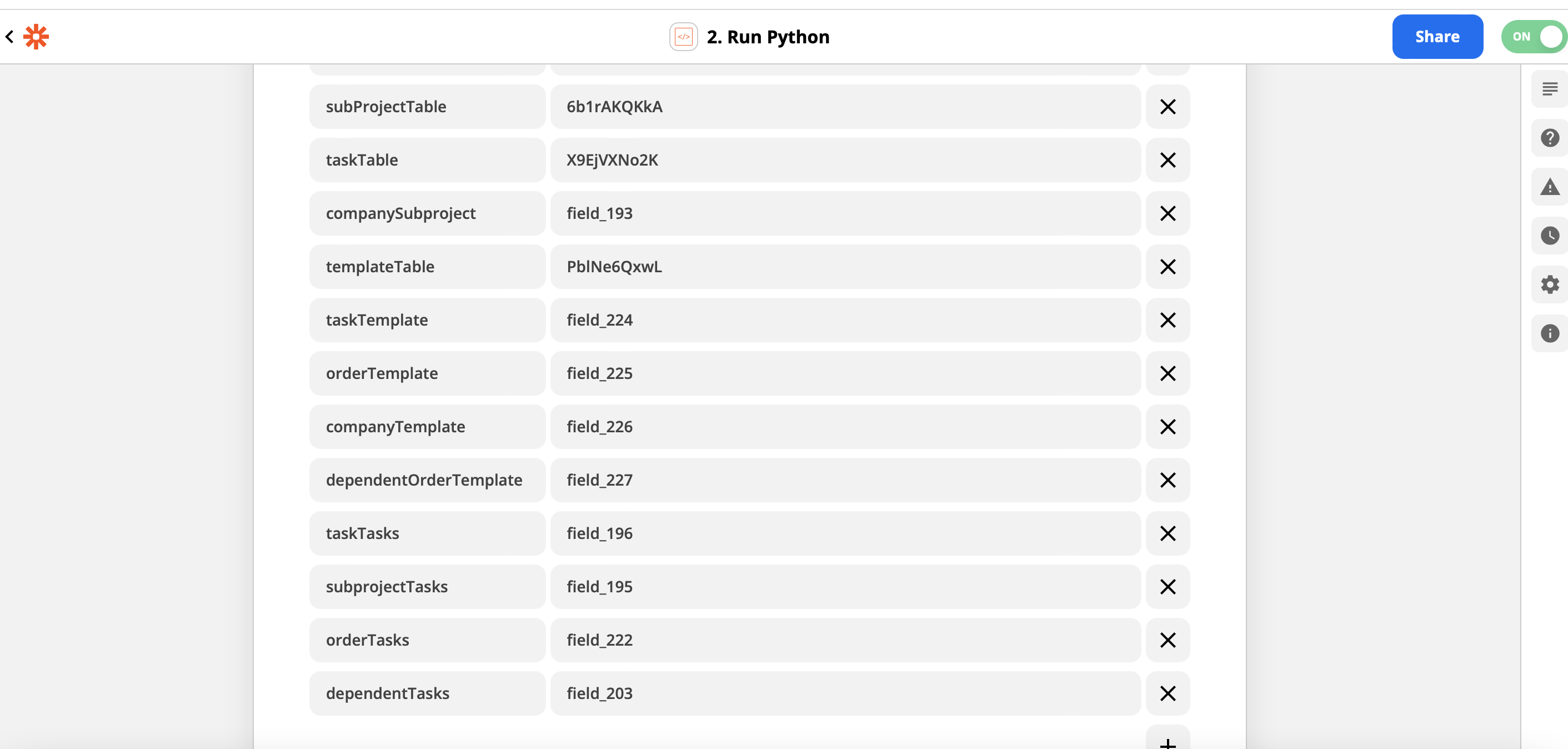

import requests

APP_ID = input_data["appId"]
APP_KEY = input_data["apiKey"]
APP_SECRET = input_data["apiSecret"]

# get subproject record data
SUBPROJECT_TABLE = input_data["SubProjectTable"]
SUBPROJECT_ID = input_data["SubProjectID"]
url = f"https://api.tadabase.io/api/vl/data-
tables/{SUBPROJECT_TABLE}/records/{SUBPROJECT_ID}"
payload={}
headers = {
  'X-Tadabase-App-id': APP_ID,
The process works instantly, and as you can see in the pictures, every task (template & tasks) has
- Start date (from subproject current date creation)
- Duration
- End date (equation from the two above), and as the dependencies mean, all the tasks start on the same date after this process.
- However, to do a workaround, we can set:
- A new field, “Dependent Date.”
- An edit rule in the tasks table, setting the Start Date as the Dependent Date
- A new Task automation (demand) of Tasks table, update the connected records (task dependent on), setting the Dependent date as of the record value of End date
You can then create a page to see the subprojects, see the subproject details of the record, see the tasks related to this record and set a task component calling the previous automation. So, if we click the new button, all the dates will be set accordingly.
Import requests
APP_ID = input_data[“appId”]
APP_KEY = input_data[“apiKey”]
APP_SECRET = input_data[“apiSecret”]
Get subproject record data. #
SUBPROJECT_TABLE = input_data[“subProjectTable”]
SUBPROJECT_ID = input_data[“subProjectId”]
url = f"https://api.tadabase.io/api/v1/data-tables/{SUBPROJECT_TABLE}/records/{SUBPROJECT_ID} 2"
payload={}
headers = {
‘X-Tadabase-App-id’: APP_ID,
‘X-Tadabase-App-Key’: APP_KEY,
‘X-Tadabase-App-Secret’: APP_SECRET
}
response = requests.request(“GET”, url, headers=headers, data=payload)
COMPANY_FIELD_SUBPROJECT = input_data[“companySubproject”]
subproject_company_id = response.json().get(“item”, None).get(COMPANY_FIELD_SUBPROJECT, None)[0]
subproject_id = response.json().get(“item”, None).get(“id”, None)
Get data from the template associated with the company. #
tableId = input_data[“templateTable”]
url = f"https://api.tadabase.io/api/v1/data-tables/{tableId}/records 1"
payload={}
headers = {
‘X-Tadabase-App-id’: APP_ID,
‘X-Tadabase-App-Key’: APP_KEY,
‘X-Tadabase-App-Secret’: APP_SECRET
}
response = requests.request(“GET”, url, headers=headers, data=payload)
COMPANY_FIELD_TEMPLATE = input_data[“companyTemplate”]
all_records = response.json().get(“items”, None)
relevant_records = [x for x in all_records if x[COMPANY_FIELD_TEMPLATE][0] == subproject_company_id]
sorted_relevant_records = sorted(relevant_records, key=lambda x: x[input_data[“orderTemplate”]], reverse=True)
Create new records #
TASKS_TABLE_ID = input_data[“taskTable”]
url = f"https://api.tadabase.io/api/v1/data-tables/{TASKS_TABLE_ID}/records"
DEPENDENT_FIELD_TEMPLATE = input_data[“dependentOrderTemplate”]
records_created = []
for record in relevant_records:
task_ids = []
for dependent in record[DEPENDENT_FIELD_TEMPLATE]:
for t in all_records:
if t.get(“id”, None) == dependent:
t_name = t.get(input_data[“taskTemplate”])
task_ids.extend([r.get(“recordId”) for r in records_created if r.get(input_data[“taskTasks”]) == t_name])
print(task_ids)
payload={
input_data[“taskTasks”]: record.get(input_data[“taskTemplate”], “”),
input_data[“subprojectTasks”]: subproject_id,
input_data[“dependentTasks”]: “,”.join(task_ids)
}
files=[]
headers = {
‘X-Tadabase-App-id’: APP_ID,
‘X-Tadabase-App-Key’: APP_KEY,
‘X-Tadabase-App-Secret’: APP_SECRET
}
response = requests.request(“POST”, url, headers=headers, data=payload, files=files)
if (response.json().get(‘type’, ‘’) == “success”):
new_record_id = response.json().get(‘recordId’, ‘’)
temp = {‘recordId’: new_record_id}
temp.update(payload)
records_created.append(temp)
Original Community Post:
https://community.tadabase.io/t/a-multi-company-project-management-tool/1820
Was this page helpful?
Something wrong or missing on this page? Tell us.