
Hide the Refresh Box and Records Display in a Table.
The following solution will allow you to select which tables you may like to hide parts of, such as the refresh box and record count box.
- Not yet re-checked
- Classic builder
Moved from our previous help site and not yet re-checked against the current product. Last edited Sep 20, 2024.

The following solution will allow you to select which tables you may like to hide parts of, such as the refresh box and record count box.
Step 1
Go to the design tab in your table, choose the CSS tab, and add "hide-actions" to the additional CSS Classes portion.

Step 2
Then add this CSS to your CSS. You can add it to the layout so it can be used anywhere.
.hide-actions .table-actions {
    display: none;
}
Finished Outcome
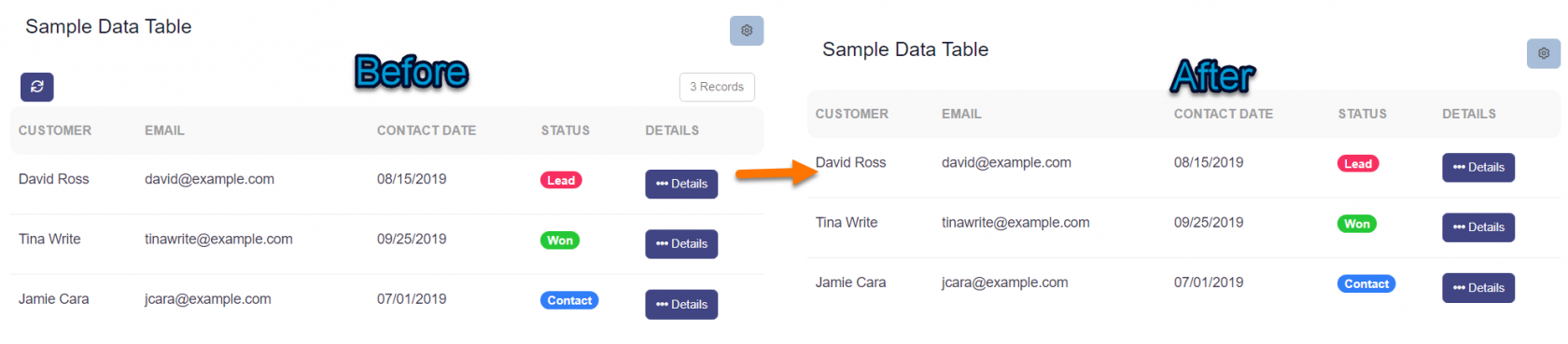
If you want this to work across your entire app, add this CSS code to the header section, but make sure to wrap it in <style> tags like so:
<style>
.hide-actions .table-actions {
    display: none;
}
</style>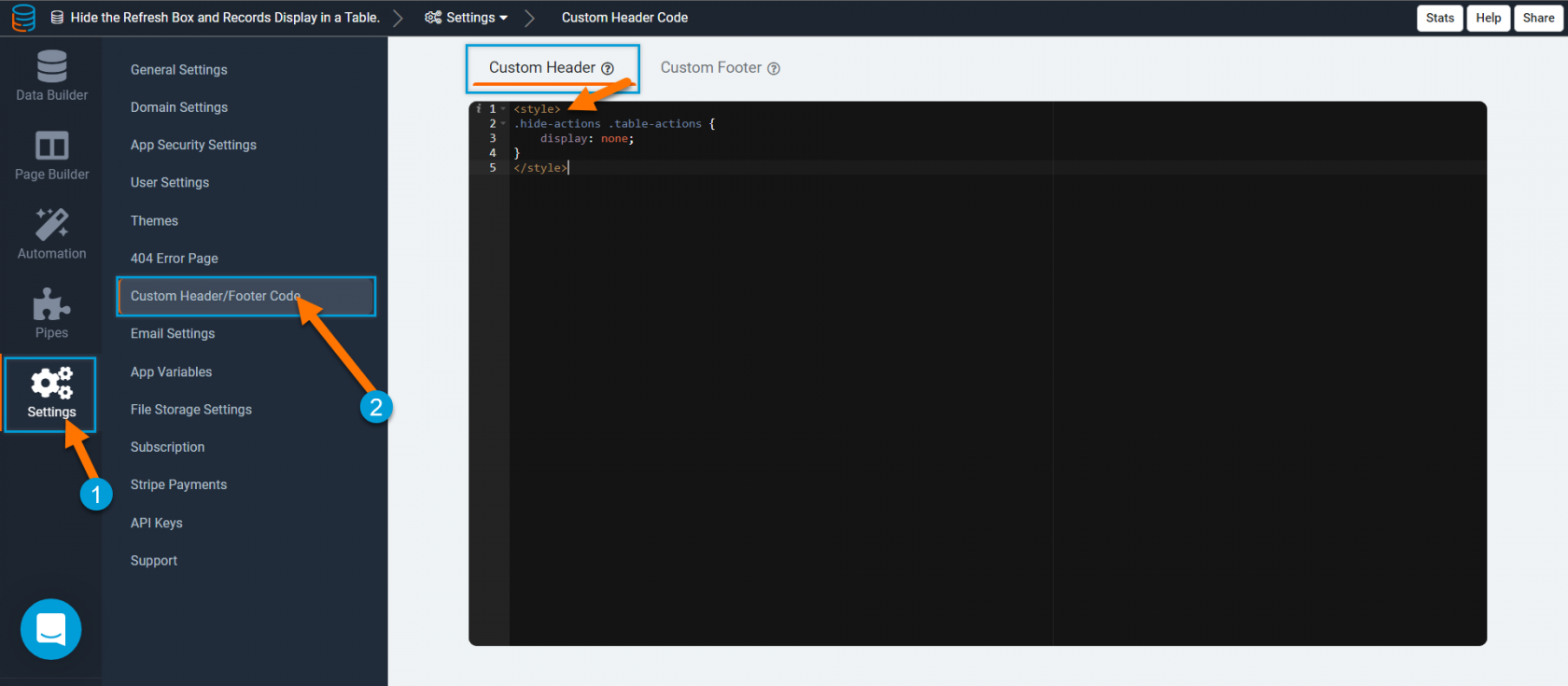
Original Community Post:
Was this page helpful?
Something wrong or missing on this page? Tell us.