
Record Validation for a Specific Word.
Use a form/validation rule to find if the word added to the form is specific. If the word is not that word, the form will not submit and will give an…
- Not yet re-checked
- Classic builder
Moved from our previous help site and not yet re-checked against the current product. Last edited Sep 20, 2024.

Use a form/validation rule to find if the word added to the form is specific. If the word is not that word, the form will not submit and will give an error message.
Step 1
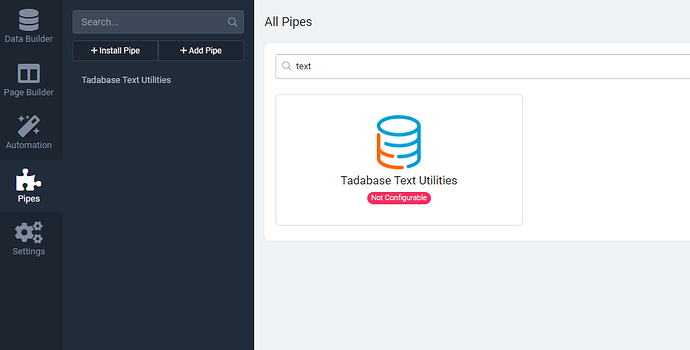
Install the “Tadabase Text Utiltiy” pipe.
Step 2
Open the form where you want validation and add the pipe with the following settings.

Original Community Post:
Form - validation rule - Community Discussions / General Questions - Tadabase Community
Was this page helpful?
Something wrong or missing on this page? Tell us.