
Change Image Thumbnail Sizes
Please note that this is now available as a plugin for easier installation. While you can use this document as a reference, the recommended method to add…
- Not yet re-checked
- Classic builder
Moved from our previous help site and not yet re-checked against the current product. Last edited Sep 20, 2024.

For changing the thumb size of an image on a details page. Here is a CSS solution:
Step 1
Open the settings of your detail's component and add a class name to your field.
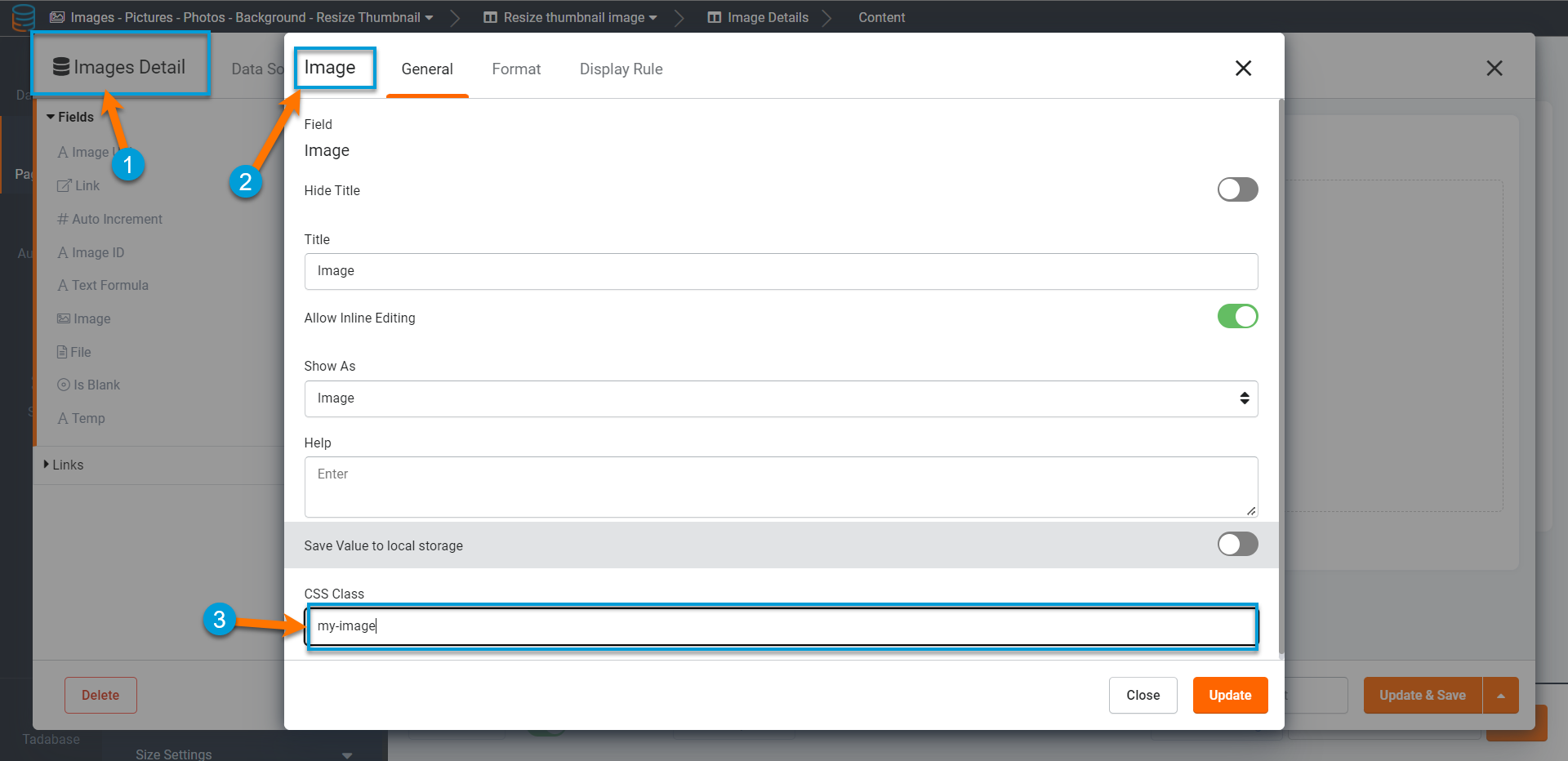
Step 2
Exit out of the Image settings. Then click on the CSS tab of the Details Page.

Step 3
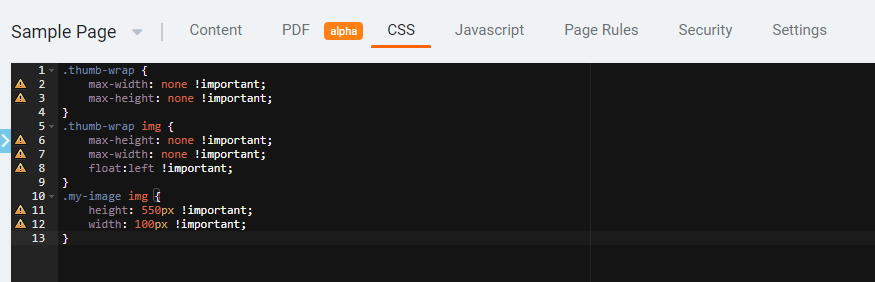
In the CSS tab, you will enter the following Code:
.thumb-wrap {
    max-width: none !important;
    max-height: none !important;
}
.thumb-wrap img {
    max-height: none !important;
    max-width: none !important;
    float:left !important;
}
.my-image img {
    height: 550px !important;
    width: 100px !important;
}
It will look like this (change the numbers of height and width to your liking)
Original Community Post:
Change image thumbnail sizes - Community Discussions / How Do I - Tadabase Community
Was this page helpful?
Something wrong or missing on this page? Tell us.