
Refresh all Tables When Form is Submitted
Please note that this is now available as a plugin for easier installation. While you can use this document as a reference, the recommended method to add…
- Not yet re-checked
- Classic builder
Moved from our previous help site and not yet re-checked against the current product. Last edited Sep 20, 2024.
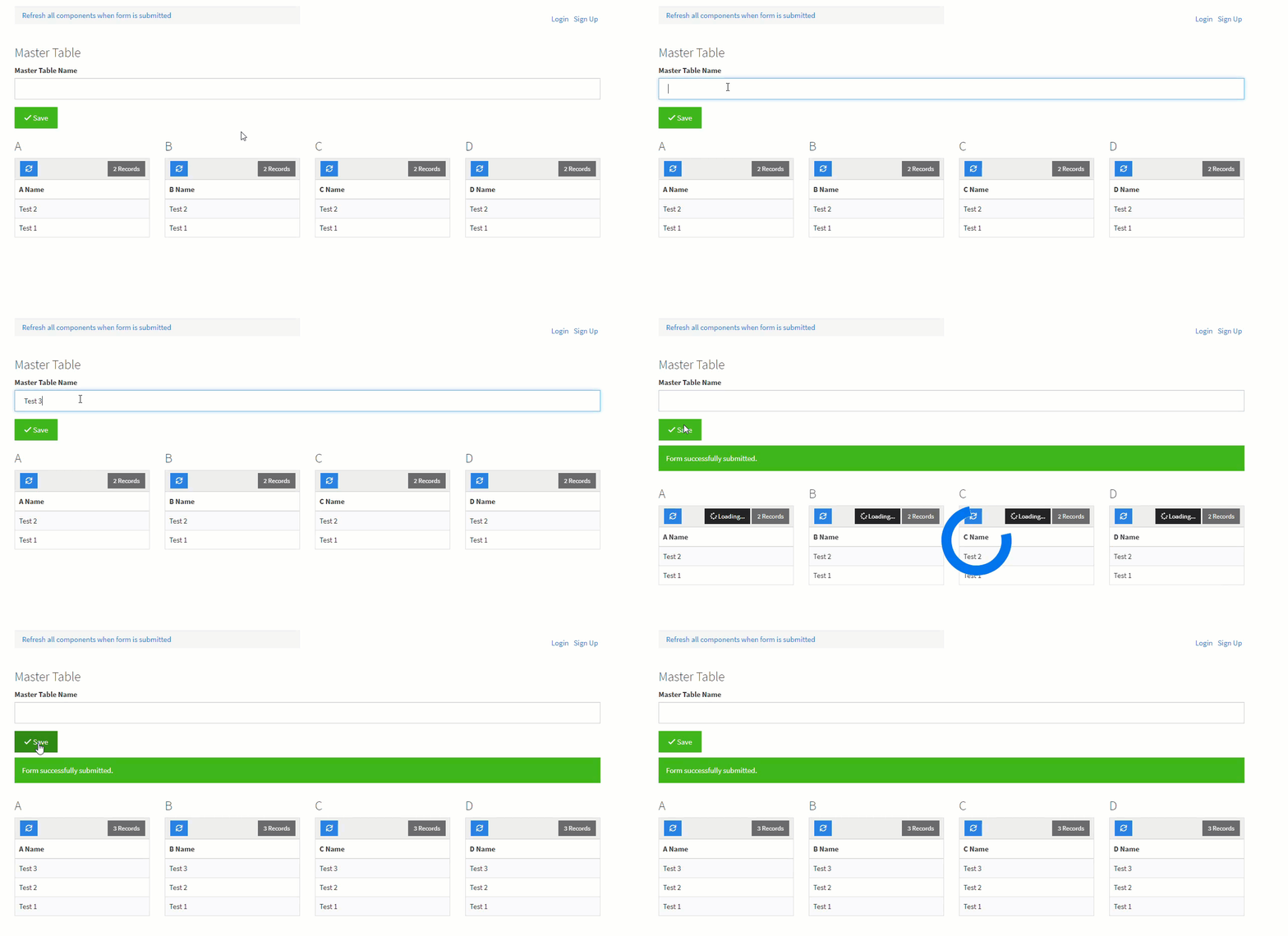
This is a solution to refresh only the tables after a form's submit button is clicked without refreshing/reloading the entire page.
Step 1
On the live app, find your form's ID.

Step 2
Add the following code to the JavaScript tab of the page.
var submitButtonLoaded = false;
var formID = 'x_element_page_X_XX'; // Change this to the ID of the form you are submitting
var timeToWait = 500; // Number of milliseconds to wait before refreshing the tables
function checkIfSubmitButtonHasLoaded() {
    if (submitButtonLoaded === false) {
        if ($('#' + formID + ' .form-submit button').html() !== undefined) {
            submitButtonLoaded = true;
        }
        window.setTimeout(checkIfSubmitButtonHasLoaded, 100);
    } else {
        $('#' + formID + ' .form-submit button').click(function() {
            setTimeout(function() {
                $('[ng-click="refreshData()"]').click();
            }, timeToWait);
        });
    }
}
checkIfSubmitButtonHasLoaded();
Original Community Post:
JS - Refresh Tables Only - Community Discussions / How Do I - Tadabase Community
Was this page helpful?
Something wrong or missing on this page? Tell us.