
Vertical Text in Columns and Fields
Please note that this is now available as a plugin for easier installation. While you can use this document as a reference, the recommended method to add…
- Not yet re-checked
- Classic builder
Moved from our previous help site and not yet re-checked against the current product. Last edited Sep 20, 2024.
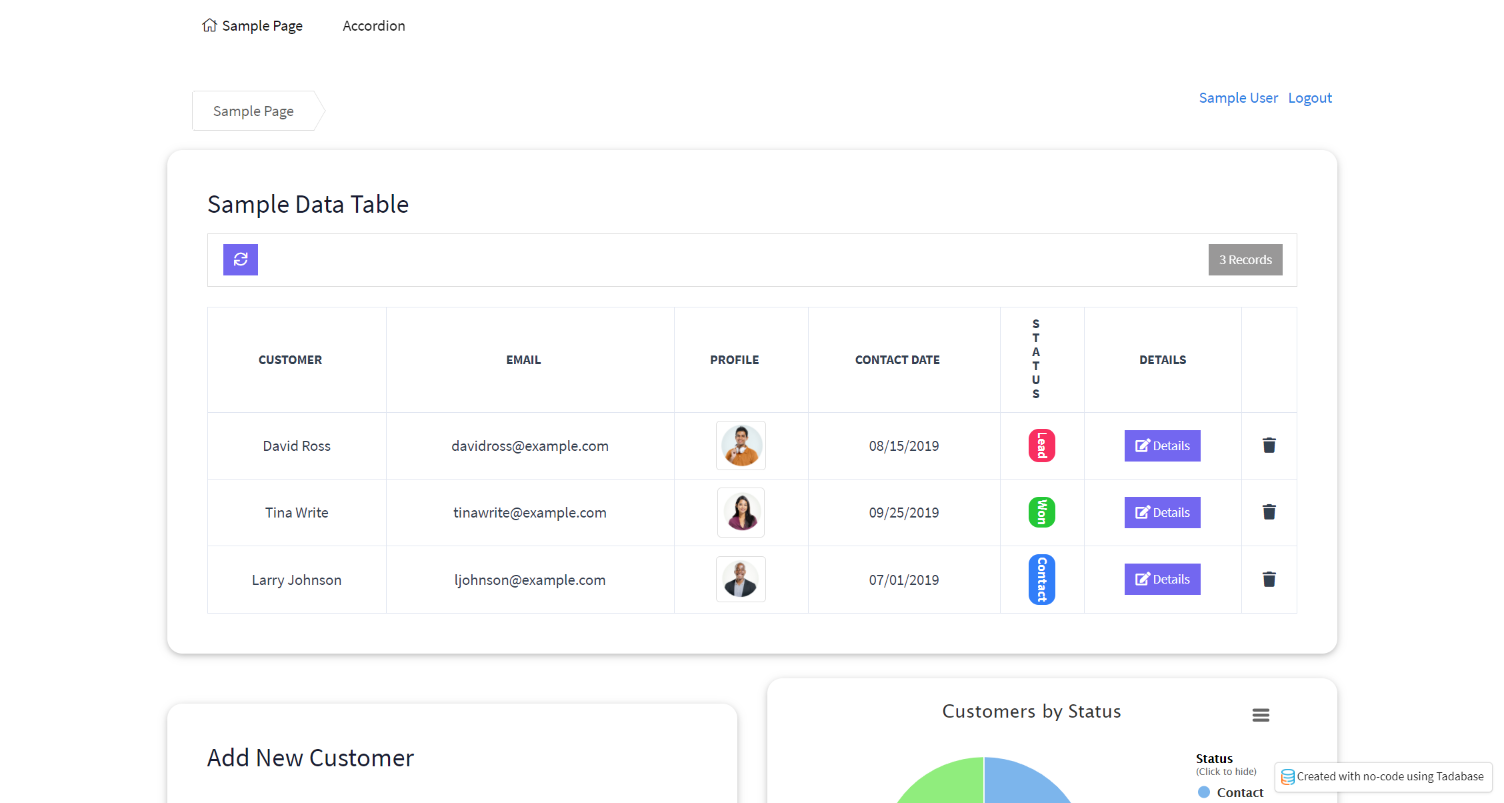
If you need a little more room within a table to have the entire table visible, here is a great way to do so!
Step 1
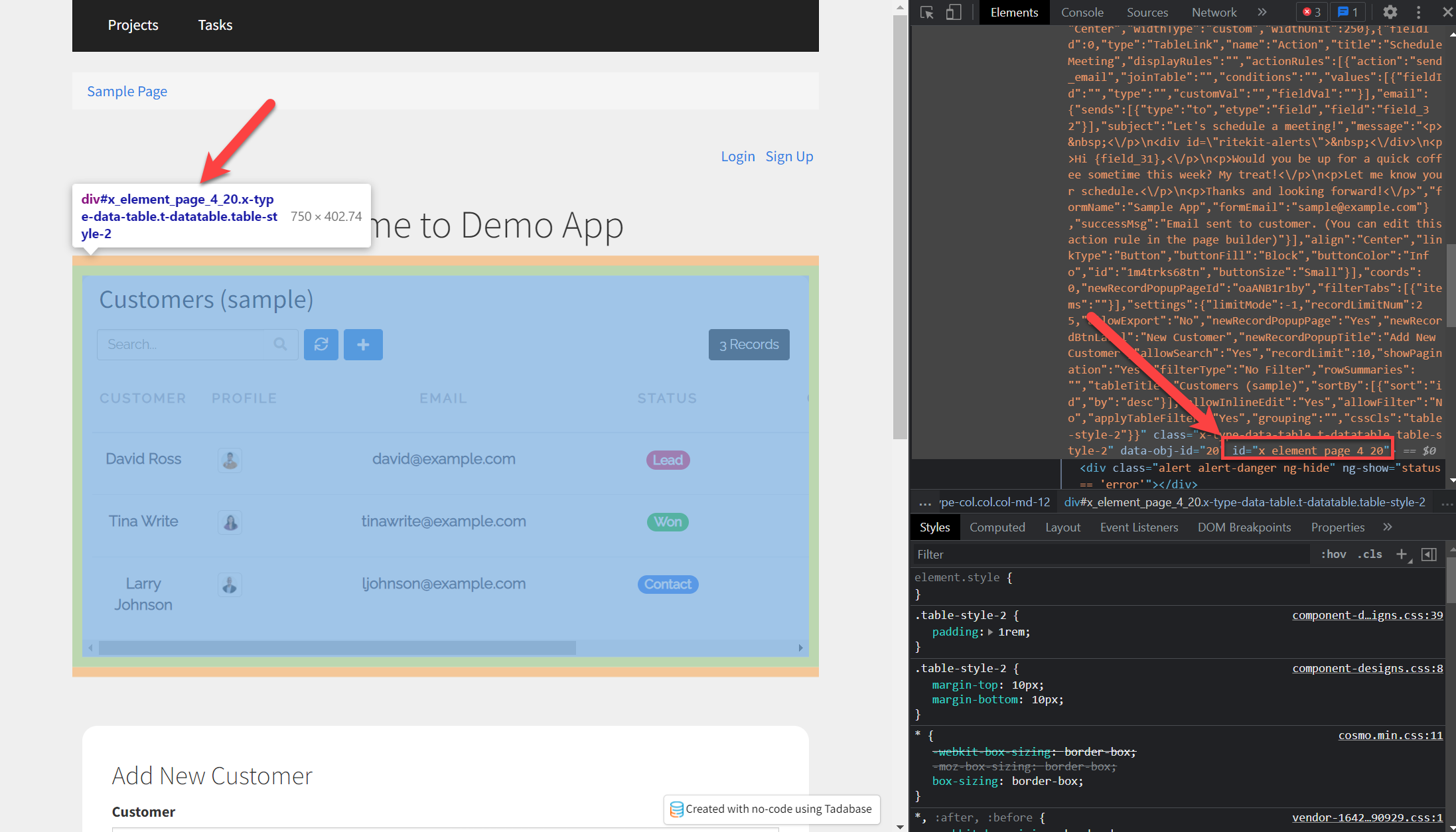
Find the Element ID.
- Preview your page or view the Live App
- Right-click on the table component, somewhere near the top edge of the table works well
- Depending on your browser, you may see something different, but we’re looking for Inspect Element. It could be under Developer Tools ? Inspect
Next, add the following code to the CSS tab of your page.
#x_element_page_4_41 > div.table-responsive > tb-table-group > div > div > tb-table > div > table > thead > tr > th:nth-child(5) > span:nth-child(1) {
    writing-mode: vertical-rl;
    text-orientation: upright;
    letter-spacing: -2px;
}
span .badge {
    writing-mode: vertical-rl;
}
If you would prefer to orient the text to be vertical, reading from the bottom up, then instead use:
#x_element_page_X_X > div.table-responsive > tb-table-group > div > div > tb-table > div > table > thead > tr > th:nth-child(1) {
  writing-mode: vertical-rl;
  /*text-orientation: sideways;*/
  transform:scale(-1);
}
Original Community Post:
https://community.tadabase.io/t/vertical-text-in-column-and-fields/667
Was this page helpful?
Something wrong or missing on this page? Tell us.