
Change Sub Menu Background Color and Text on Hover
Please note that this is now available as a plugin for easier installation. While you can use this document as a reference, the recommended method to add…
- Not yet re-checked
- Classic builder
Moved from our previous help site and not yet re-checked against the current product. Last edited Sep 20, 2024.
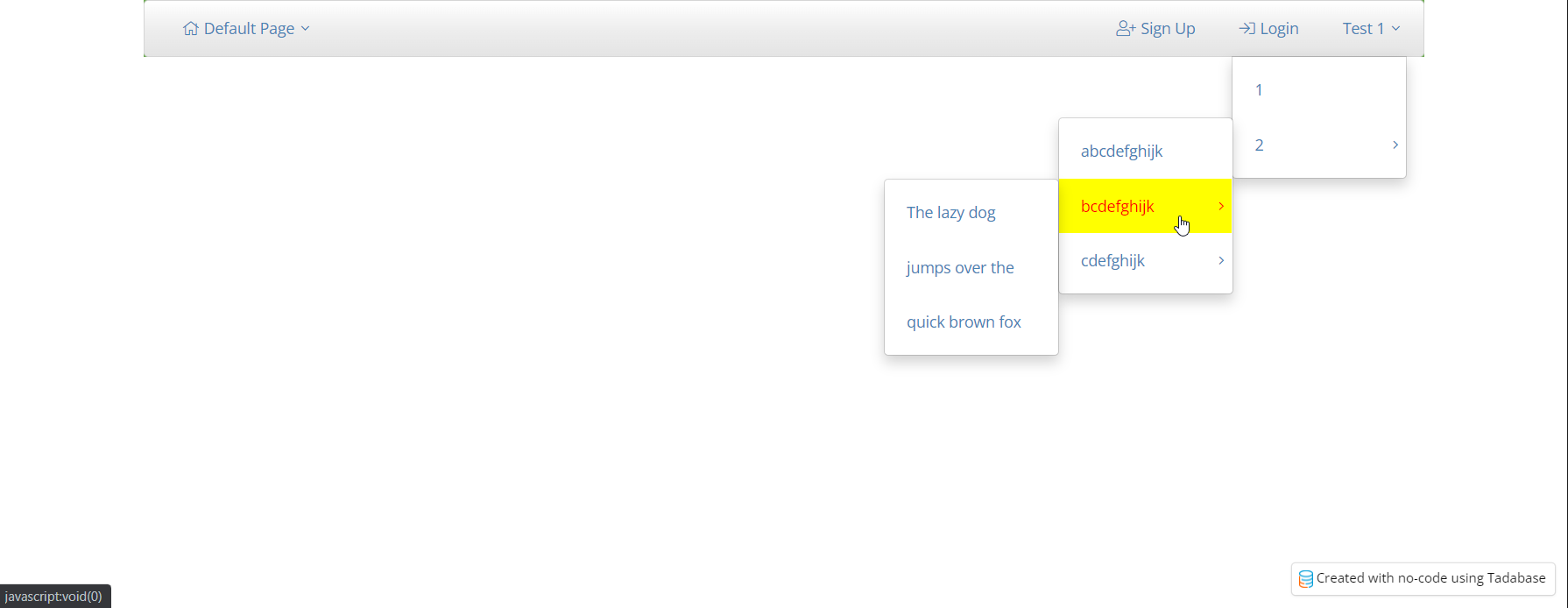
As shown in the image, here’s some CSS that you can add to your layout or page to change the background and text color when a user hovers over sub-menu items.
One Easy Step
Go to the CSS tab in your layout or page and add the following code.
.dropdown-menu>li>a:hover,
.dropdown-menu>li>a:focus {
    color: red !important;
    background-color: yellow !important;
}
Original Community Post:
Was this page helpful?
Something wrong or missing on this page? Tell us.