
How to Hide Arrows from Input Number
Please note that this is now available as a plugin for easier installation. While you can use this document as a reference, the recommended method to add…
- Not yet re-checked
- Classic builder
Moved from our previous help site and not yet re-checked against the current product. Last edited Sep 20, 2024.
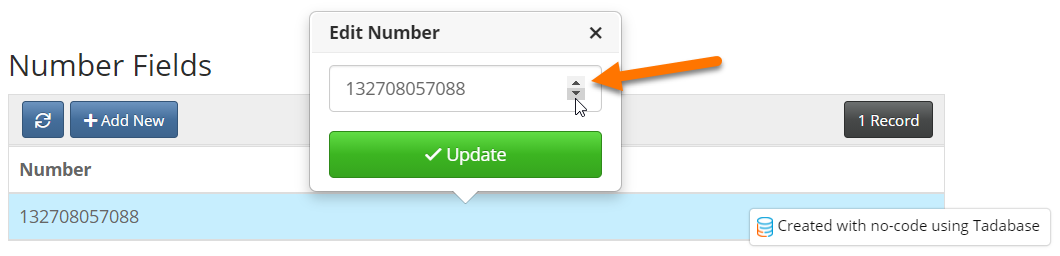
This is a solution to hide the arrows shown in the image above.
One Easy Step
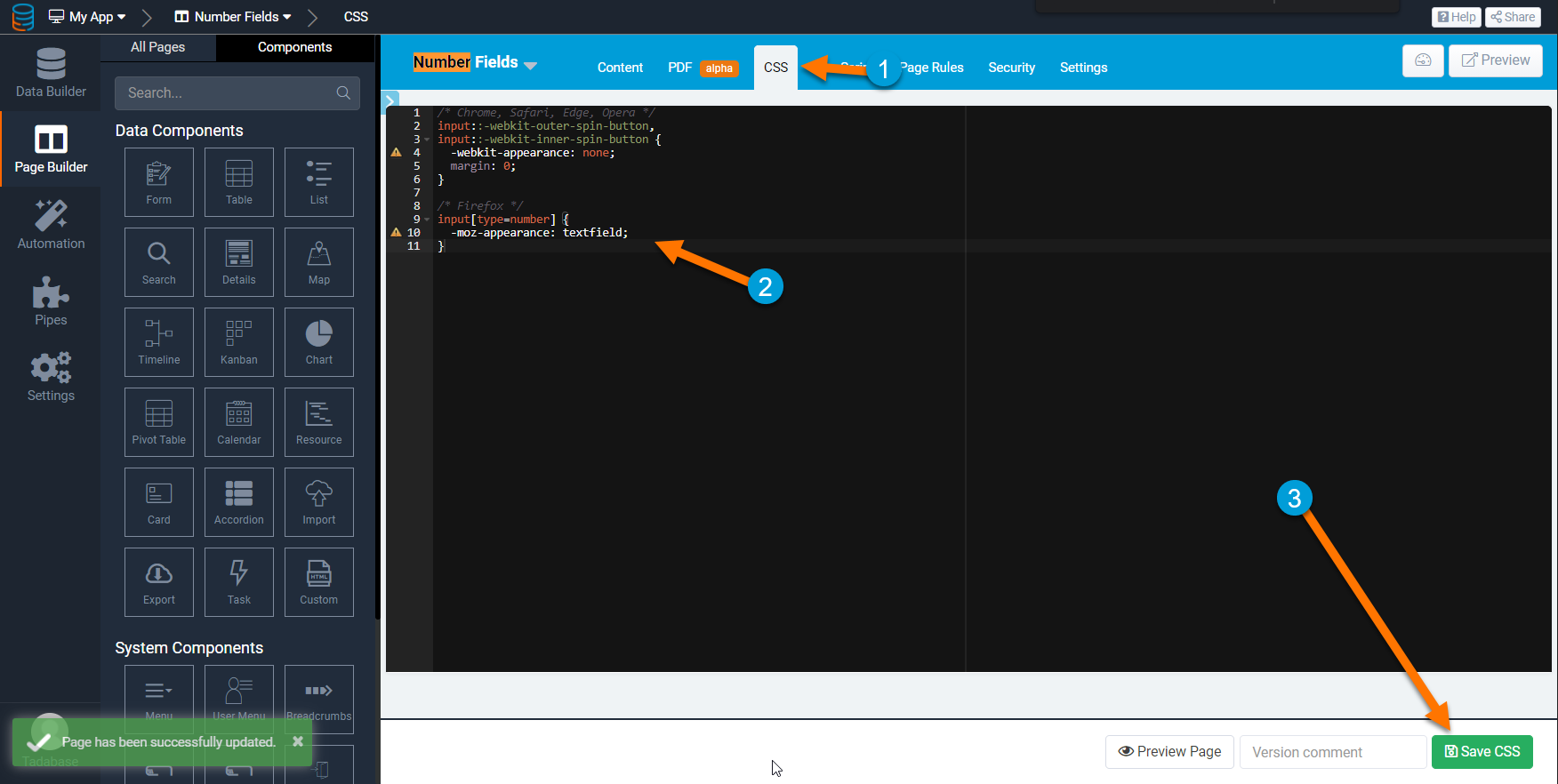
Add the following code to your CSS tab.
/* Chrome, Safari, Edge, Opera */
input::-webkit-outer-spin-button,
input::-webkit-inner-spin-button {
  -webkit-appearance: none;
  margin: 0;
}

/* Firefox */
input[type=number] {
  -moz-appearance: textfield;
}
Original Community Post:
How to Hide Arrows From Input Number - Community Discussions / Tips and Tricks - Tadabase Community
Was this page helpful?
Something wrong or missing on this page? Tell us.