
Set your Data Table to Auto-Refresh
Please note that this is now available as a plugin for easier installation. While you can use this document as a reference, the recommended method to add…
- Not yet re-checked
- Classic builder
Moved from our previous help site and not yet re-checked against the current product. Last edited Sep 20, 2024.
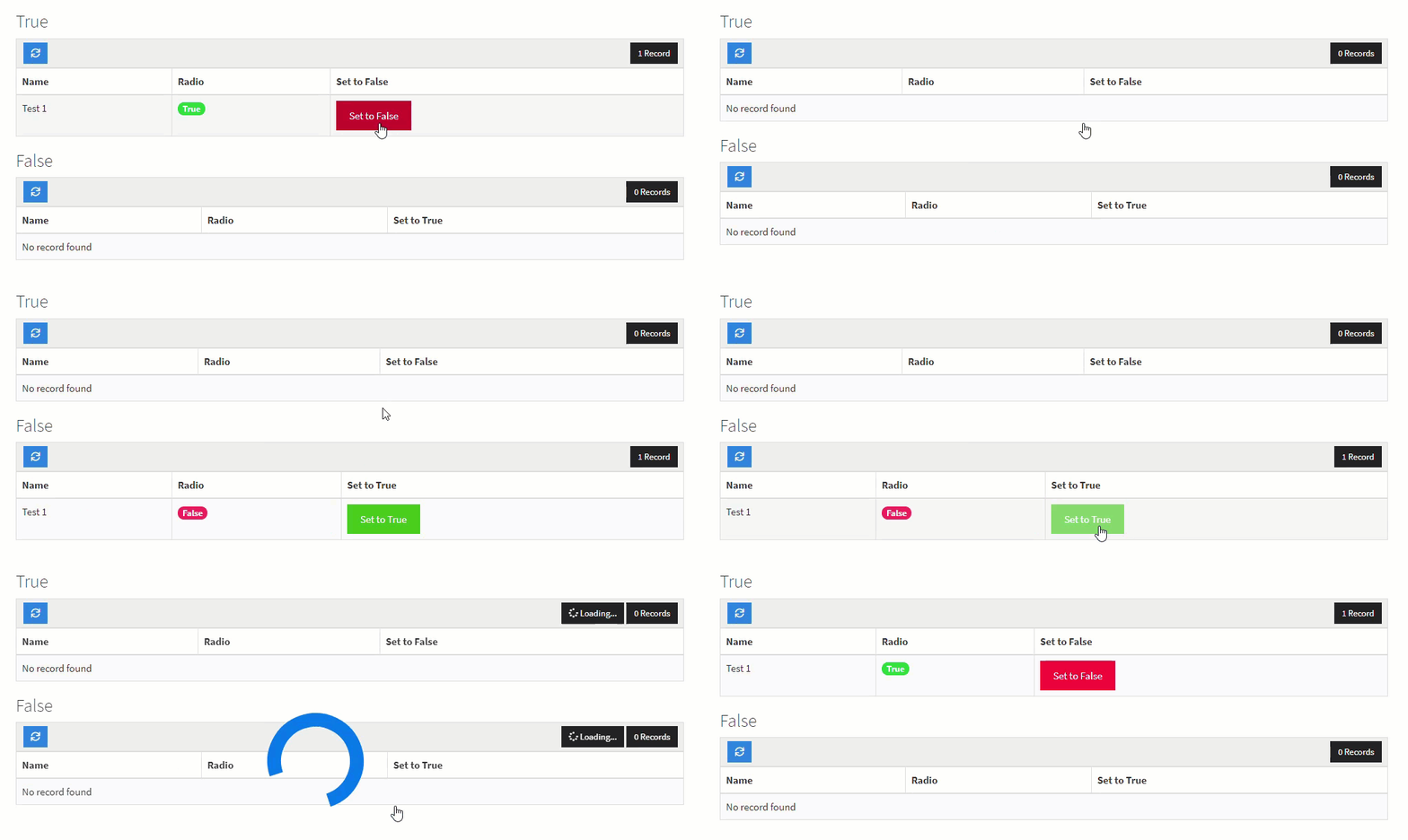
There are many use cases for wanting your tables to refresh automatically to see the information. Here are the steps you can take to set this up.
Step 1 Add the CSS Class action-link-refresh to the action link column(s), as shown in the image below.

Step 2 Find the Component IDs for both tables as shown in the image below. You will need these for the next and last step!

Step 3 Finally, copy and paste the following code into the JavaScript section of your page.
var timeToWaitBeforeRefreshTriggers = 600; // Set this to the amount of time it takes for the action link to complete (milliseconds)
var tableOneId = 'component_X1'; // Change this to the first table ID
var tableTwoId = 'component_X2'; // Change this to the second table ID

var setOnClick = function() {
    $('.x-type-data-table').find('.action-link-refresh a').click(function() {
        setTimeout(function() {
            $('[ng-click="refreshData()"]').click();
        }, timeToWaitBeforeRefreshTriggers);
    });
};
TB.render(tableOneId, function() {
    setOnClick();
});
TB.render(tableTwoId, function() {
    setOnClick();
});
$('body').click(function() { // Reset after any action that can wipe the onclick event occurs by using body onclick
    setTimeout(function() {
        $('tbody tr').find('.action-link-refresh a').off();
        setOnClick();
    }, 800);
});
Original Community Post:
https://community.tadabase.io/t/auto-refresh-for-datatable/309/4
Was this page helpful?
Something wrong or missing on this page? Tell us.