
Restore a deleted field
A deleted field stays in Deleted Fields for 30 days with its data. Restore it from the Data Builder, or delete it forever.
- Verified Nov 17, 2026
- Classic builder
On this page
When you delete a field, it moves to Deleted Fields with its data instead of being removed at once. You can restore it there for 30 days. After that it is deleted for good.
Open Deleted Fields #
- Open a table's fields In the Data Builder, open any table and go to its Fields tab.
- Click Deleted Fields Click Deleted Fields next to Add New Field, or press
Alt+Shift+D.
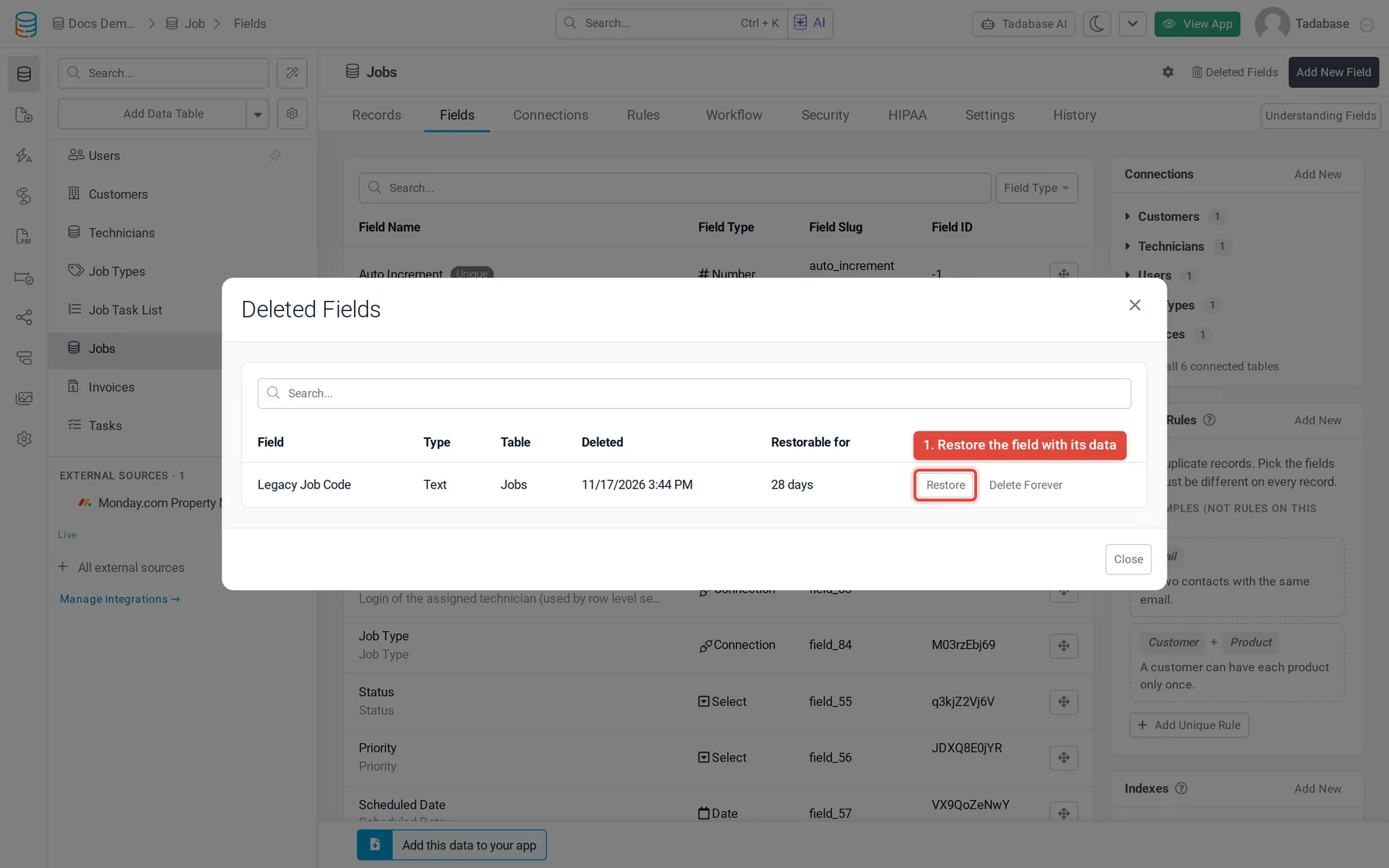
The list shows deleted fields from every table in the app, with each field's type, table, when it was deleted and how long it can still be restored (Restorable for). Use the search box to find a field by name.
Restore a field #
Click Restore next to the field. The field comes back on its table, in the same place in the field list, with its data. A message then lists what was put back and anything you should check.
| What | After a restore |
|---|---|
| The field's data | Back, as it was when you deleted it. |
| Connected records | For a connection field, the links between records are back too. |
| Page columns and inputs | Put back where they were. If a page changed since the delete, some items can't go back; the message lists those pages so you can add them by hand. |
| Formula fields that use it | They work again. Check that their values look right. |
Delete a field forever #
Click Delete Forever, type the field's name to confirm, and confirm again. The field and all of its data are deleted and can't be restored.
Fields you leave in the list are deleted for good by a daily run once their 30 days are over.
Limits #
- A table can hold 25 deleted fields at a time. To delete another field on that table, restore one or delete one forever first.
- Some fields can't be deleted at all: the only field on a table, a locked field, a field that a connection uses as its display field, and a field other formula fields depend on until you convert or delete those first. Field Usage shows these as Can't delete.
- If a field with the same column is on the table now, the restore is refused and the list says Can't restore. Retry once that column is gone.
- If the field's stored data is no longer on the table, it can't come back. Use Delete Forever to clear it.
Was this page helpful?
Something wrong or missing on this page? Tell us.