
Restore a deleted table
A deleted table waits in Deleted tables for 30 days with its fields, records and connections. Restore it, or delete it forever.
- Verified Nov 17, 2026
- Classic builder
On this page
When you delete a table, it moves to Deleted tables with its fields, its records and the connections other tables had to it. You can restore it there for 30 days to bring it all back. After that it is deleted for good.
Find your deleted tables #
- Open Field & Table Usage In the builder, open Settings and click Field & Table Usage.
- Choose Deleted tables Under Tables on the left, click Deleted tables.
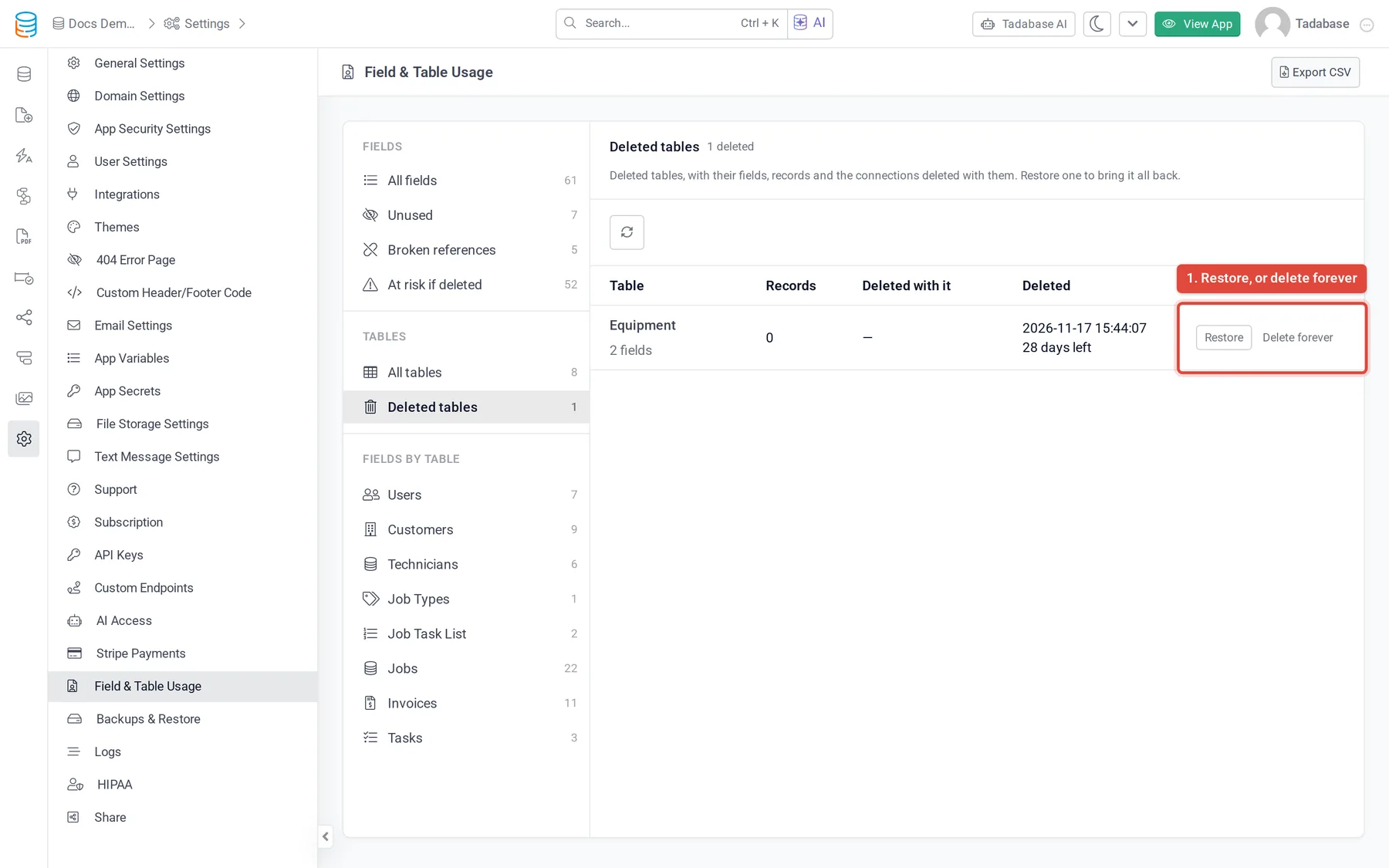
Each row shows the table's name and number of fields, its records, the connections from other tables that were deleted with it, when it was deleted and how many days are left.
Restore a table #
Click Restore. The table comes back in the Data Builder with its fields and records. The connections deleted with it come back on their tables too, with the page columns and inputs that were removed for them. A message lists anything that could not come back.
- Pages, workflows and formulas that broke when the table was deleted read it again once it is back. Check them in Table Usage.
- If a connection could not come back, the message names it. Restore it from Deleted Fields.
- If the list shows a red note under a table, that table can't be restored right now, and Restore is turned off. The note says why.
Delete a table forever #
Click Delete forever and confirm. The table, its records and the connections deleted with it are removed for good. This can't be undone.
Tables you leave in the list are deleted for good by a daily run once their 30 days are over.
Connections in Deleted Fields #
The connection fields that other tables had to the deleted table also appear in Deleted Fields on those tables. You don't need to restore them one by one: restoring the table brings them back. They count toward the 25 deleted fields a table can hold.
Was this page helpful?
Something wrong or missing on this page? Tell us.