
Text, Long Text and Rich Text fields
Store words in a data table: Text for short single-line values, Long Text for paragraphs and notes, and Rich Text for formatted content.
- Verified Nov 17, 2026
- Classic builder
On this page
The Text category of the Add Field window has three types for written content. Pick the type by how much text you store and whether it needs formatting.
Choose a type #
| Type | Use it for | In a form |
|---|---|---|
| Text | Short values such as a job name, a code or a title | A single-line box |
| Long Text | Descriptions, instructions and notes | A multi-line box |
| Rich Text | Content with formatting, such as bold text, lists and links | A formatting editor |
For names, email addresses, phone numbers and addresses, use the personal fields and the Address field instead: they store the parts separately and check the values.
Text #
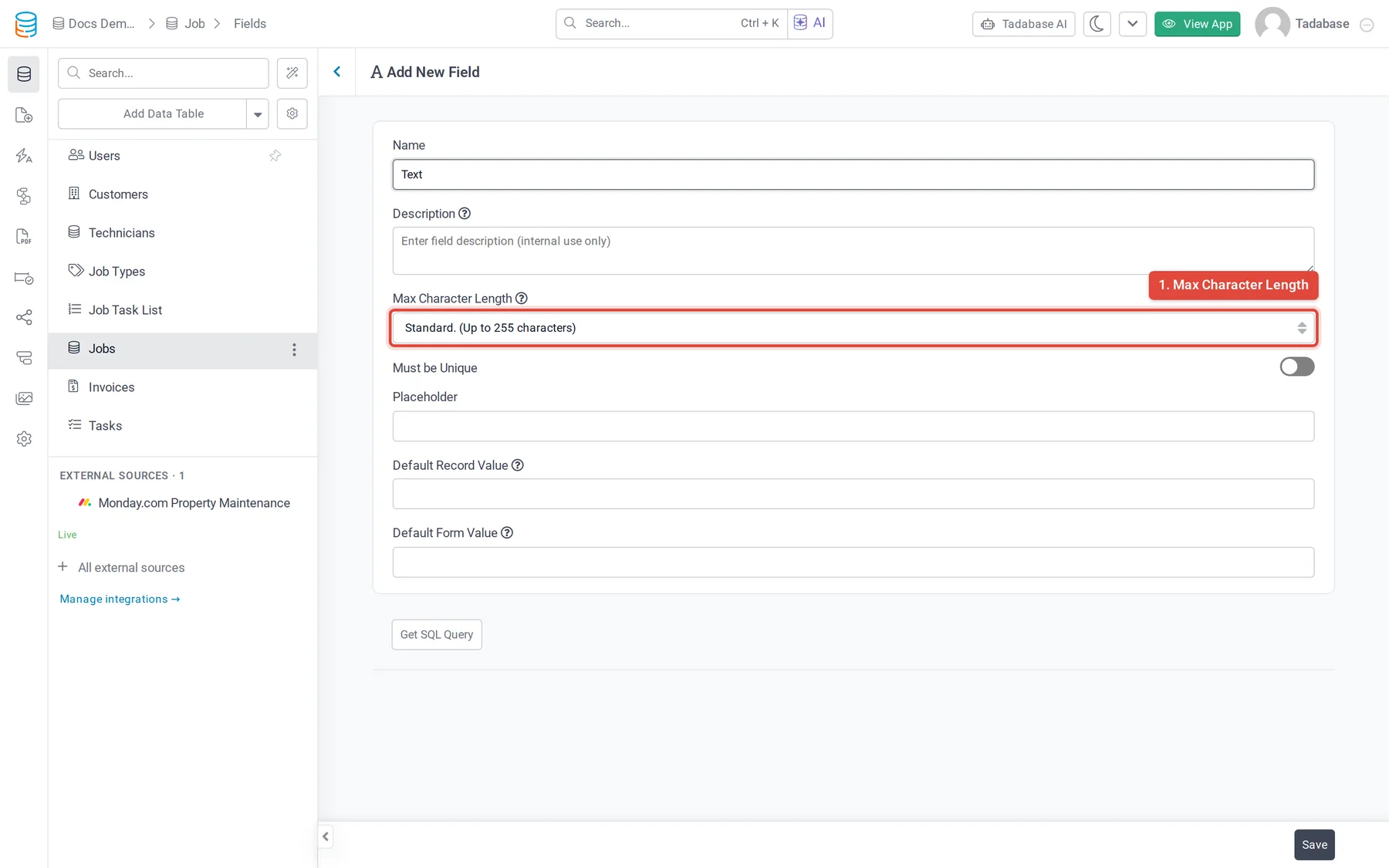
A Text field holds one line of text.
| Option | What it does |
|---|---|
| Max Character Length | Very Short. (Up to 50 characters), Short. (Up to 100 characters) or Standard. (Up to 255 characters). For more than 255 characters, use Long Text. |
| Must be Unique | A live-app form refuses a value that another record already has, with the message Please enter unique and the field name. |
| Placeholder | Grey hint text shown in the empty box on forms. |
| Default Record Value, Default Form Value | See default values. |
Long Text #
A Long Text field holds paragraphs of plain text. In a live-app form it is a multi-line box, and pressing Enter starts a new line.
Options: Placeholder, Default Record Value and Default Form Value.
Rich Text #
A Rich Text field stores formatted text as HTML. In a live-app form, people format it with an editor toolbar.
Options: Placeholder, Default Record Value and Default Form Value.
Change between text types #
Text, Long Text, Rich Text and Email can be changed into each other, and Text and Long Text can also become JSON. Values that don't fit the new type may be cut short, for example when Long Text becomes Text, and HTML from a Rich Text field shows as plain text with its tags in a Text or Long Text field. See changing a field's type.
Was this page helpful?
Something wrong or missing on this page? Tell us.