
Link field
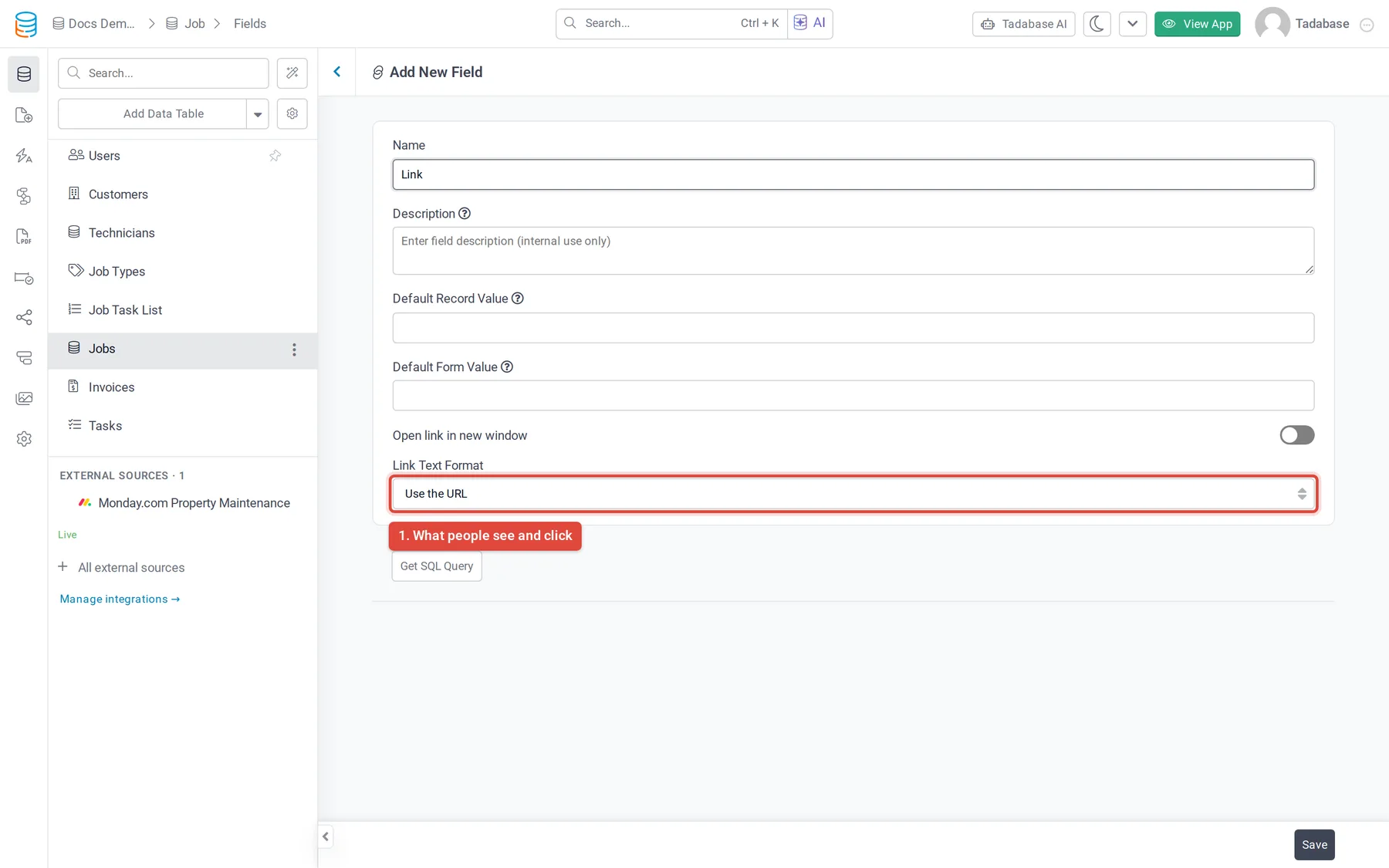
Store a web address and choose how it appears in your app: as the URL, the same text for every link, its own text per link, or an image.
- Verified Nov 17, 2026
- Classic builder
A Link field stores a URL, such as a website, a profile page or a document link. You choose whether it opens in a new window and what text people click.
Options #
| Option | What it does |
|---|---|
| Open link in new window | Opens the link in a new browser tab or window. Off by default. |
| Link Text Format | What people see and click. See the next table. |
| Link Text | The text shown for every link. Appears when Link Text Format is Use the same text for all links. |
| Default Record Value, Default Form Value | See default values. |
| Link Text Format | Result |
|---|---|
| Use the URL | The URL itself is shown. This is the default. |
| Use the same text for all links | Every link shows the Link Text you enter, such as "Open website". |
| Use the unique text for each link | Forms ask for a Link URL and a Link Text, so each record has its own link text. |
| Format Link as an Image | The link is shown as an image. |
Limits #
- A Link field has no Placeholder option.
- Its type can't be changed. To store links as plain text, create a Text or Long Text field.
Was this page helpful?
Something wrong or missing on this page? Tell us.