
Person Name, Email, Phone Number and Signature fields
Store details about people: a name split into parts, an email address that forms check, a formatted phone number and a drawn signature.
- Verified Nov 17, 2026
- Classic builder
On this page
The Personal category of the Add Field window has field types for details about people. They store values in a known shape, so forms can check them and your app can use them.
Addresses have their own page: see Address field.
Person Name #
A Person Name field stores a name in separate parts.
| Option | What it does |
|---|---|
| Field Format For Forms | The parts forms ask for: Title, First Name, Middle Name and Last Name. New fields start with First Name and Last Name. Click a part to add or remove it. |
| Field Labels | Rename the label of each part, for example "Middle Name" to "Middle Initial". |
In forms, Title is a list: Ms., Miss, Mr., Mrs., Dr. and Prof. Title holds up to 10 characters and each name part up to 100.
Email #
An Email field stores one email address. Use it rather than a Text field for addresses, so they are checked.
| Option | What it does |
|---|---|
| Must be Unique | A live-app form refuses an address that another record already has. |
| Default Record Value, Default Form Value | See default values. |
In a live-app form, an address that is not valid shows Please enter valid email address, and the save is refused with Invalid Email and the field name. An email address holds up to 255 characters.
Phone Number #
A Phone Number field stores a phone number and shows it in the format you choose.
| Option | What it does |
|---|---|
| Phone Number Format | The pattern forms use to enter and show the number, where 9 stands for a digit. New fields start with (999) 999-9999. Choose Default for no format. |
| Must be Unique | A live-app form refuses a number that another record already has. |
| Placeholder | Grey hint text shown in the empty box on forms. |
| Default Record Value, Default Form Value | See default values. |
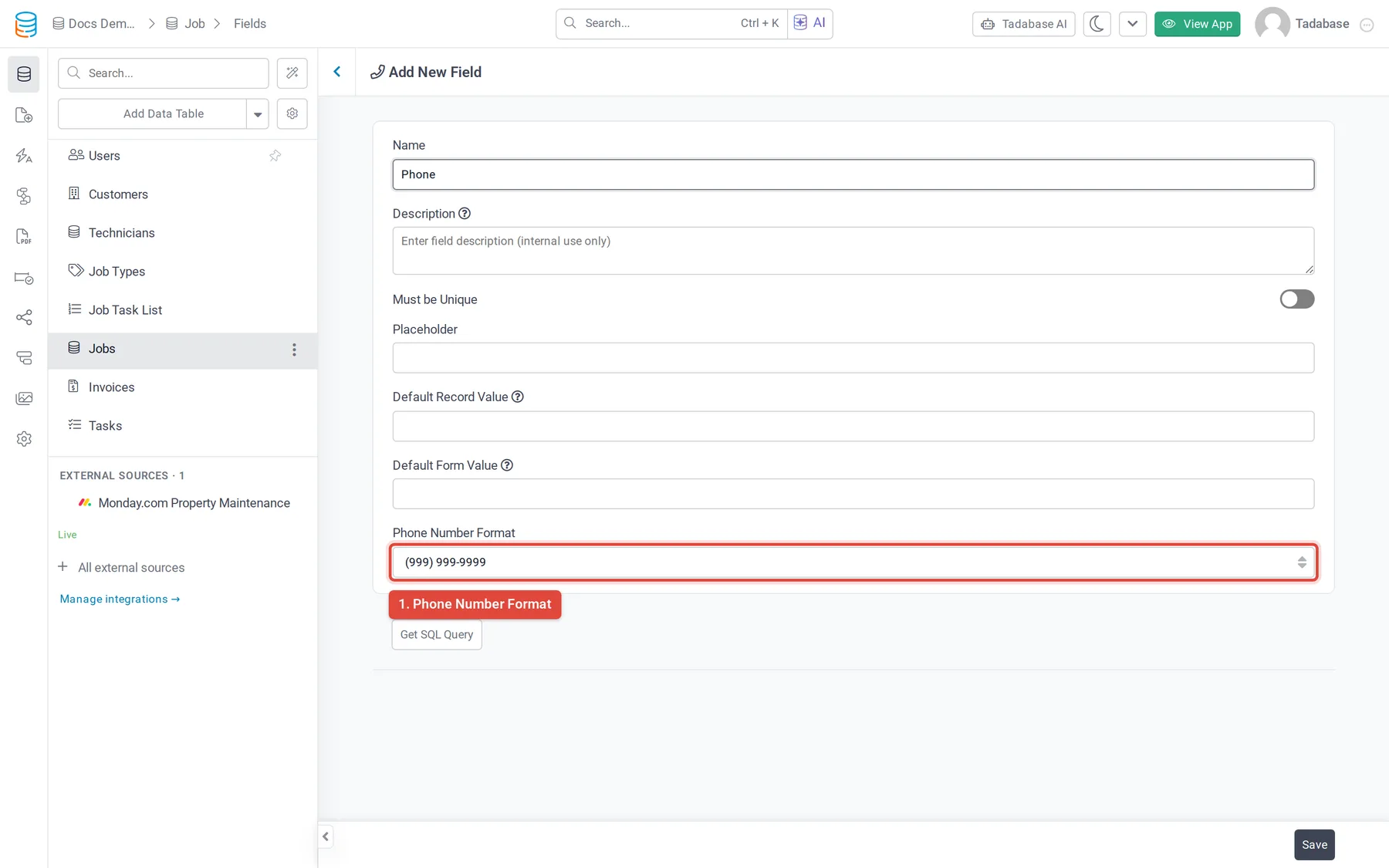
On a form, the field's settings also have Enable Country Code Selector, which adds a country picker to the box.
When a live-app form saves, a phone number must be 7 to 20 characters of digits, spaces, dashes and parentheses, with an optional + at the start. Otherwise the save is refused with Invalid Phone Number and the field name. A phone number holds up to 50 characters.
Signature #
A Signature field captures a signature drawn with a mouse, a finger or a stylus. The signature is saved as an image, and the field stores a link to that image. It has no options besides Name and Description.
Change the type #
- Email can be changed into Text, Long Text or Rich Text.
- Phone Number can be changed into Number, Currency, Rating or Slider.
- Person Name and Signature can't be changed into another type.
Was this page helpful?
Something wrong or missing on this page? Tell us.