
Conditions
Every useful workflow eventually hits a fork in the road. At some point, something has to decide whether this record gets a phone call or a checkmark, an alert or a quiet pass, and that decision is called a condition. In Tadabase AI, a condition looks at every record the moment it arrives, checks it against your rules, and sends it down one of two paths, Yes or No. It is the step that makes a workflow feel like it's actually thinking, so let's build one together, and I'll show you the three mistakes that quietly send records down the wrong path.
On this page
Chapters
Read the docs
Transcript
Show the full transcript
0:00 Intro
Every useful workflow eventually hits a fork in the road. At some point, something has to decide whether this record gets a phone call or a checkmark, an alert or a quiet pass, and that decision is called a condition. In Tadabase AI, a condition looks at every record the moment it arrives, checks it against your rules, and sends it down one of two paths, Yes or No. It is the step that makes a workflow feel like it's actually thinking, so let's build one together, and I'll show you the three mistakes that quietly send records down the wrong path.
0:36 The idea
Think of a bouncer standing at a door with a list. A guest walks up, and the bouncer checks the list. If the guest passes, they go in, and if they don't, they're turned away.
0:47 In your app
Your app works the same way. At Brookside Family Clinic, patients fill in an intake form before their visit. When a form comes in, a condition checks whether anything is missing. If something is, the front desk gets a task to call the patient. If nothing is missing, the appointment is marked as Intake done. Let's say six forms come in. Ana Ruiz answered every question, so her form goes down No. Marcus Lee left his insurance blank, so his goes down Yes. Omar Haddad left his age blank, so his goes down Yes too. Lena Park is sixteen, and her guardian hasn't signed the consent yet, so hers goes down Yes. Sam Ortiz is fifteen, and his guardian said no, so his goes down Yes as well. And Priya Shah is seventeen, and her guardian signed, so her form goes down No.
1:37 Operators
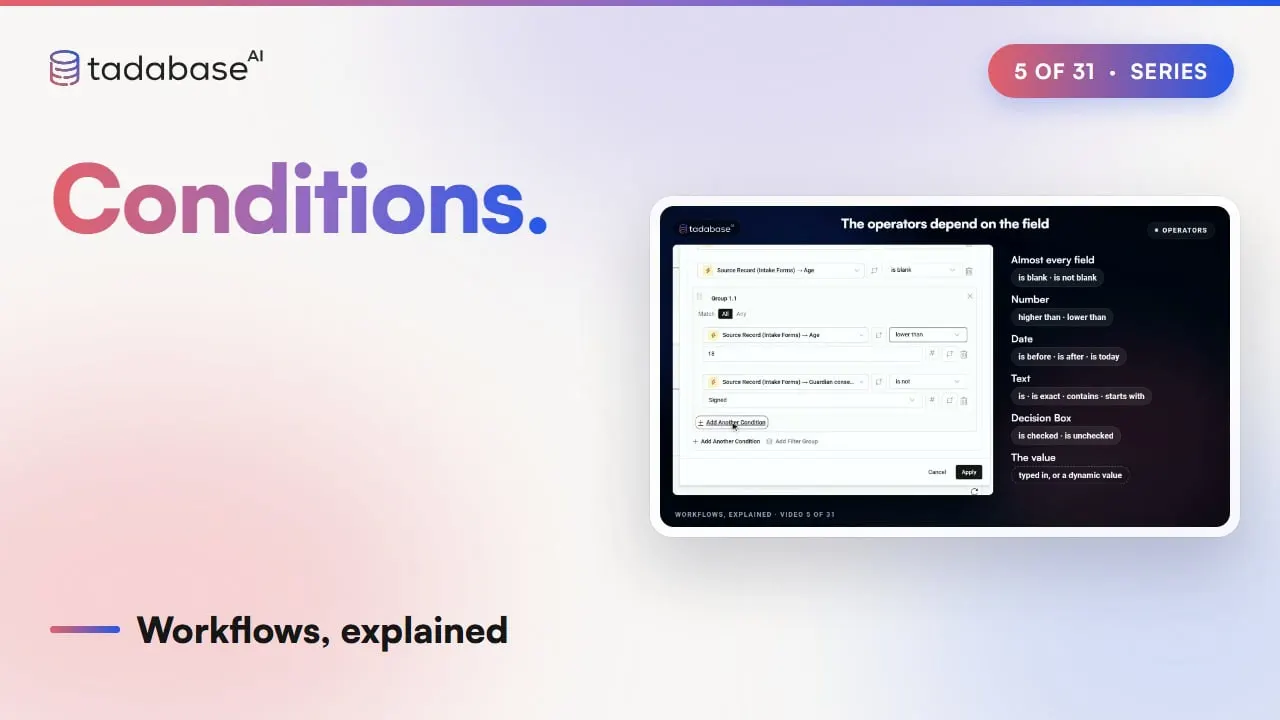
Each rule checks one thing about the form, like whether the insurance answer is blank, whether the patient is under eighteen, or whether a date is today. You pick what to look at, how to compare it, and what to compare it with, and you can stack up as many rules as you need.
1:54 All and Any
Then you decide how strict to be. Match All means a form only passes when every one of your rules is true. Match Any means one is enough. Our intake check uses Any, because a missing insurance answer or a missing age is each enough reason to call the patient. Patients under eighteen need two things checked together: that they're under eighteen, and that their guardian hasn't signed yet. So you add a small group of rules inside the first one, with Add Filter Group, and set that little group to Match All, so both things have to be true at once. Lena and Sam get flagged by it, and Priya doesn't, because her guardian already signed.
2:32 Connections
Here's a small one that trips people up. Say each form lists the doctors on the patient's care team. A rule that says "Care team is Dr. Shah" passes whenever Dr. Shah is anywhere on the team. If you only want the forms where Dr. Shah is the only doctor, you pick "is exact" instead.
2:52 On the canvas
In the workflow, the condition splits into two paths, one marked Yes and one marked No, and you add steps to each. The steps on the Yes path only happen for the forms that were missing something, and the steps on the No path happen for the rest. And anything you add underneath both paths happens for every form, whichever way it went.
3:12 Setting it up
Setting this up only takes a few minutes. Start a new workflow that runs when an intake form comes in. Add a Condition, add one rule for a blank insurance answer and one for a blank age, and set it to Match Any. Then add the small group for patients under eighteen. On the Yes path, add a step that creates a task for the front desk to call. On the No path, add a step that marks the appointment as Intake done. Save it, and it's live. Any business can use the same idea. When a new hire sends their onboarding form, the workflow checks whether the tax form or the emergency contact is missing. If either one is, HR gets a task to chase it, and if not, onboarding is marked complete.
4:19 Rules
There are three mistakes worth watching out for. The first is mixing up the two switches. The main list is set to Any, and the small group inside it is set to All. If you accidentally set the small group to Any as well, Priya gets flagged even though her guardian signed, and so does Ana, who filled in everything. The second mistake is trusting the word "not". A rule that checks for a guardian who declined only catches Sam. But a rule that checks for a guardian who has not signed catches Sam, it catches Lena, whose form is still waiting, and it even catches forms where that answer was left completely empty. Sometimes that's what you want, so just make sure it's on purpose. The third mistake is forgetting about blank numbers. Omar left his age blank, so a rule asking whether he's under eighteen can't say yes, and neither can a rule asking whether he's over eighteen. That's why a blank age gets a rule of its own. So that's a condition. It checks every form against the same rules, you choose whether all of them or just one of them has to be true, and then each form goes down the Yes path or the No path, so the right thing happens every time. In the next video, we'll go beyond two paths with branches, so a record can go down path A, B, or C. And if you want to see what else Tadabase AI can do, you'll find it all on our website.
Also on Vimeo · the whole series on Vimeo