
Add a button that links to another page
Add a Link Button that opens another page of your app or another page for the same record, and style it with a CSS class.
- Verified Nov 17, 2026
- Classic builder
On this page
The Link Button component is a button that opens another page of your app. Use it as a call to action, such as Post a job on a dashboard, or on a record's page to jump to another page for the same record.
Add a link button #
- Open the page In the Page Builder, open the page (or layout). Its Content tab opens.
- Pick a spot In an empty column, click Add Component, or drag the component from the left panel into a column.
- Choose Link Button On the Components tab of the left panel, under System Components, click Link Button. The Manage Link Button window opens.
- Name the button Type the button's text in Button Title. It starts as Go To Page.
- Choose the page Pick the page in Page Link. On a page that shows a record, first choose All Pages or Linked Pages under Page Link Type (see below).
- Save Click Update & Save. If no page is chosen, you see Please select page link.
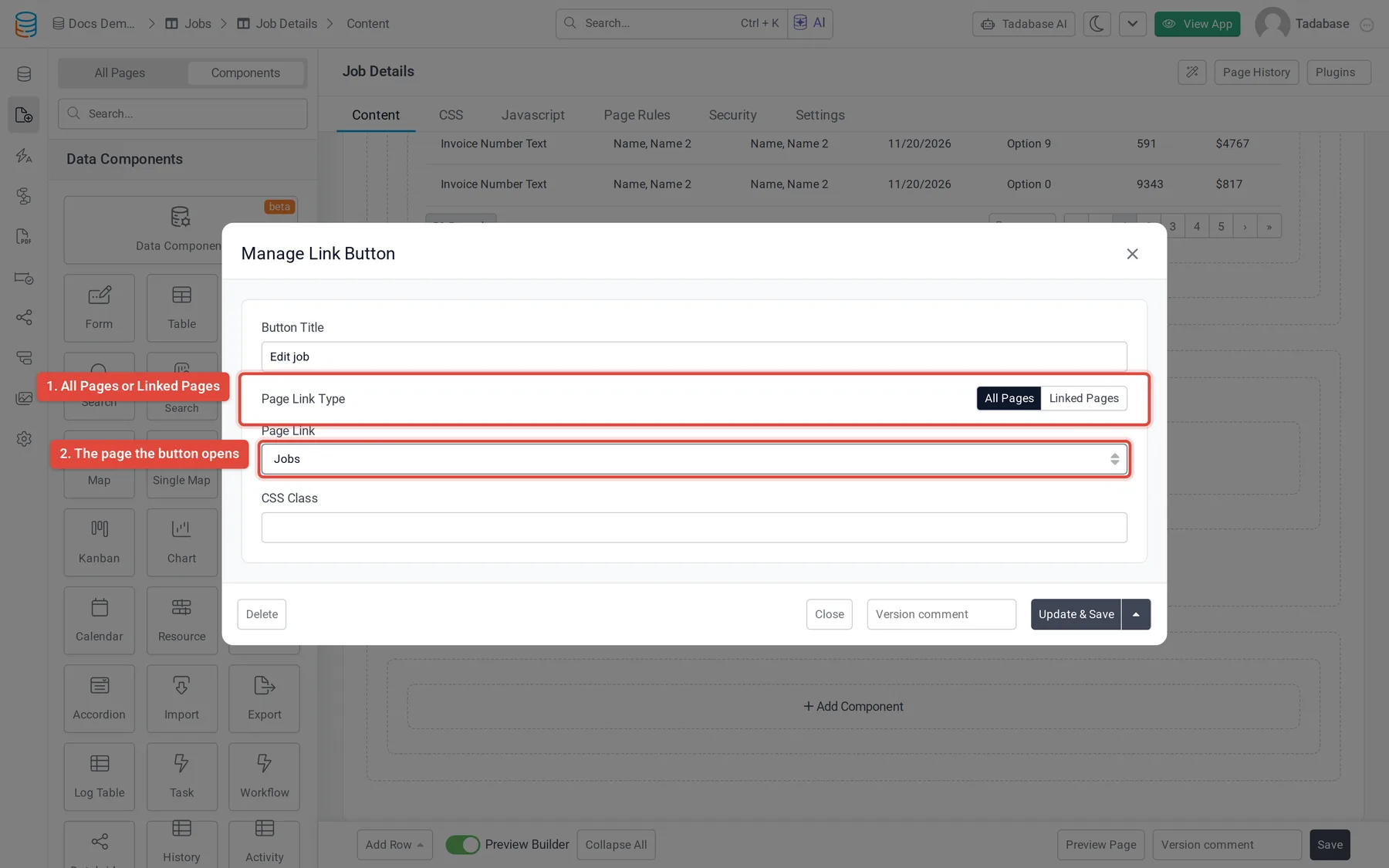
All pages or linked pages #
Page Link Type only appears on a page that shows a record (a child page, such as a details page) and only when there is a page it can link to for that record. A new button starts on All Pages.
| Page Link Type | Page Link lists | Use it to |
|---|---|---|
| All Pages | Every page in your app. | Send people to a fixed page, such as a dashboard or a list of jobs. |
| Linked Pages | Other child pages that open a record of the same table as this page, written as Parent page > Child page. | Move between pages of the same record, such as from Job Details to Edit Job. The button opens that page for the record being viewed. |
If Linked Pages has nothing to offer, the window says There are no linked pages available. The page you are editing is never listed.
Change how the button looks #
The button uses your app theme's main button style. To style it differently, type one or more class names in CSS Class and define those classes in your custom CSS. The class is added to the button itself.
What it cannot do #
- A link button only opens pages of your app. To link to a website, use a Link item in a Menu, a link in an HTML component, or an Image with Enable Link on.
- Each button opens one page. Add one button per destination.
Change or remove a link button #
Click the button in the Page Builder to open the Manage Link Button window again. To remove it, click Delete at the bottom left of the window.
Was this page helpful?
Something wrong or missing on this page? Tell us.